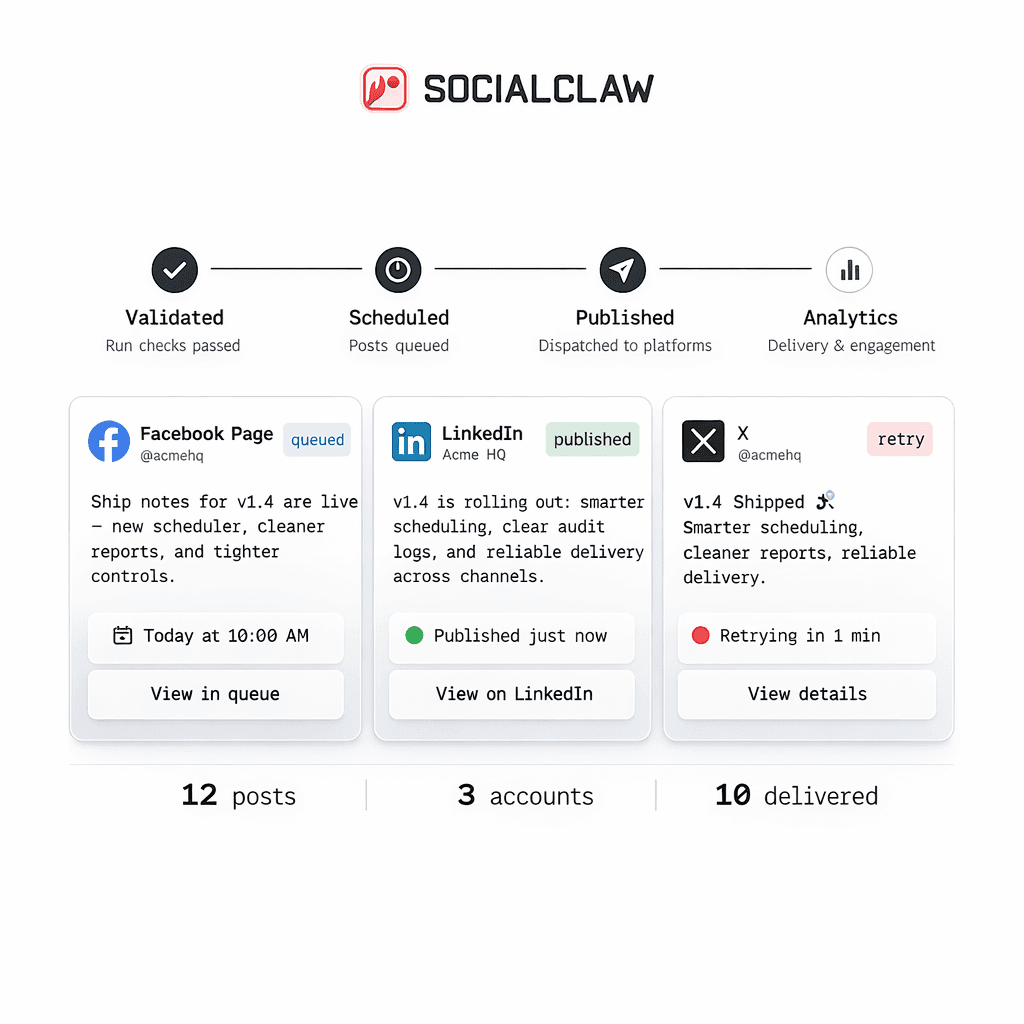
Fully autonomous posting is not the right default for most AI social workflows.
The safer and more useful model is:
- let the agent assemble the draft
- let the publishing system validate and preview it
- let a human decide when it should actually go live
That is what a practical human-in-the-loop workflow looks like.
SocialClaw already exposes the building blocks for that model: capabilities inspection, settings inspection, hosted media upload, validation, campaign preview, stored draft inspection, and later draft publishing.
Human in the loop does not mean "manual everything"
Some teams hear "human review" and assume it means giving up automation.
That is not the right framing.
A strong human-in-the-loop system still keeps the agent busy with the parts it is good at:
- drafting captions
- assembling schedule payloads
- checking capabilities
- preparing media handoff
- shaping campaign timelines
The human stays in the loop for the decisions that are still high-risk:
- brand language
- timing
- media selection
- provider-specific settings
- whether a draft should be published at all
The safest baseline workflow
The stable SocialClaw workflow looks like this:
- inspect capabilities
- inspect settings
- upload media if needed
- validate
- preview the campaign
- inspect the stored draft graph
- publish the draft later if it is approved
That sequence matters because it keeps review attached to a concrete draft rather than a vague promise that the agent "will post the right thing."
Start with capabilities and settings
Before the draft is finalized, the workflow should check what the connected target actually supports:
socialclaw accounts capabilities --account-id <account-id> --json
socialclaw accounts settings --account-id <account-id> --json
This makes the agent less likely to generate a post shape that fails later for avoidable reasons.
For example, capability inspection can tell the workflow whether media is required and what asset kinds are accepted before the human reviewer ever sees the draft.
Upload media into the workspace before review
If the schedule depends on media, the cleaner approach is to upload it into the workspace first:
socialclaw assets upload --file ./campaign/launch.png --jsonThat way the human reviewer is looking at a draft that already points at a stable hosted media asset instead of a temporary file URL the publishing system does not control.
Validate and preview before the draft becomes live work
This is where SocialClaw is especially useful for review-driven workflows.
A draft can be previewed and validated before it becomes scheduled publishing work:
socialclaw campaigns preview -f campaign-draft.json --json
socialclaw validate -f campaign-draft.json --json
That gives the team something concrete to review:
- the campaign shape
- the target sequence
- the media plan
- the scheduled timing
This is much better than asking a human to approve free-form agent output with no publish-aware preview.
Inspect the stored draft graph
After preview and apply in draft mode, the workflow can inspect the stored run:
socialclaw apply -f campaign-draft.json --idempotency-key launch_review_1 --json
socialclaw campaigns inspect --run-id <run-id> --json
This matters because the stored graph is the thing the human is actually approving.
The review step is no longer abstract. It is tied to a concrete run with explicit steps and timing relationships.
Publish the draft later
Once the draft is approved, the workflow can publish it with a deliberate start time:
socialclaw publish-draft --run-id <run-id> --start-at 2026-03-25T10:00:00.000Z --jsonThis is a good fit for teams that want the agent to do most of the assembly work while still keeping an operator checkpoint before the posts go live.
Where the human should review
The human does not need to micromanage the whole workflow. The highest-value review points are usually:
- final brand tone
- publish timing
- whether the selected media is actually the right asset
- whether a reply chain or provider-specific setting makes sense
That is enough to keep the loop safe without turning the process into pure manual publishing.
Where the agent still adds the most value
The agent is still doing a lot of useful work in this model.
It can:
- assemble the campaign JSON
- read capability and settings outputs
- prepare media uploads
- generate different copy for different channels
- shift and clone timelines when the operator wants a revised draft
That is why human-in-the-loop is usually a stronger default than either extreme:
- not fully manual
- not blind auto-posting
What this workflow is not
It is important to keep the claims precise.
This workflow does not mean SocialClaw is a built-in multi-user approval system. It does not mean there is real-time collaborative editing. It does not mean every route has identical analytics.
What it does mean is that the product already supports the operational steps needed to review, inspect, and publish a draft deliberately.
Final takeaway
Human-in-the-loop AI publishing works best when review happens around a concrete draft that has already been checked by the publish system.
That is why the strongest sequence is:
- inspect
- upload
- validate
- preview
- inspect the draft graph
- publish when approved
That keeps the agent useful, keeps the human in control, and keeps the publishing system grounded in real connected-account constraints.
Next steps: