Most teams start the wrong way.
They think embedded social scheduling means building:
- a calendar
- a composer
- a queue
Those are the visible parts. They are not the hard parts.
The hard parts are:
- customer-owned account connection
- media handoff
- provider-aware validation
- publish execution
- delivery-state inspection
That is why embedded social scheduling is really a backend architecture problem, not just a UI problem.
The right split: your SaaS owns the UX, the publishing layer owns execution
If you are shipping social publishing inside your product, the cleanest system design is:
- your SaaS owns the customer experience
- the publishing layer owns the connected-account and publish backend
That means your product should still own:
- the onboarding flow
- campaign or calendar UI
- review and approval UX if you want it
- customer-specific business rules
But the publishing layer should own:
- connected account state
- workspace auth
- media upload and hosted delivery URLs
- validation
- apply and retries
- inspection after publish
This is the model SocialClaw is built around.
Why this matters
If your application tries to own every provider integration directly, you inherit a large amount of surface area:
- OAuth and manual connection logic for multiple providers
- account-type differences like LinkedIn page vs LinkedIn profile
- media-specific rules
- publish-shape validation
- retries and run visibility
That work grows fast.
A hosted publishing layer gives you a cleaner boundary:
- your app stays product-first
- the publish backend stays execution-first
How SocialClaw fits into an embedded SaaS architecture
The current SocialClaw product truth already matches the embedded model well.
SocialClaw is positioned as a social publishing layer for AI agents, workflows, and SaaS products. It acts as the system of record for connected customer social accounts. Customers connect accounts once inside the SocialClaw workspace, then the same workspace can be reused through dashboard, API, CLI, and agent flows.
The auth model is also cleanly split:
- dashboard sign-in uses Google
- automation uses a workspace API key
That matters because your SaaS does not need to turn customer-facing login into the same credential used for background execution.
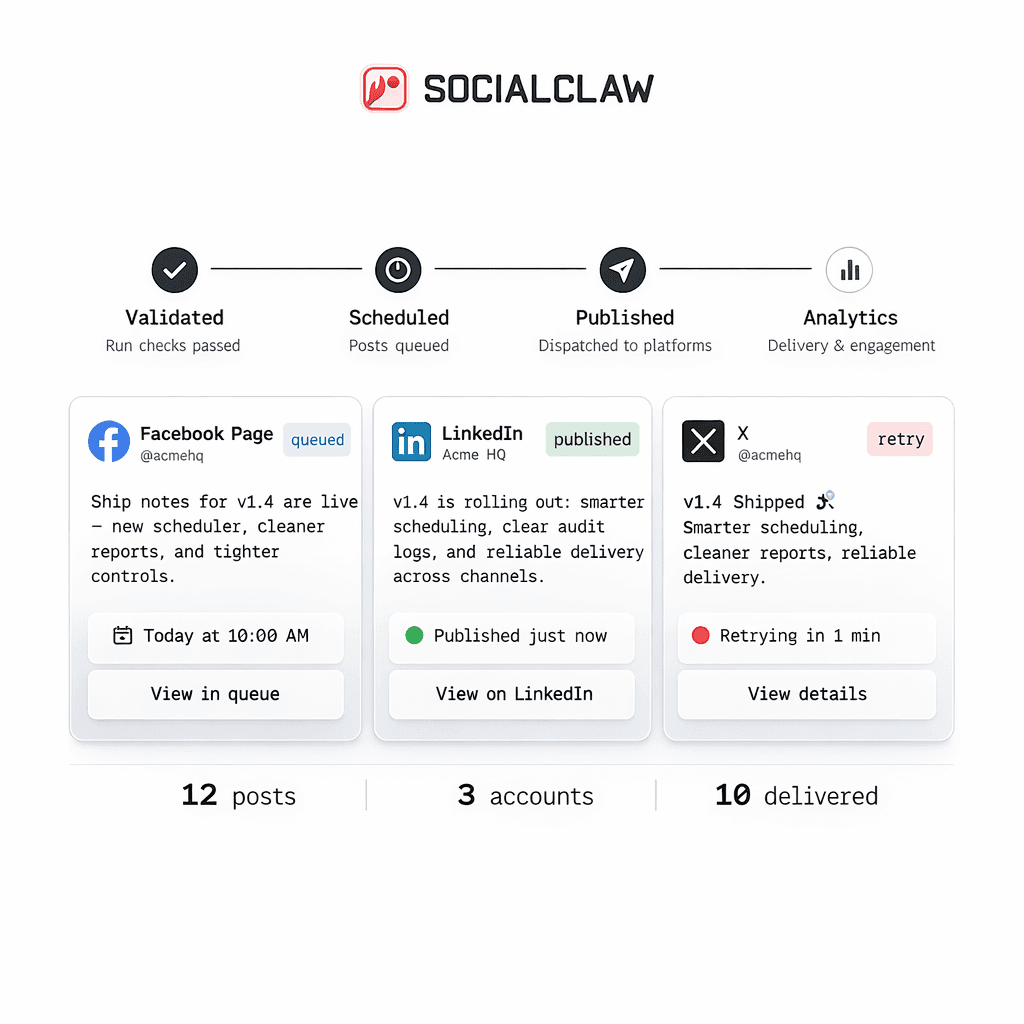
The minimum embedded workflow that works
Here is the simplest model that works in production.
- The customer signs in and connects social accounts in the SocialClaw workspace.
- Your application stores or uses the workspace API key for backend execution.
- Your product UI lets the user draft or schedule content.
- Your backend uploads media through SocialClaw.
- Your backend validates the payload before publish.
- Your backend applies the run only after validation succeeds.
- Your product surfaces run or post status back to the user.
That is what "embedded social scheduling" really means in practice.
Why customer-owned account connections matter
A lot of shortcut implementations rely on a shared internal account model.
That sounds simple until you need to support:
- customer-specific pages or profiles
- different provider targets
- different publish permissions
- different media limits
The better model is workspace-scoped ownership.
SocialClaw already follows that pattern. The customer connects accounts once inside the workspace. Then all execution paths point at those connected resources.
That is a much better fit for SaaS products because the account state stays tied to the customer instead of your team's internal credentials.
Media handoff is part of the embedding story
Media is easy to underestimate.
If your app stores files somewhere unrelated to the publish system, you can still end up with brittle execution:
- file URLs expire
- publish jobs cannot reliably reuse assets
- operators do not know which media version actually shipped
SocialClaw supports hosted media upload with reusable public URLs. That makes the media step part of the same system that also validates and applies publish runs.
A simple upload flow looks like this:
socialclaw assets upload --file ./launch.png --jsonThat response can then be reused as the media input for later schedules and campaigns.
Validation should sit between your app and publish execution
This is one of the biggest architectural wins in the SocialClaw model.
Instead of treating "publish" as the only important API call, your SaaS can keep a clear staged workflow:
- connect
- upload
- validate
- apply
- inspect
That matters because provider constraints differ. A few current first-party examples:
- Instagram requires media
- X supports up to four images or one video
- Discord and Telegram currently support text-only or one image or one video
If your product is generating schedules from user input or agent output, validate-before-apply is the difference between a controllable system and a guessing game.
What your app still owns
Using a hosted publish layer does not mean giving up your product.
Your SaaS should still own:
- its own workflow design
- planning interfaces
- approval UX if you want one
- customer-facing business rules
- analytics or reporting experiences that are specific to your product
SocialClaw should own the lower execution layer that is expensive to rebuild correctly:
- connected accounts
- hosted media
- validation
- apply
- publish-state inspection
A concrete SaaS example
Imagine a product for local businesses.
Each customer wants to schedule updates to:
- a LinkedIn page
- an Instagram Business account
Your product can keep the entire customer-facing planning flow. But behind the scenes:
- the customer connects those targets once in SocialClaw
- your backend uploads the image through SocialClaw
- your backend validates the campaign
- your backend applies the run
- your UI shows the result using run and post state
That is faster and more maintainable than rebuilding multiple provider-specific publishing pipelines yourself.
Final takeaway
Embedding social media scheduling into your SaaS is not mainly about the calendar.
It is about owning the right boundary:
- your product owns the experience
- the publish layer owns execution
That is the simplest way to ship connected-account publishing without turning your product into a long list of provider-specific edge cases.
Next steps: