The biggest mistake in AI-agent publishing is treating validation like a last-second best practice.
It is not a best practice. It is the workflow.
When an agent publishes blindly, the common failure modes are predictable:
- the target account does not support the payload shape
- media is missing or the wrong type
- the provider requires a setting the agent guessed incorrectly
- the post goes through a retry path with poor visibility
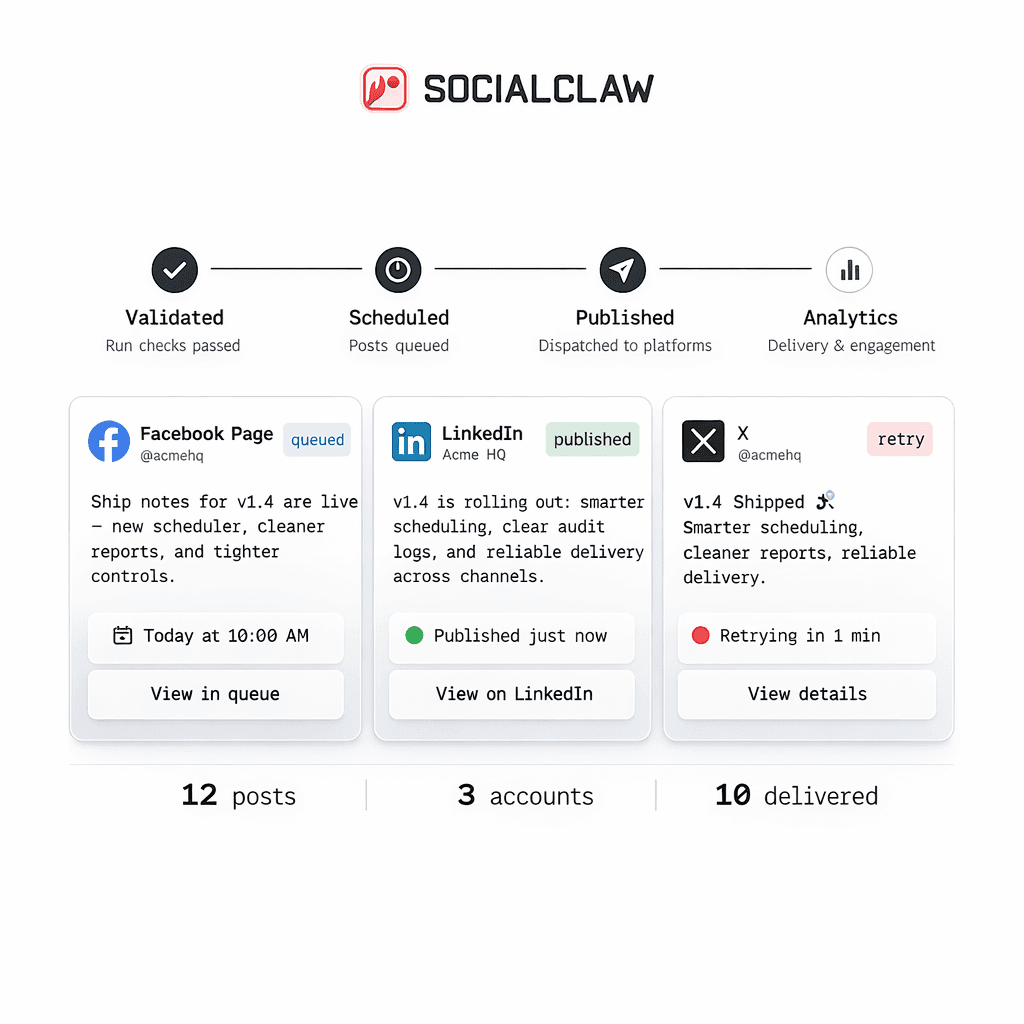
The way out of that is a staged publish system:
- inspect the connected account
- inspect account capabilities and settings
- run discovery when the answer depends on the actual connected account
- upload media if needed
- validate
- apply
- inspect the outcome
That is the pattern SocialClaw supports today.
Why blind posting fails
Large models are good at drafting plausible payloads. They are not a substitute for provider-aware preflight checks.
That distinction matters because social publishing is full of route-specific constraints.
A few current examples from the first-party SocialClaw truth set:
- X supports text publishing and scheduled posts, with up to four images or one video
- Instagram publishing requires media
- Discord and Telegram currently support text-only or one image or one video
If an agent ignores those differences, it will generate payloads that look reasonable but fail in execution.
Validation starts before the validate command
The preflight flow should begin before you ever send the final schedule for validation.
Start by inspecting the connected account:
socialclaw accounts capabilities --account-id <account-id> --json
socialclaw accounts settings --account-id <account-id> --json
Those two steps matter because they tell the workflow what the connected target can actually do.
This is much better than hardcoding platform assumptions into the agent prompt.
Use discovery actions when the answer depends on the connected account
Some publish decisions depend on live connected-account context.
SocialClaw already documents account-scoped discovery actions for that problem, including:
publish-previewlinked-targetssubreddit-targetspost-requirementslink-flair-options
That lets the workflow ask for the answer instead of hallucinating it.
For example, an account action flow can look like this:
socialclaw accounts action \
  --account-id <account-id> \
  --action publish-preview \
  --input examples/account-action-publish-preview.json \
  --json
For Reddit-specific workflows, the discovery step can be even more important because subreddit targets and requirements are not something the agent should guess.
The core preflight workflow
Once you think about validation as a staged system, the flow gets much clearer.
Step 1: inspect capabilities
Check what the connected account can support before composing the final payload.
Step 2: inspect settings
Account settings surface provider-specific answers that should influence how the agent writes the schedule.
Step 3: run discovery if needed
Use discovery when the workflow needs an answer tied to the specific connected target.
Step 4: upload media
If the route needs media, upload it first so the publish payload uses a stable hosted asset URL.
socialclaw assets upload --file ./creative.png --jsonStep 5: validate
Run the validation step before publish:
socialclaw validate -f schedule.json --jsonStep 6: preview campaigns when needed
If the workflow is campaign-based or should be reviewed before release, use preview:
socialclaw campaigns preview -f schedule.json --jsonStep 7: apply only after validation passes
socialclaw apply -f schedule.json --jsonStep 8: inspect the result
socialclaw status --run-id <run-id> --json
socialclaw posts get --post-id <post-id> --json
That full sequence turns a blind publish command into an inspectable publishing workflow.
What validation catches
Validation is valuable because it catches different kinds of errors at the right stage.
Examples:
X
An agent might generate a payload with too many assets or mix the wrong media shape. Validation keeps the final payload aligned with the current X route.
Instagram publishing requires media. That means a text-only draft that sounds fine to the model still needs to fail before apply.
Discord and Telegram
These are currently one-image-or-one-video manual targets. Validation prevents the workflow from treating them like richer social feeds than they are.
Reddit is a good example of why discovery matters. The workflow may need subreddit targets, posting requirements, or flair options before it can build a valid payload.
Validation does not eliminate automation
Some teams hear "validate before publish" and assume it means adding friction.
That is the wrong framing.
Validation does not kill automation. It makes automation usable.
You can still keep a fast workflow:
- the agent drafts the payload
- the system checks capabilities and settings
- the workflow validates the schedule
- the publish step runs only after the payload passes
That is still automated. It is just structured.
Human review still fits cleanly
Validation also pairs well with human review when the workflow needs it.
For example:
- the agent drafts the campaign
- the team previews it
- the final schedule is validated
- the publish run is applied after approval
That is a much stronger system than skipping review entirely or pretending that manual review and automation cannot coexist.
Final takeaway
If an AI agent is publishing social content, validation should not be optional.
The stable workflow is:
- inspect
- discover
- upload
- validate
- apply
- inspect again
That is what turns AI-agent publishing from a blind post command into a real operational workflow.
Next steps: