The hardest part of an AI social media workflow is not getting the model to draft a post.
The hard part is everything after that:
- connecting real customer social accounts
- turning local files into reusable public media URLs
- validating the schedule against the connected targets
- applying the run safely
- inspecting what happened after execution
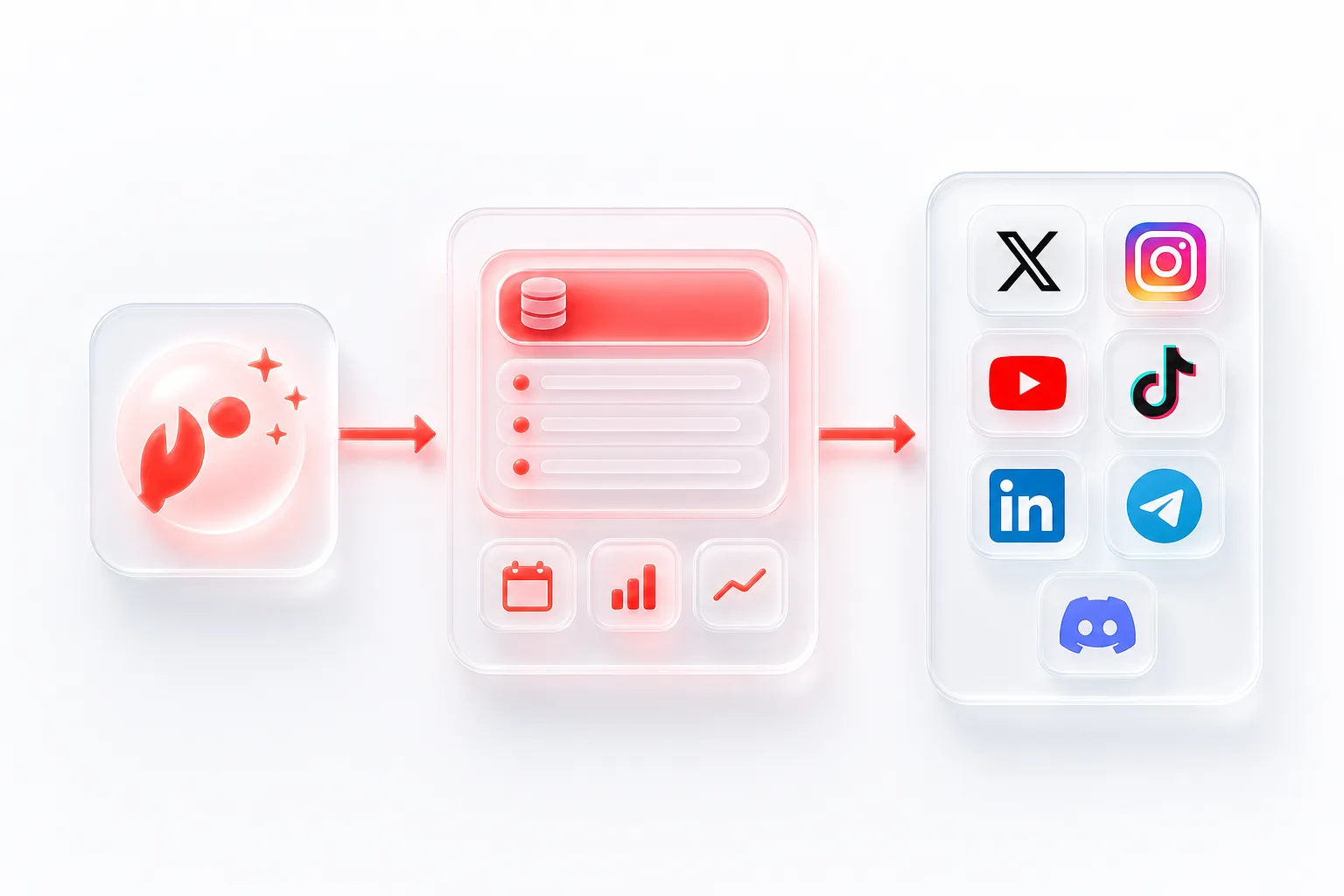
That is why the clean architecture is not "OpenClaw does everything." The cleaner architecture is:
- OpenClaw-compatible tools handle reasoning and orchestration
- SocialClaw handles the publishing control plane
That split gives the workflow a stable system of record for connected accounts, media handoff, publish validation, and delivery-state inspection.
Why agent workflows still need a publishing backend
An agent can help with:
- research
- copy drafting
- campaign planning
- schedule assembly
- provider selection
But the publish path has its own contract.
SocialClaw's first-party workflow docs make that contract explicit:
- customers sign in with Google in the dashboard
- they create or copy a workspace API key
- connected accounts live inside that workspace
- uploaded media can be hosted by SocialClaw and reused by public URL
- schedules can be validated and previewed before apply
- runs, posts, attempts, analytics, jobs, and workspace health can be inspected afterward
That is what makes SocialClaw useful inside an OpenClaw workflow. It gives the agent something real to operate against.
The high-level architecture
The safe mental model looks like this:
Create the workspace
The operator creates a SocialClaw workspace and API key.
Connect accounts once
Customer-owned accounts are connected a single time.
Use the workspace key
The OpenClaw workflow authenticates with that key.
Inspect before scheduling
Check capabilities, settings, and discovery actions first.
Upload, validate, apply
Upload media, validate, and apply only when ready.
Inspect the outcome
Review the resulting run and post state.
This is important because it separates reasoning from execution.
The agent can make content decisions. SocialClaw can make sure the workflow stays tied to real connected accounts and real publish rules.
Step 1: create the workspace and API key
The workspace is the shared execution boundary.
In the current product model, the operator signs in with Google, opens the dashboard, and creates or copies a workspace API key. That key becomes the auth layer used by the CLI and API.
From there, the OpenClaw-compatible workflow can use the same hosted workspace through either interface.
CLI example:
socialclaw login --api-key <workspace-key> --base-url https://getsocialclaw.comHTTP example:
curl -sS \
  -H "Authorization: Bearer $SC_API_KEY" \
  "https://getsocialclaw.com/v1/keys/validate"
The important point is that the agent is not managing provider secrets directly. It is operating with the workspace identity.
Step 2: connect accounts once
After the workspace exists, connect the target accounts once rather than reconnecting them on every run.
Examples from the documented connection flow:
socialclaw accounts connect --provider linkedin --open
socialclaw accounts connect --provider linkedin_page --open
socialclaw accounts connect --provider x --open
socialclaw accounts connect --provider discord --webhook-url <discord-webhook-url> --json
socialclaw accounts list --json
This already shows why the workflow should not flatten provider behavior:
- some targets are OAuth-based
- some targets are manual, like Discord webhook connections
- some providers expose multiple publishable account types, like LinkedIn profile and LinkedIn page
Once those accounts are stored in the workspace, the same targets can be reused by the dashboard, CLI, API, and agent workflow.
Step 3: inspect capabilities before the agent finalizes content
This is one of the most important parts of the workflow.
Before the agent locks in a schedule, it should inspect the connected account:
socialclaw accounts capabilities --account-id <account-id> --json
socialclaw accounts settings --account-id <account-id> --json
socialclaw accounts actions --account-id <account-id> --json
If the workflow needs a target-specific answer, it can call discovery directly:
socialclaw accounts action \
  --account-id <account-id> \
  --action publish-preview \
  --input examples/account-action-publish-preview.json \
  --json
That gives the agent a better basis for planning than generic platform memory.
The workflow can decide:
- whether media is required
- what media kinds are accepted
- which limitations apply to the connected target
- whether extra settings matter before publish
Step 4: upload assets and normalize the handoff
Media handoff is another place where agent workflows usually get fragile.
If the agent is forced to depend on random third-party URLs, the execution layer has less control over delivery and reuse. The better pattern is to upload the file into SocialClaw first and use the hosted asset URL in the schedule.
socialclaw assets upload --file ./creative/launch-video.mp4 --jsonThe response includes a publicUrl. That makes media part of the same workspace model as the connected accounts and the final publish run.
Step 5: preview and validate before apply
OpenClaw-compatible workflows do not need to jump straight from "draft exists" to "post is live."
The documented SocialClaw flow already supports safer intermediate steps:
socialclaw campaigns preview -f schedule.json --json
socialclaw validate -f schedule.json --json
Those steps are useful because they let the workflow catch problems before execution:
- wrong target type
- missing media
- unsupported provider shape
- settings that do not match the connected account
This is also a natural place to insert human review if the workflow should not publish blindly.
Step 6: apply with an idempotency key
Once the schedule passes preview and validation, the workflow can apply it.
socialclaw apply -f schedule.json --idempotency-key launch_review_1 --jsonThe idempotency key matters because real agent workflows retry. A stable execution layer should make retries easier to reason about, not harder.
Step 7: inspect the outcome after execution
A good workflow does not stop after apply. It checks what happened.
socialclaw status --run-id <run-id> --json
socialclaw runs inspect --run-id <run-id> --json
socialclaw posts get --post-id <post-id> --json
socialclaw analytics run --run-id <run-id> --json
socialclaw workspace health --json
This is where SocialClaw becomes more than a posting endpoint.
The workflow can inspect:
- run state
- stored post state
- attempts
- analytics where supported
- workspace health before the next larger batch
That is the difference between a toy demo and an operational publishing system.
Where human review fits
Using OpenClaw-compatible tools does not mean every workflow should be fully autonomous.
A stronger default is:
- let the agent assemble the draft
- let SocialClaw preview and validate it
- insert review before apply when the workflow needs it
That approach is still automated. It just keeps the risky parts visible.
Final takeaway
If you are building an AI social media workflow with OpenClaw, the core design choice is simple:
- let the agent handle reasoning
- let SocialClaw handle execution truth
That gives you one workspace for:
- connected customer accounts
- hosted media
- validation and preview
- apply and retry safety
- post-run inspection
It is a better fit for real publishing than asking the agent to own every part of the system directly.
Next steps: