Most social media schedulers were built before AI agents existed. They were designed for humans clicking buttons: paste a caption, pick a time, hit schedule, and repeat.
Agencies, creators, and marketing teams running at scale have a different problem. They are not just scheduling posts. They are generating content, managing approvals, handling media uploads, keeping many accounts in sync, and trying not to lose work when a platform changes its API rules.
The right AI social media scheduling tool does more than organize a calendar. It removes repetitive execution work - content generation, visual creation, scheduling, validation, and delivery - so the operator can focus on strategy.
Nardi Braho - June 9, 2026
| AI social media scheduler | Best for |
|---|---|
| 1. SocialClaw | AI agent workflows and full publishing automation |
| 2. Planable | Agencies managing approvals and client collaboration |
| 3. Hootsuite | Enterprise-level management and social inbox |
| 4. Buffer | Simple scheduling for eCommerce and solo creators |
| 5. Sprout Social | Big teams that need social listening and deep analytics |
I tested each platform by signing up, connecting multiple accounts, and running the same workflow: content generation, drafting, approval, and publishing. I scored tools based on how well AI is integrated into that workflow - not just bolted on as a "generate caption" button - and how reliably the stack holds up as you add accounts, teammates, and platforms.
Must-have features in any AI social media scheduling tool
AI content generation that is actually in the workflow
A lot of schedulers now have an "AI assistant" that rewrites your caption or suggests a hashtag. That is not AI-driven scheduling. Real AI integration means the agent can generate content, prepare media, validate the post shape, and queue delivery without a human in the loop at every step.
If the AI stops working the moment you close the browser, it is a feature, not a workflow.
Cross-platform publishing that does not break
Starting with Instagram and LinkedIn is fine. Scaling to TikTok, YouTube, Facebook Pages, Reddit, Pinterest, Telegram, Discord, and WordPress is where many schedulers fall apart. Look for tools with stable API connections, validation before delivery, and visible post state after publishing.
Media handling that does not require you
Uploading images and videos manually every single time defeats the purpose of automation. The best AI scheduling tools handle media hosting internally: upload once, get a reusable URL, and let the agent reference it across platforms without touching the browser.
Approval workflows that do not create bottlenecks
Multi-layered approvals, such as creative to brand to client, are non-negotiable for agencies and teams. The scheduler should auto-publish once final sign-off clears instead of requiring someone to manually hit publish after the approval chain completes.
Pricing that does not explode when you scale
Some schedulers look affordable until you add a fourth user or a tenth account. Understand how pricing increases before you are locked into a workflow that costs three times more six months later.
12 best AI social media scheduling tools for 2026
1. SocialClaw
Best for: AI agent workflows and full publishing automation
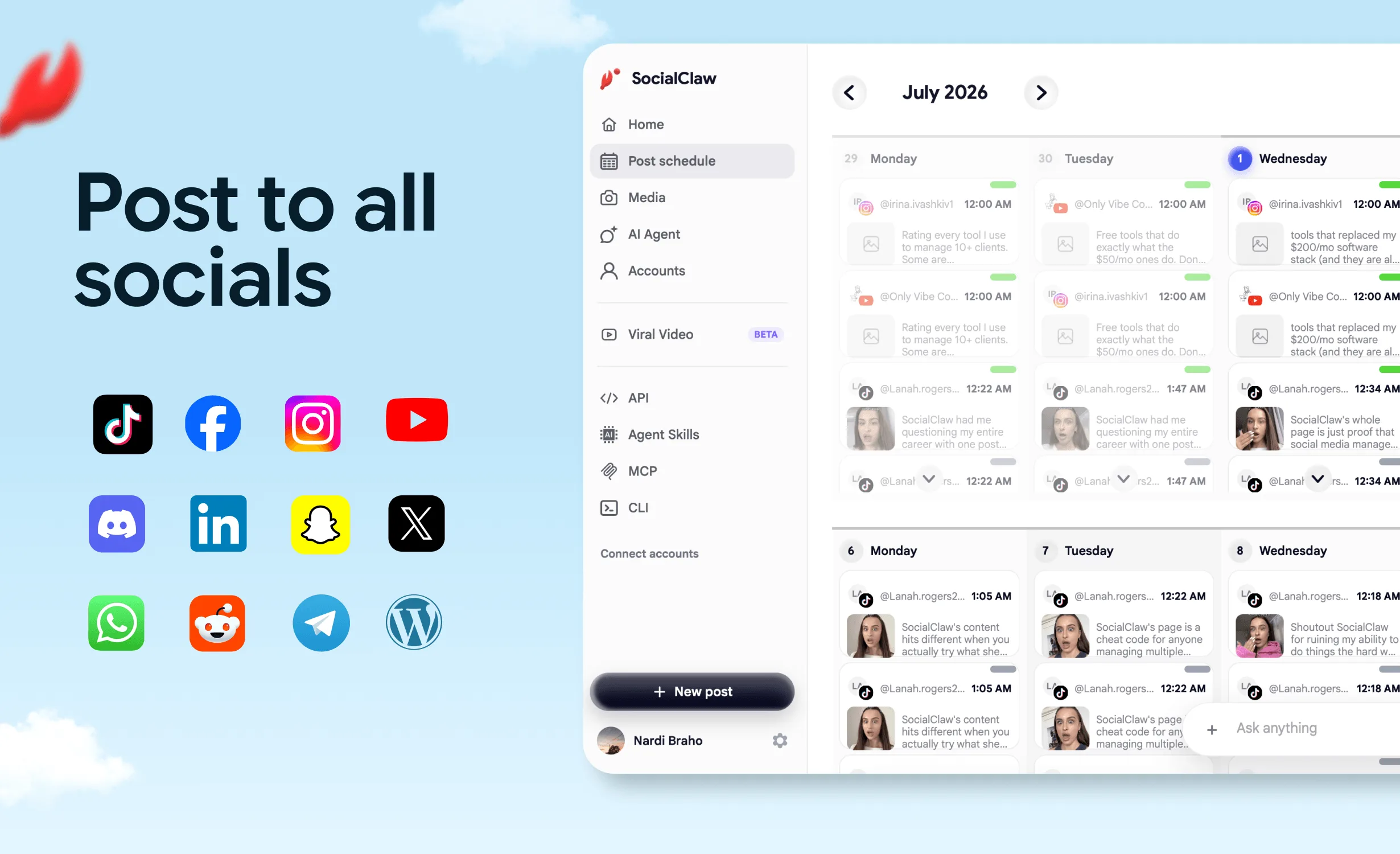
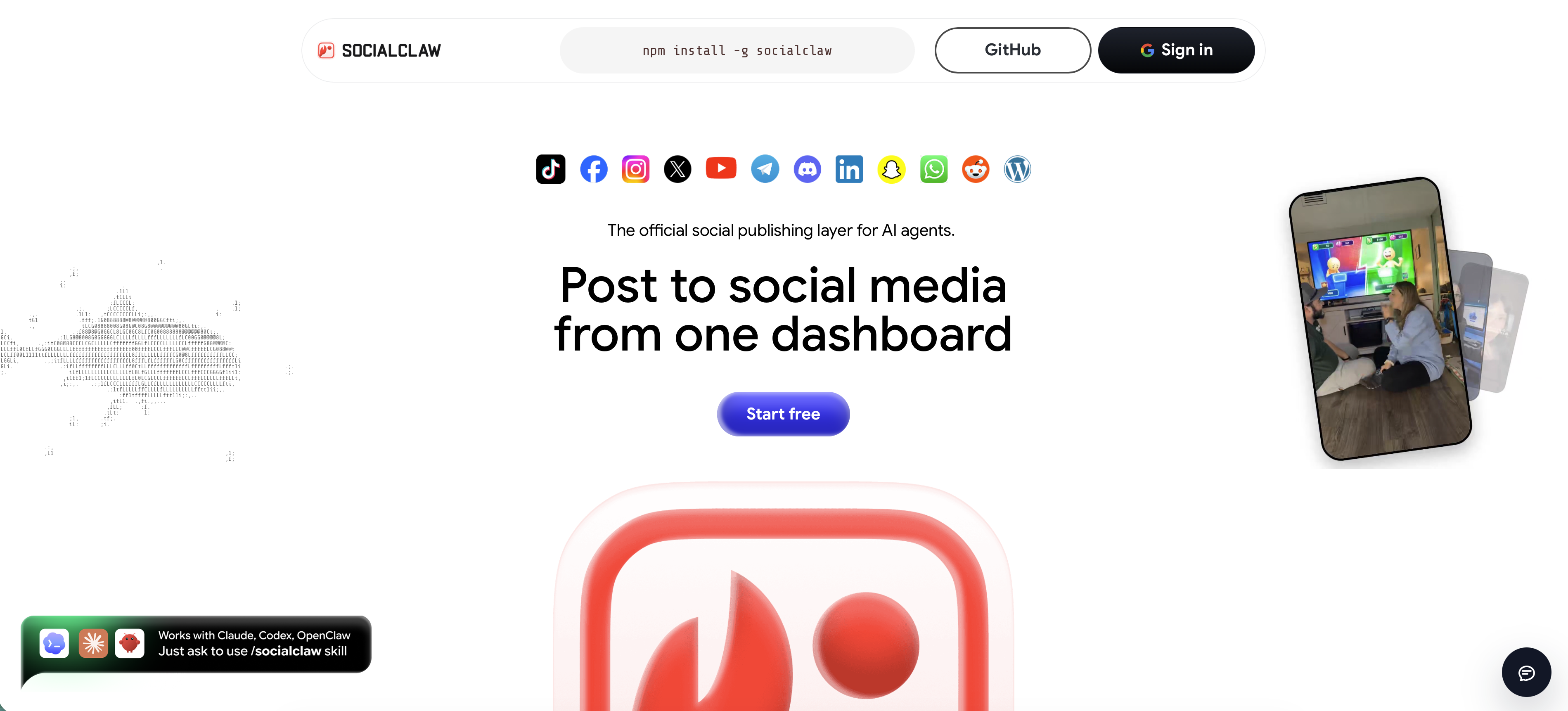
SocialClaw is built ground-up for AI agents. Most tools on this list were designed for humans who want to schedule smarter. SocialClaw is designed for workflows that let agents publish without a human sitting between the AI system and the social accounts.
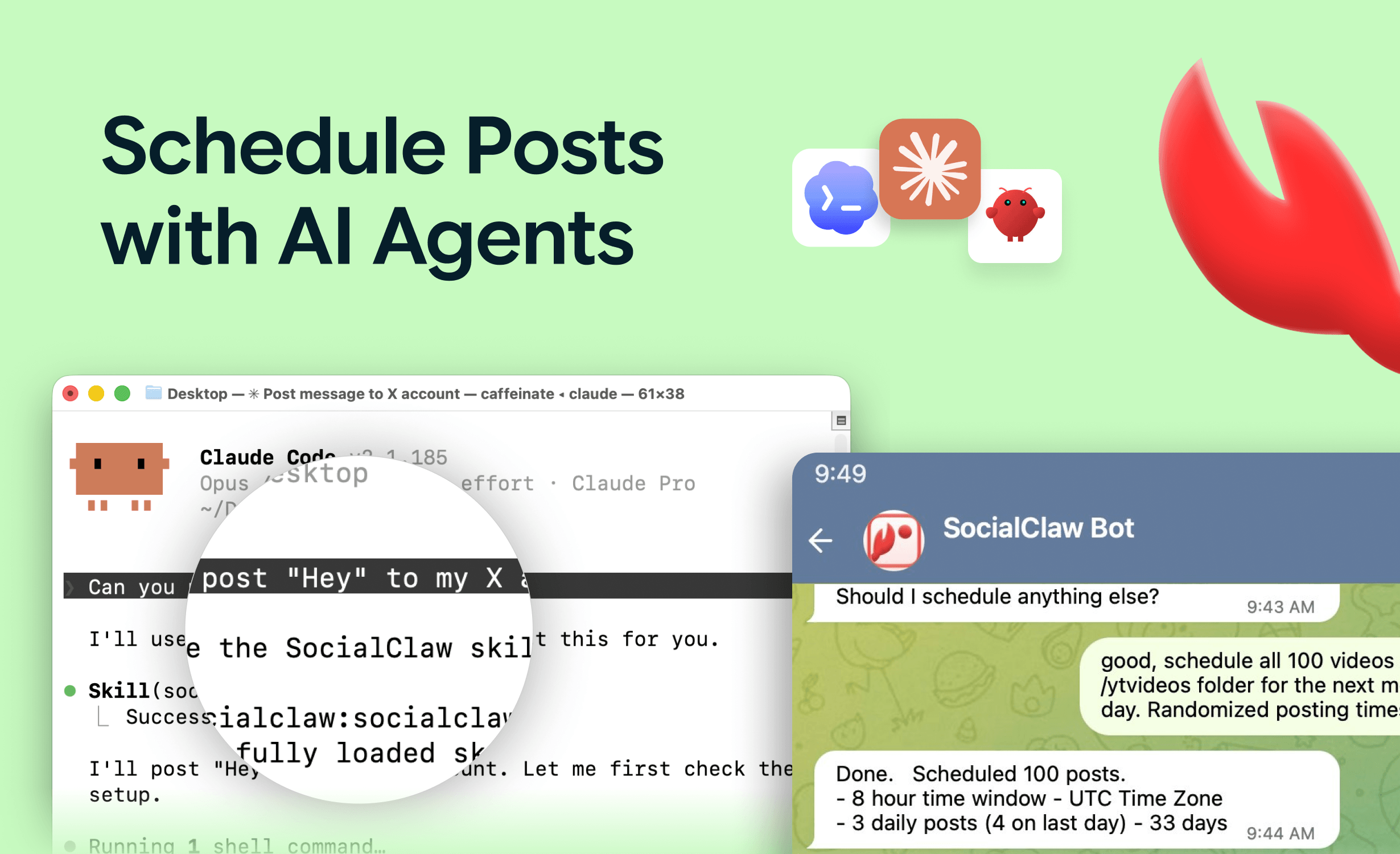
The built-in AI agent generates captions directly. Pair it with Claude skills or OpenClaw-style workflows and you have a full pipeline: the agent writes the caption, prepares the visual, validates the post shape, and hands everything to SocialClaw for scheduling and delivery.
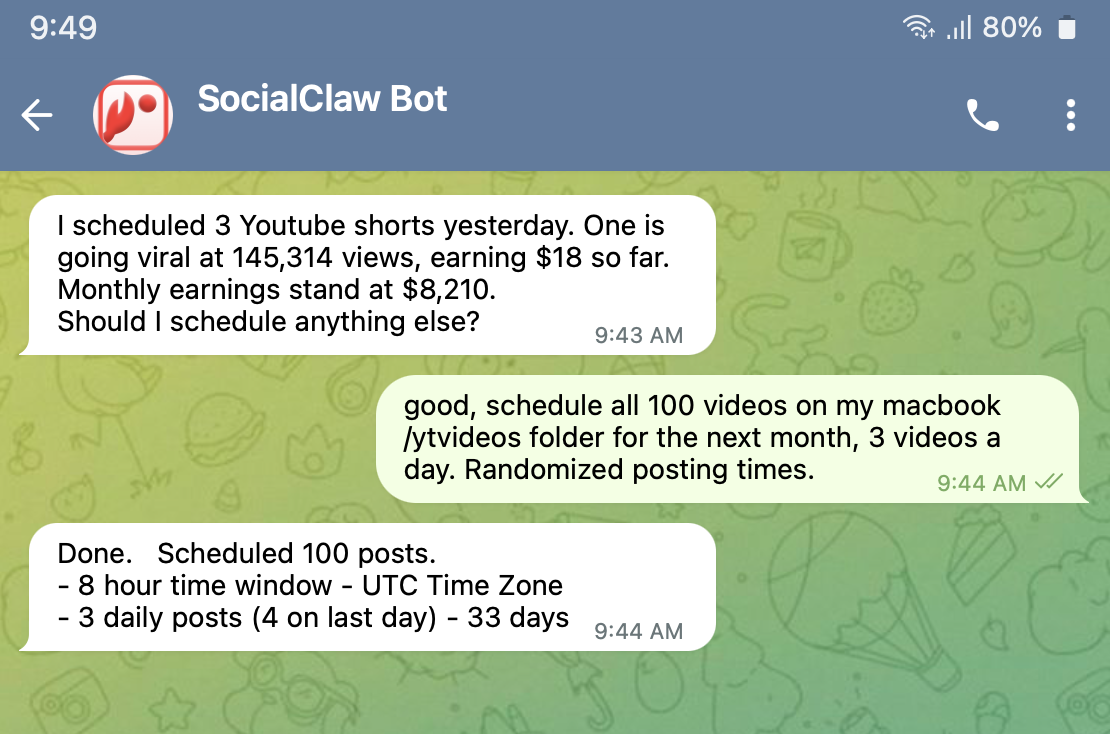
What makes it different is the execution layer. SocialClaw does not just accept a post and send it. It validates the post shape before publishing, handles provider-specific limits per platform, retries on failure, and gives you inspectable delivery state so you know exactly what happened and when.
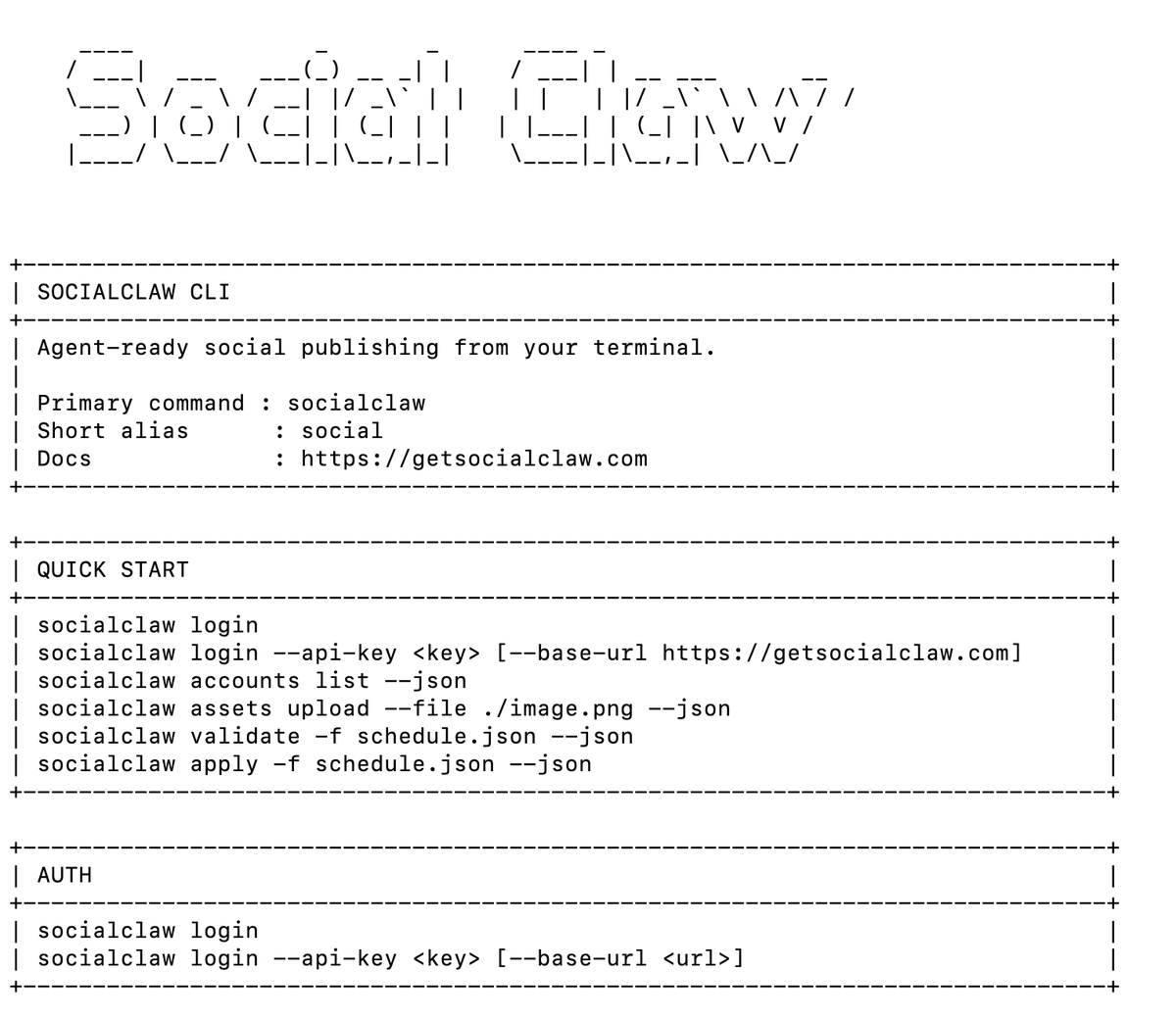
SocialClaw standout features
- Built-in AI agent that generates captions as part of the workflow.
- Claude skill and OpenClaw-friendly integration for chaining caption writing, visual generation, and publishing.
- CLI-first design for developers and power users. Run
socialclaw apply -f campaign.jsonfrom a terminal, n8n, Codex, or your own agent. - Validate before publish so posts do not fail silently.
- Inspectable run state for post status, delivery attempts, reconciliation, and analytics.
- Reusable media hosting: upload an image or video once, get a hosted URL, and reference it across any number of posts.
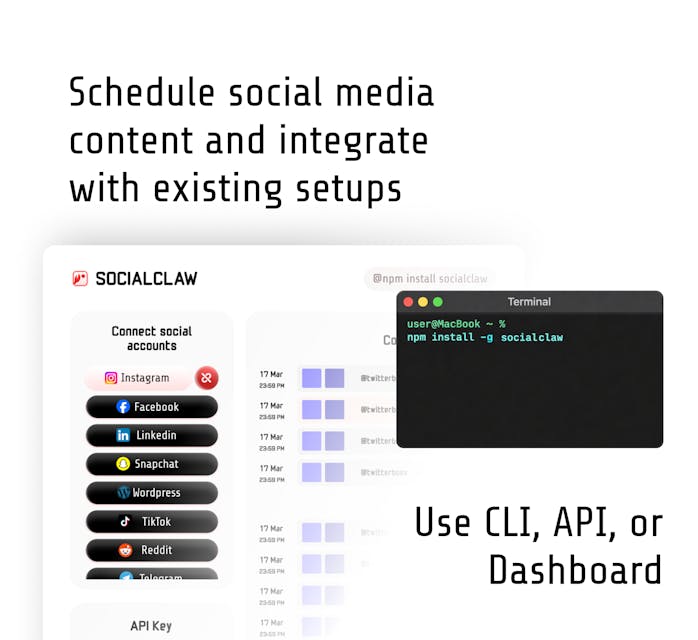
Integrations: Facebook Pages, Instagram Business, Instagram Standalone, LinkedIn Profile, LinkedIn Pages, TikTok, YouTube, X, Reddit, Pinterest, Telegram, Discord, WordPress, and Snapchat.
Pricing: Visit getsocialclaw.com for current pricing. CLI available via npm install -g socialclaw.
Drawbacks: SocialClaw is less suited for teams that want a drag-and-drop visual calendar as the primary interface. The CLI-first design is a feature for developers and agent workflows, but it can be a learning curve for non-technical marketers. Social listening and competitor benchmarking are not the main focus.
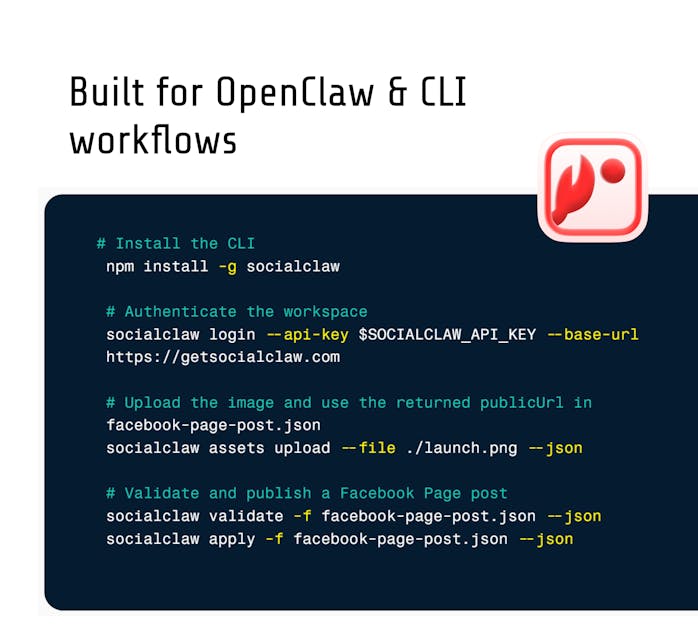
Takeaway: If you are building an AI-powered content workflow, or you are tired of being the human glue between your AI tools and your social accounts, SocialClaw is the execution layer that closes the gap. It is what this category looks like when rebuilt around agents instead of browser queues. Start free
2. Planable
Best for: agencies managing approvals and client collaboration
Planable is a social media management tool built for teams that need fast collaboration and bulk scheduling without workflow friction. It handles planning, approval, and publishing across major social platforms, with a visual calendar that shows posts as they will appear on each platform.
Standout features
- Visual content calendar with platform-accurate previews.
- Centralized collaboration where comments, edits, and approvals happen directly on post previews.
- Custom multi-tier approval workflows with auto-publishing once final sign-off clears.
- AI-assisted writing and reusable templates.
- Cross-channel analytics.
Integrations: Facebook, Instagram, Threads, LinkedIn, X, YouTube, Google Business Profile, TikTok, and Pinterest.
Pricing: Three plans starting at $33/month per workspace.
Takeaway: Planable is the strongest option here for approval workflows and client collaboration. If the bottleneck is review rather than agent execution, Planable removes that friction well.
3. Hootsuite
Best for: enterprise-level management and social inbox
Hootsuite is the market pioneer in social media management. Its social inbox handles mentions, comments, and direct messages across platforms in one stream, which is useful for teams managing high engagement volume.
OwlyAI helps generate post ideas and fill content calendar gaps. It is more of a writing assistant than an agent, but it is well integrated into Hootsuite's scheduling workflow.
Standout features
- Streams for monitoring real-time social activity, messages, mentions, and conversations.
- Hashtag recommendations and best-time-to-post suggestions.
- Batch scheduling across accounts.
Integrations: Instagram, Facebook, X, LinkedIn, Pinterest, Threads, TikTok, Bluesky, and YouTube.
Pricing: Free trial available. Paid plans start at $199/user/month.
Takeaway: Hootsuite makes sense for large teams that need a mature social inbox, monitoring, and enterprise-grade controls.
4. Buffer
Best for: eCommerce brands and simple scheduling
Buffer is designed around simple publishing and organic audience growth. The post planner lets you tailor content for each platform, and Buffer's AI assistant helps generate post ideas and repurpose existing content.
Standout features
- Buffer AI assistant for ideas, repurposing, and first drafts.
- Collaboration tools with roles, permissions, approvals, and team drafting.
- Account management for multiple brands.
Integrations: Instagram, Facebook, LinkedIn, TikTok, Google Business Profile, Pinterest, X, and Mastodon.
Pricing: Free plan with up to 30 scheduled posts per channel. Paid plans start at $5/month per channel.
Takeaway: Buffer is the cleanest option for small teams and solo creators who want straightforward scheduling without a steep learning curve.
5. Sprout Social
Best for: big teams that need social listening
Sprout Social consolidates scheduling, listening, analytics, inbox management, and employee advocacy into one enterprise system. Its social listening tools are the strongest in this list.
Standout features
- Interactive content calendar for teams and campaigns.
- Deep analytics on campaigns, content performance, and competitors.
- Social listening for brand mentions and audience sentiment.
Integrations: Instagram, Facebook, X, LinkedIn, Pinterest, TikTok, YouTube, WhatsApp, Facebook Messenger, and Google Business Profile.
Pricing: 30-day free trial. Paid plans start at $199/seat/month with five social profiles.
Takeaway: Sprout Social is right for enterprise teams that need social listening alongside scheduling and can justify the seat cost.
6. Later
Best for: visual-first platforms
Later started as an Instagram scheduling tool and expanded into a broader visual planning suite. Its drag-and-drop calendar works well for teams focused on visual-first channels.
Standout features
- Bulk scheduling across multiple channels.
- Visual drag-and-drop calendar.
- UGC finder for sourcing audience content.
Integrations: Instagram, TikTok, Facebook, LinkedIn, Pinterest, YouTube, and X.
Pricing: Free plan available. Paid plans start at $18.75/month/user.
Takeaway: Later is worth a serious look when Instagram, TikTok, or Pinterest are the primary channels.
7. Zoho Social
Best for: data-driven teams and complex analytics
Zoho Social is built for businesses that need reliable scheduling, analytics, and collaboration without enterprise pricing. Its predictions for optimal posting times and custom reports make it a strong choice for teams that want data to guide content.
Standout features
- Bulk scheduling through spreadsheet imports.
- Custom and pre-built analytics reports.
- Mobile app for scheduling and tracking.
Integrations: Instagram, Facebook, X, LinkedIn, Pinterest, YouTube, TikTok, and Google Business Profile.
Pricing: Starts at $15/month per brand. 15-day free trial included.
Takeaway: Zoho Social is a solid analytics-led option at a more accessible price than enterprise suites.
8. Agorapulse
Best for: brand monitoring and social inbox management
Agorapulse covers scheduling, audience engagement, social listening, and performance reporting from one platform. Its unified social inbox gathers mentions, comments, and reviews across platforms.
Standout features
- Customizable social inbox with labels, tags, and filters.
- Google Analytics 4 integration for social ROI.
- Media library for brand assets.
Integrations: Facebook, X, Instagram, LinkedIn, Google Business Profile, YouTube, and TikTok.
Pricing: 30-day free trial. Paid plans start at $79/user/month.
Takeaway: Agorapulse is a well-rounded option for smaller teams that want inbox management alongside scheduling.
9. Sendible
Best for: medium-sized marketing agencies
Sendible is built for professional social media teams and agencies. Its Canva integration is useful for marketers who need design access during content creation.
Standout features
- Canva integration.
- Thematic content queues.
- Content sharing for surfacing important updates.
Integrations: Facebook, LinkedIn, Instagram, TikTok, X, WordPress, Medium, and Tumblr.
Pricing: 14-day free trial. Plans start at $29/user/month.
Takeaway: Sendible is steady agency software. The UX is not the smoothest, but the feature set is strong for the price.
10. Statusbrew
Best for: social listening and advanced reporting
Statusbrew is one of the more affordable social listening tools with deep reporting capabilities. Its AI-powered sentiment analysis and comment moderation are useful for brands with high comment volume.
Standout features
- Competitor benchmarking.
- AI-powered sentiment analysis.
- Integrated CRM for contacts received via social platforms.
Integrations: Facebook, Instagram, LinkedIn, X, YouTube, TikTok, Pinterest, and Google Business Profile.
Pricing: 14-day free trial. Plans start at $69/month.
Takeaway: Statusbrew is best for teams that want sentiment analysis and reporting depth alongside scheduling.
11. Loomly
Best for: small teams and social media automation
Loomly is designed for marketers who want efficiency and organization without too much complexity. Its Calendar Wizard helps new users connect accounts and set up scheduling workflows quickly.
Standout features
- RSS feed integration and trending topic suggestions.
- Team approval workflows with roles and commenting.
- Post recycling for evergreen content.
Integrations: Instagram, LinkedIn, X, Pinterest, Facebook, Google Business Profile, TikTok, Threads, YouTube, and Snapchat.
Pricing: 15-day free trial. Custom pricing; contact sales for plan details.
Takeaway: Loomly handles scheduling, approvals, and content inspiration well for small teams. The lack of public pricing adds evaluation friction.
12. HubSpot
Best for: teams already inside the HubSpot ecosystem
HubSpot social media management tools are built into Marketing Hub and tie directly into its CRM. If you already run email, CRM, and automation through HubSpot, the social tools can make sense as part of that system.
Standout features
- AI-powered posting time suggestions and campaign ideas.
- Keyword monitoring streams.
- CRM integration connecting social interactions to contact history and pipeline data.
Integrations: Instagram, Facebook, LinkedIn, X, and YouTube.
Pricing: Included in Marketing Hub Professional at $944/month for three seats.
Takeaway: HubSpot adds value when it is already your marketing stack. Buying it just for social scheduling is usually hard to justify.
How do I choose an AI social media scheduling tool that scales?
The right tool removes bottlenecks from your actual workflow, not just the ones described in a marketing demo.
Before committing, ask:
- Does the AI generate content, or just rewrite it?
- Does the publishing layer validate before it sends?
- Will integrations hold when you add more accounts?
- Does the approval workflow auto-publish after final sign-off?
- Does pricing scale predictably as your team and channel count grow?
Most platforms offer trials. Use that time to stress-test the real workflow: connect accounts, upload media, schedule several post types, validate edge cases, and inspect failure states.
FAQs
What is the difference between AI-assisted and AI-driven social media scheduling?
AI-assisted tools help you write faster or suggest better posting times. AI-driven tools, like SocialClaw, operate as agents that generate content, prepare media, validate posts, and execute publishing without requiring a human to trigger every step.
Do I need a social media scheduler if I already use a project management tool?
Project management tools track tasks and timelines. Social media schedulers execute publishing workflows: formatting, approvals, scheduling, and auto-posting. If you are copying content between tools and manually publishing after approvals, a scheduler removes operational friction.
What is the best AI social media scheduling tool in 2026?
It depends on your workflow. SocialClaw leads for AI agent workflows and full automation. Planable is strongest for team collaboration and client approvals. Hootsuite fits enterprise inbox management. Buffer is simplest for solo creators and small teams. Sprout Social is strongest when social listening is central.
Can AI replace a social media manager?
AI handles repetitive execution well: generating captions, preparing visuals, scheduling posts, and publishing on time across platforms. It does not replace strategy, creative direction, community management, or knowing when not to post.