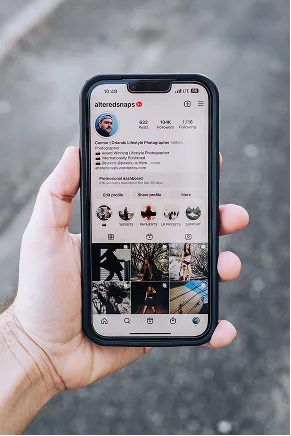











24.8K
612
1,204
northloop.cafe
Sunday roast list is live, come say hi
♫ original sound — northloop.cafe
 Viral video generator
AI-edited UGC promo videos from your app
UGC creator marketplace
Real human clips in reusable packs
Viral video generator
AI-edited UGC promo videos from your app
UGC creator marketplace
Real human clips in reusable packs
 Scheduler
Plan and queue posts across 11 networks
Scheduler
Plan and queue posts across 11 networks
 AI scheduler
Let an agent pick the slots and write the copy
AI scheduler
Let an agent pick the slots and write the copy
 Management
Accounts, assets, and approvals in one workspace
Management
Accounts, assets, and approvals in one workspace

Call one endpoint and publish to TikTok. Validate a schedule, apply it, and check delivery status with a workspace key and plain REST calls.
curl -sS https://getsocialclaw.com/v1/posts/apply \
  -H "Authorization: Bearer $SOCIALCLAW_API_KEY" \
  -H "Content-Type: application/json" \
  -X POST \
  --data '{
    "timezone": "America/New_York",
    "posts": [{
      "account": "tiktok:@northloopcafe",
      "name": "Behind the scenes",
      "description": "Behind the scenes: how we built this in a weekend.",
      "publish_at": "2026-07-21T09:00:00-04:00",
      "media_link": "https://getsocialclaw.com/media/asset_example/dlv_example/bts.mp4"
    }]
  }'
const response = await fetch("https://getsocialclaw.com/v1/posts/apply", {
method: "POST",
headers: {
"Authorization": "Bearer " + process.env.SOCIALCLAW_API_KEY,
"Content-Type": "application/json"
},
body: JSON.stringify({
timezone: "America/New_York",
posts: [{
account: "tiktok:@northloopcafe",
name: "Behind the scenes",
description: "Behind the scenes: how we built this in a weekend.",
publish_at: "2026-07-21T09:00:00-04:00",
media_link: "https://getsocialclaw.com/media/asset_example/dlv_example/bts.mp4"
}]
})
});{
"run": { "id": "run_8f2k1xz9", "mode": "scheduled" },
"posts": [
{ "id": "post_3n0qd1h", "provider": "tiktok", "status": "scheduled", "publishAtUtc": "2026-07-21T13:00:00Z" }
]
}
Validate a schedule, apply it, and check delivery status, all with the same workspace key. Upload media once and reuse the link across every scheduled post.
/v1/accounts
List connected accounts and which ones are ready to publish.
/v1/assets/upload
Upload a photo or video and get back a link to reuse.
/v1/posts/validate
Check a schedule against TikTok's rules before anything goes out.
/v1/posts/apply
Publish now or queue posts for a future time.
/v1/runs/{runId}/status
Confirm a post actually went live, or catch a failure early.
Every post lands in the same place a person scheduling by hand would use.
Upload a video or photo gallery once and reuse it across every scheduled TikTok post. SocialClaw hosts it for you, so TikTok always has what it needs the moment your post goes out.

Same workspace, same connected account, on whichever surface fits what you are building.
Real quotes from Reddit, G2, Trustpilot, and Instagram.
“I can prepare the content once and let SocialClaw handle the distribution.”
 Instagram
“If SocialClaw sees this just know you changed my entire workflow girl.”
 r/mcp
r/mcp
“Since I try market my iOS apps, definitely SocialClaw… because then Claude can post to social media for me.”
r/socialmedia
“Most schedulers still feel like old calendar tools with an AI caption button added on top. SocialClaw feels more built around the newer AI era.”
r/automation
“SocialClaw if you want to schedule posts to social media.”
“SocialClaw handles the repetitive publishing work: uploading media, managing connected accounts, scheduling posts, publishing them, and retrying when something fails.”
r/SocialMediaManagers
“I used to use stuff like Buffer etc, but I use SocialClaw with my AI agent. I just tell it to schedule like 100 videos for the next month.”
r/AI_Agents
“It has an OpenClaw skill, or use it via API, CLI, or even the web dashboard.”
r/openclaw
“I have it install the SocialClaw skill, linked my social media accounts, and it actually has approval to post on my socials for me.”
Connect once, then schedule and publish everywhere from the same workspace.










Every request needs an Authorization header in the form Bearer sc_live_your_key, using the workspace API key from your dashboard. The same key covers every connected account, including TikTok, so there is no separate key per platform.
Yes. Send the same schedule to /v1/posts/validate first. It checks the request against TikTok's rules and reports back without publishing or queuing anything. Send the identical body to /v1/posts/apply once you are happy with it.
Include an idempotencyKey with your request to /v1/posts/apply. Sending the same key again returns the original run instead of creating a second one, so retrying a request on your end is always safe.
No. Upload a file to /v1/assets/upload and use the link it returns as your post's media. SocialClaw hosts it for you, so TikTok always has what it needs the moment your post goes out.
Check /v1/runs/{runId}/status or /v1/posts/{postId} after your request. Both report whether the platform confirmed the post, so you are never just trusting that a request was accepted.
SocialClaw retries automatically when the failure is temporary. If it still cannot go out, the post is flagged in your dashboard, and you can call /v1/posts/{postId}/retry once you have fixed the cause.
Every endpoint, field, and error is documented at /docs/api, generated from the same OpenAPI document the API itself serves at /openapi.json.