























Pinterest rewards consistency more than almost any other platform, because pins behave like search results and keep driving traffic for months after you post them. That makes scheduling, and especially bulk scheduling to the right boards, genuinely valuable rather than just convenient. The catch is that Pinterest is board centric, so your scheduler has to target specific boards, and some pin types are more restricted than others.
This guide ranks Pinterest schedulers on board targeting, pin type support, bulk scheduling, and price. We run SocialClaw, and we rank it first because it publishes standard, video, and multi image pins to specific boards and covers 10 other platforms from one workspace. For a Pinterest only power tool, we name the specialist too.
Nardi Braho · August 31, 2026
Table of contents
- Why Pinterest scheduling is different
- Quick comparison at a glance
- #1 SocialClaw, best overall Pinterest scheduler
- #2 Tailwind, best Pinterest only specialist
- #3 Later, best visual planning
- #4 Metricool, best free analytics
- #5 Buffer, best simple free start
- #6 Publer, best value for multiple accounts
- How to choose a Pinterest scheduler
- Frequently asked questions
- Final verdict
Why Pinterest scheduling is different
Two things set Pinterest apart. First, it is board centric: every pin lives on a board, so your scheduler needs to target the right board, not just an account. Second, pins are evergreen. A pin can keep surfacing in search and sending clicks for months, which is why marketers batch dozens of pins at once rather than posting one at a time.
The one caveat is pin types. Standard image pins, video pins, and multi image pins are well supported through the Pinterest API. Idea pins and product pins are more restricted and capability gated by Pinterest itself, so support varies by tool and by account. If you rely on a specific pin type, confirm it before you commit. The ranking below reflects all of this.
Quick comparison at a glance
| Tool | Best for | Board targeting | Bulk scheduling | Free plan | Starting price |
|---|---|---|---|---|---|
| SocialClaw | Overall, automation | Yes | Yes | 7 day trial | $15/mo flat |
| Tailwind | Pinterest only power tool | Yes | Yes, interval loops | Trial | Paid |
| Later | Visual planning | Yes | Yes | Trial only | Paid |
| Metricool | Free analytics | Yes | Yes | Yes | $20/mo |
| Buffer | Simple start | Yes | Basic | Yes | ~$5/mo per channel |
| Publer | Multiple accounts | Yes | Yes | Yes | ~$5/mo per account |
#1 SocialClaw, best overall Pinterest scheduler
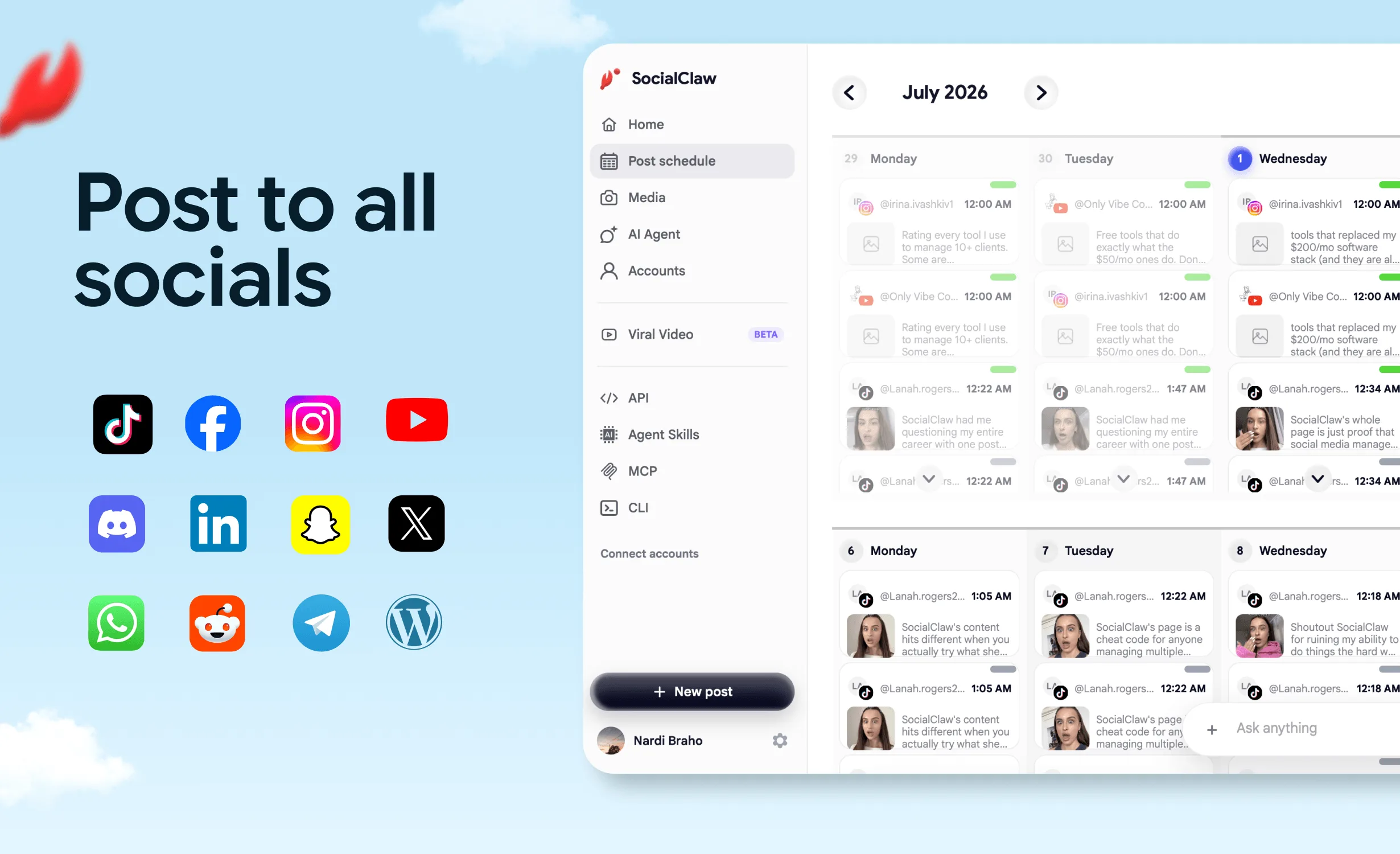
SocialClaw is the best all round Pinterest scheduler because it handles the board centric model cleanly and does not lock you into one platform. It publishes standard, video, and multi image pins to the specific board you choose, and it does the same across 10 other platforms from one workspace, so your Pinterest calendar sits next to your Instagram, TikTok, and everything else.
For anyone using Pinterest as a traffic channel, the automation matters. The native AI agent drafts pin descriptions and schedules them, the full API and CLI let you push pins from a content pipeline, and validate before apply catches problems before a pin goes out. It starts at a flat $15 a month with a 7 day trial. Note that idea and product pin surfaces are capability gated by Pinterest, so confirm those if you need them.
When it fits: businesses and creators using Pinterest for evergreen traffic who also post to other platforms and want automation.
When a rival fits better: if Pinterest is your only channel and you want Pinterest specific loops and interval scheduling, Tailwind is more specialized. SocialClaw has no free forever plan.
Start a 7 day free trial or see the Pinterest integration.
#2 Tailwind, best Pinterest only specialist
Tailwind is the specialist built around Pinterest, with content loops, interval scheduling, and Pinterest focused analytics. If Pinterest is your primary channel, its depth there is genuinely strong.
When it fits: marketers and creators whose main channel is Pinterest and who want its Pinterest specific automation.
When a rival fits better: it is centered on Pinterest and Instagram, so if you post across many platforms or want a full API, SocialClaw covers far more from one workspace.
#3 Later, best visual planning
Later brings its visual content calendar to Pinterest, which suits creators who plan pins alongside Instagram. Later has dropped its free plan and now offers a trial only.
When it fits: visual first creators who plan Pinterest and Instagram together.
When a rival fits better: limited automation and no API, so for automated pin pipelines SocialClaw is stronger.
#4 Metricool, best free analytics
Metricool offers Pinterest scheduling plus analytics on a free plan (1 brand, up to 20 posts a month, 30 days of history), with paid plans from $20 a month.
When it fits: anyone who wants Pinterest scheduling and performance data for free.
When a rival fits better: low free post cap and limited automation, so SocialClaw is cheaper for the full stack at volume.
#5 Buffer, best simple free start
Buffer is the simplest free way to queue pins. The free plan includes Pinterest among its 3 channels with 10 posts each, and paid Essentials starts around $5 a month per channel.
When it fits: creators who want a simple pin queue for free or cheap.
When a rival fits better: basic bulk scheduling and no API, so for evergreen pin volume and automation SocialClaw wins.
#6 Publer, best value for multiple accounts
Publer is a value pick if you manage several Pinterest accounts, with a free plan and unlimited workspaces on paid tiers priced per account.
When it fits: creators or small agencies running multiple Pinterest accounts by hand.
When a rival fits better: no CLI or native agent, so for automated pin publishing SocialClaw is the stronger backend.
How to choose a Pinterest scheduler
- Schedule pins to boards, want automation, and post elsewhere too: SocialClaw.
- Pinterest is your only channel and you want loops: Tailwind.
- Plan pins visually with Instagram: Later.
- Want free scheduling plus analytics: Metricool.
- Want a simple free start: Buffer.
- Run several Pinterest accounts: Publer.
For the wider field, see the best social media scheduling tools in 2026. For related platforms, see the best Instagram scheduler and the best Reddit scheduler.
FAQ
What is the best Pinterest scheduler in 2026?
SocialClaw is the best overall Pinterest scheduler for most people because it publishes standard, video, and multi image pins to specific boards, works across 10 other platforms from the same workspace, and starts at $15 a month flat. If Pinterest is your only channel and you want Pinterest specific features like content loops, Tailwind is the strongest specialist.
Can you schedule pins to specific boards?
Yes. Pinterest is board centric, so a good scheduler lets you target a specific board when you publish a pin. SocialClaw treats boards as the publishing target, so each pin goes to the board you choose.
Is Pinterest good for driving traffic?
Yes. Pinterest behaves more like a visual search engine than a social feed, so pins keep driving clicks for months after posting. That evergreen quality makes bulk scheduling especially valuable, since a batch of pins can keep sending traffic long after you publish them.
Is there a free Pinterest scheduler?
Buffer and Metricool both have free plans that include Pinterest, with post caps. SocialClaw does not have a free plan, only a 7 day trial, but at $15 a month flat it is the cheapest full featured option for scheduling pins plus posting to other platforms.
Can you schedule Pinterest idea pins or product pins?
Standard, video, and multi image pins are widely supported through the Pinterest API. Idea pin and product pin surfaces are more restricted and capability gated by Pinterest, so support varies by tool and account. Check the specific pin type you need before committing.
Final verdict
Pinterest is a traffic channel that rewards volume and consistency, so the best scheduler is the one that makes batching pins to the right boards easy. For most people that is SocialClaw: it publishes every common pin type to specific boards, automates through a full API and a native agent, covers 10 other platforms, and costs a flat $15 a month.
The alternatives hold their ground. Tailwind is the Pinterest only power tool, Later is the visual planning pick, Metricool is best for free analytics, Buffer is the simple free start, and Publer is the multi account value pick. If Pinterest is one of several channels you run, start with SocialClaw.
Start SocialClaw's 7 day free trial, or compare the whole field in the best social media scheduling tools in 2026.