
























Last reviewed: August 14, 2026 · Tool facts sourced from official repositories and documentation reviewed August 14, 2026
An AI agent does not click. It types. Whatever you ask Claude Code, Codex, or an OpenClaw-style runtime to do, it eventually shells out to a command and reads what comes back. The command line is the real API for agents, and the tools you give an agent are the difference between one that ships work and one that stalls, halfway through a task, waiting for a human to approve a dialog box it cannot see.
Most command line tools were never built for that. They were built for a person at a keyboard: they stop to ask questions, print a pretty table where a program needs JSON, and assume someone is sitting there to click "confirm." An agent hits all three walls and gives up.
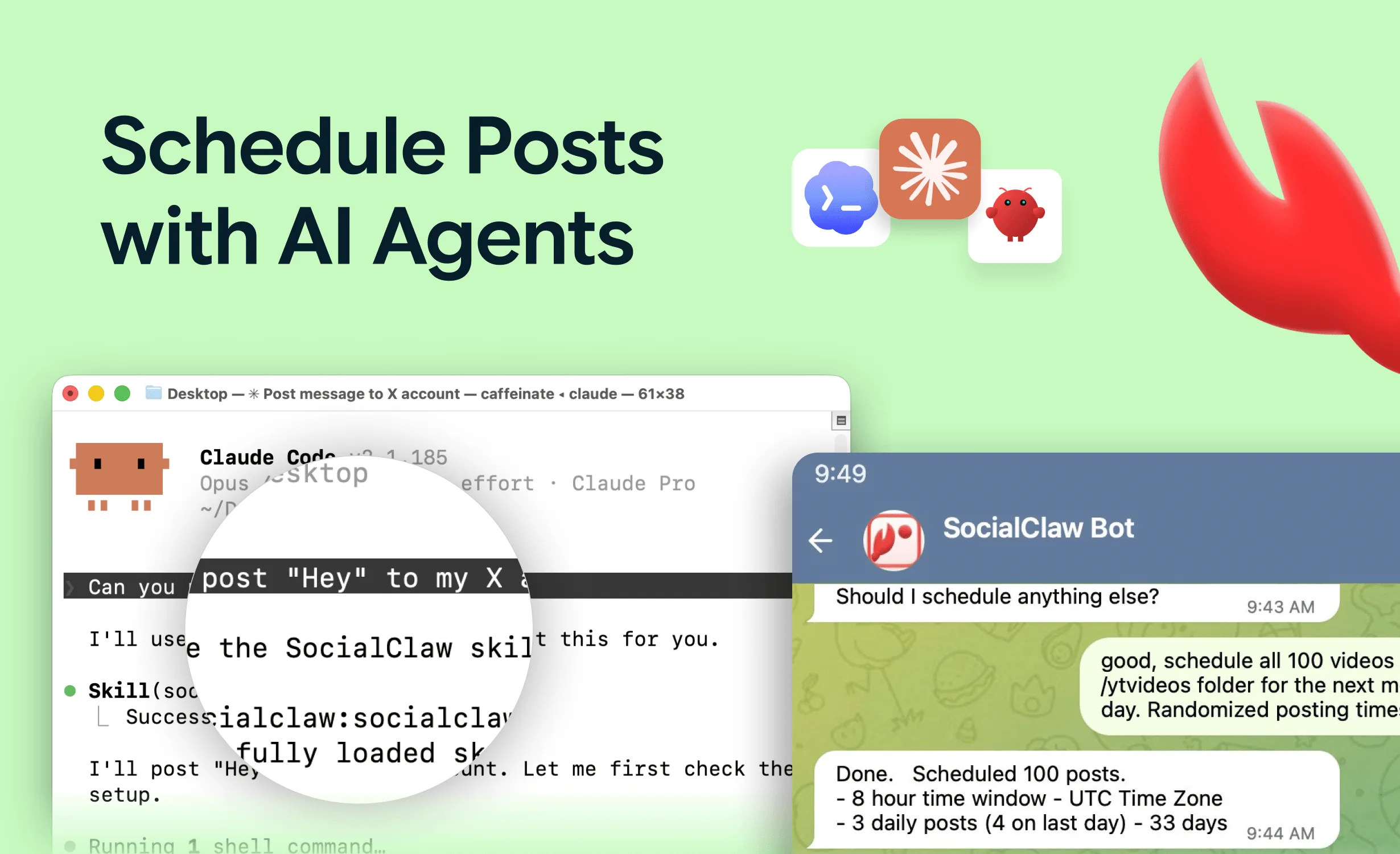
The tools below are the exceptions. Each one runs to completion without a human, hands back something a program can parse, and, in the best cases, ships an MCP server the agent loads as a typed set of tools. Together they cover the full arc of what a 2026 agent actually does: research the web, write and ship code, deploy it, store data, take payments, render video, and publish the result. SocialClaw leads, because it is the cleanest example on the list of a CLI built for an agent rather than adapted for one.
Read this less as a strict power ranking than as a toolkit. You will use several of these in a single task, and they are ordered by how agent-ready each one is: how cleanly it runs unattended, how structured its output is, and whether an agent can load it as a tool instead of guessing at flags. For the publishing end of that toolkit specifically, see our deeper dive on the best social media CLI tools.
Table of Contents
- What Makes a CLI Good for an AI Agent
- How We Ranked Them
- Quick Comparison
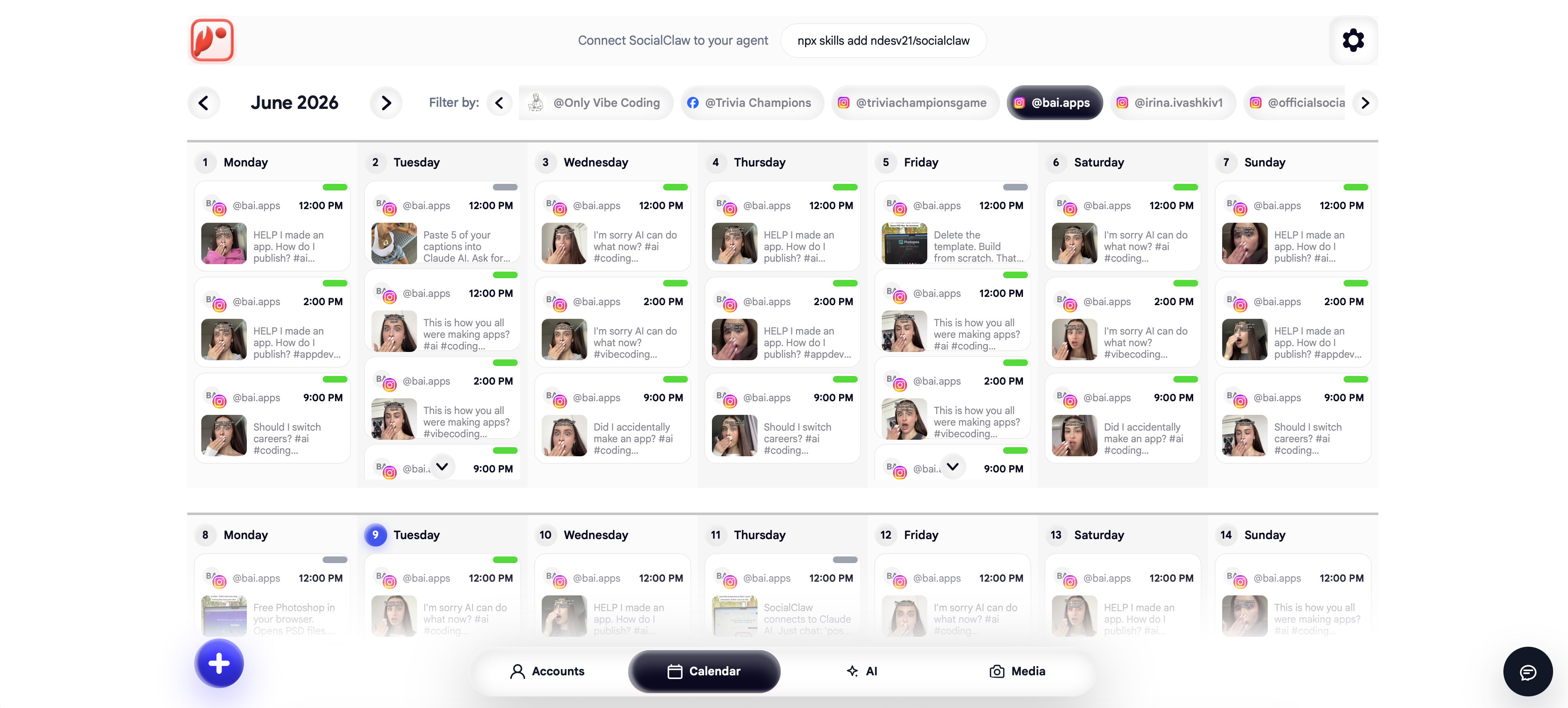
- #1 SocialClaw: Social Publishing
- #2 Claude Code: The Agent Runtime
- #3 GitHub CLI: Version Control
- #4 Railway CLI: Backend Deploys
- #5 Vercel CLI: Frontend Deploys
- #6 Supabase CLI: Database & Backend
- #7 Stripe CLI: Payments
- #8 Remotion: Programmatic Video
- #9 Playwright: Browser Automation
- #10 Firecrawl CLI: Web Data
- Honorable Mentions
- How They Fit Together
- Ratings Summary
- FAQs
- Final Verdict
What Makes a CLI Good for an AI Agent
A tool that a human loves can still be useless to an agent. Four properties decide whether a CLI survives being driven by a program instead of a person.
Non-interactive execution
It runs to completion from a single command without stopping to ask a question. Anything that opens a prompt an agent cannot answer is a dead end.
Machine-readable output
A --json flag or structured output the agent can parse and branch on, instead of prose or an ASCII table it has to guess at.
Environment-variable auth
Credentials that live in an env var so the tool authenticates in CI or a container without a browser login.
An MCP server or agent skill
A typed tool surface the agent loads directly, so it calls real operations instead of guessing at flags.
Every tool below clears the first three. The best ones clear all four.
How We Ranked Them
Ranking mixes two honest measures. The first is agent-readiness: how well the tool runs unattended, how structured its output is, and whether it ships an MCP server or skill. The second is how central the job is to what agents actually do in 2026.
Tools purpose-built for agents (SocialClaw, Claude Code, the Stripe and Supabase agent surfaces) rank above general developer CLIs that agents merely drive well (GitHub, Railway, Vercel). Scores are 1 to 10 for agent-readiness, and we say plainly where a tool needs a human guardrail.
Full disclosure: this is the SocialClaw blog, so we lead with our own category. We have tried to be fair to every other tool on the list and score them on their real merits, because a rigged list helps nobody.
Quick Comparison
| Tool | What agents use it for | MCP | Agent-readiness |
|---|---|---|---|
| SocialClaw | Publish to 13 social platforms | ✅ | 9.6 |
| Claude Code | Run the agent itself | ✅ | 9.5 |
| GitHub CLI | Repos, PRs, releases | ✅ | 9.3 |
| Railway CLI | Deploy backends and apps | ⚠️ | 9.0 |
| Vercel CLI | Deploy frontends and edge | ✅ | 9.0 |
| Supabase CLI | Database, auth, storage | ✅ | 8.8 |
| Stripe CLI | Payments and webhooks | ✅ | 8.8 |
| Remotion | Render video from code | ⚠️ | 8.3 |
| Playwright | Drive a real browser | ✅ | 8.5 |
| Firecrawl CLI | Scrape and search the web | ✅ | 8.4 |
Install commands and per-tool notes are in each section below.
#1 SocialClaw: Social Publishing
Agent-readiness: 9.6 / 10
When an agent publishes on its own, three things go wrong, and each one only surfaces after the post has already failed in public. The image URL 404s at the platform. The caption trips a character limit nobody checked. The post simply never appears, and the agent has no way to know whether it went out or vanished. A tool built for a human hides all three behind a UI where a person would have caught them by eye.
SocialClaw is built around closing exactly that gap. It is not a posting command; it is a publishing control plane an agent operates in three inspectable steps, across 13 platforms through each one's official API: X, LinkedIn, Instagram, Facebook Pages, TikTok, YouTube, Reddit, Pinterest, Discord, Telegram, and WordPress. It publishes; it does not scrape.
npm install -g socialclaw
socialclaw login --api-key sc_live_your_key

socialclaw validate -f launch.yaml --json   # provider rules checked before anything ships
socialclaw apply    -f launch.yaml --json    # commits the schedule, returns a run ID
socialclaw status --run-id run_7k2md9pz --json  # per-post delivery, what each provider returned
validate runs the provider's real rules before anything ships, so a bad post is caught in your terminal, not on your timeline. apply commits the schedule and hands back a run ID. status reports what every platform actually did, per post. One verb becomes a loop the agent can reason about: check, send, confirm. Every command takes --json, the workspace API key lives in an env var, and a built-in MCP server (socialclaw mcp) plus a Claude Code skill give the agent a typed tool surface. That loop, not the platform count, is why it leads.
Agent scenario: an agent drafts a launch thread, uploads the image once for a reusable hosted URL, runs validate, calls apply only if validation is clean, and reports delivery status back in the same run. No human watched, and nothing broken reached a live account.
Start free, 7-day trial · CLI docs
#2 Claude Code: The Agent Runtime
Agent-readiness: 9.5 / 10
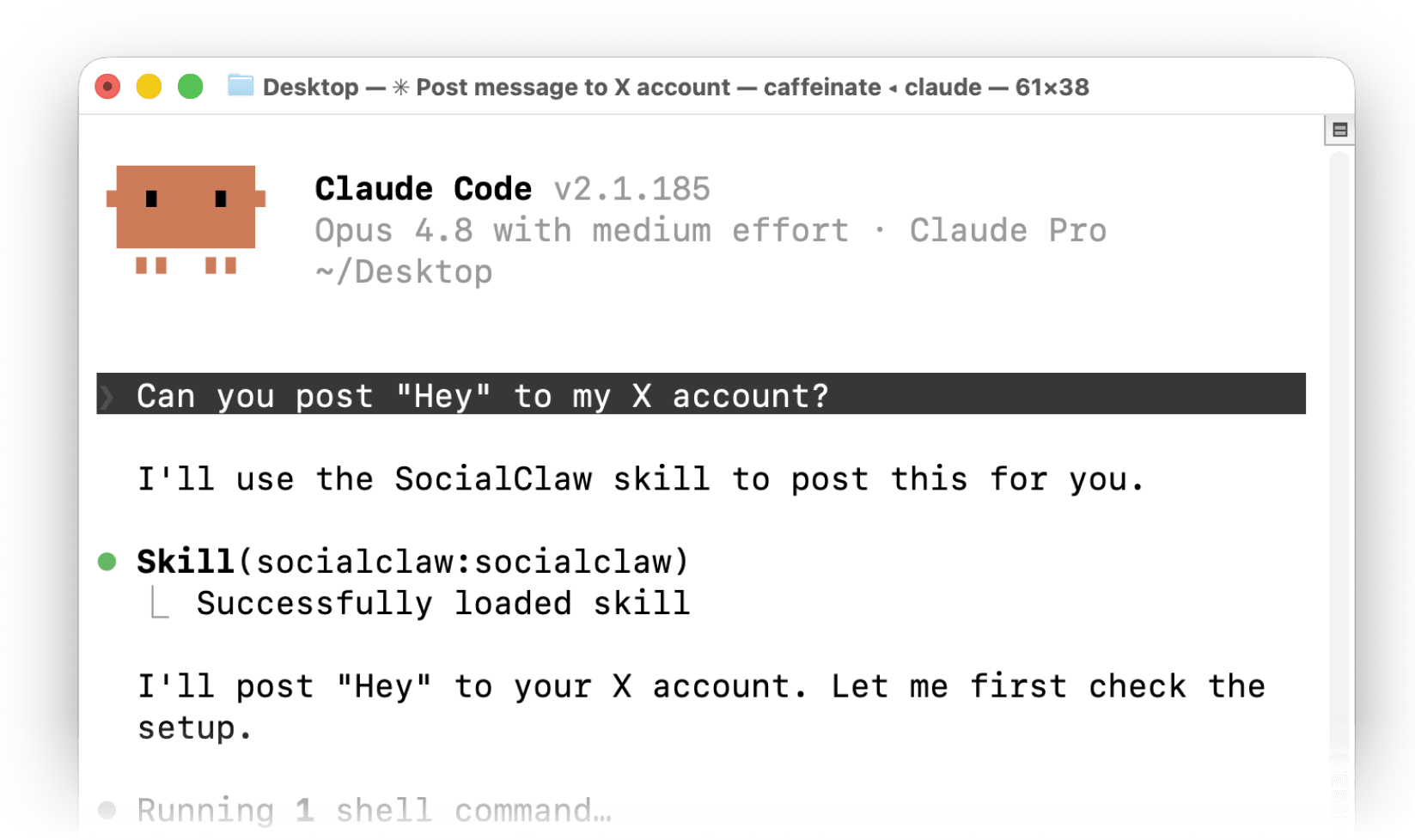
For most people reading this, Claude Code is the agent. It earns a place on a list of agent CLIs for a subtler reason: it is a CLI you can point at another CLI. Headless mode turns the interactive coding agent into a single command, callable from a script, a cron entry, or a CI job, that runs the whole reasoning loop and exits with a result you can parse.
# Run the full agent loop non-interactively and get JSON back.
claude -p "summarize open PRs and post a standup note" \
  --output-format json \
  --allowedTools "Bash,Read" \
  --permission-mode acceptEdits
The flags are the whole trick. --print (-p) runs once and exits instead of opening a session. --output-format json makes the answer machine-readable. --allowedTools and --permission-mode pre-approve exactly the actions the run may take, so an unattended job never stalls on a permission prompt no human is there to answer. Claude Code is also an MCP client, which means every other tool on this list that ships an MCP server plugs straight into it, and user skills (/skill-name) expand inside a headless prompt just as they do interactively.
Agent scenario: a nightly job runs claude -p with --output-format stream-json and an allowlisted tool set, lets it triage the day's new issues, and pipes the structured result straight into the next command in the pipeline.
It sits at #2 rather than #1 only because of what it is: not a category pick but the runtime that orchestrates the other nine. It is the hub, not a spoke.
#3 GitHub CLI: Version Control
Agent-readiness: 9.3 / 10
gh was built to be scripted years before anyone said "agent," and that head start is exactly why agents love it. Nearly every command takes --json with field selection, so the agent asks for the two fields it needs instead of parsing a table. Auth is a GH_TOKEN env var. Pass the flags and nothing ever stops to ask a question.
export GH_TOKEN=...
gh pr list --json number,title,author --limit 20
gh issue create --title "Flaky test" --body "..."
gh pr create --fill && gh pr merge --squash --auto
gh copilot suggest "revert the last release tag"   # Copilot CLI, installed via gh
In 2026 gh copilot installs and runs GitHub's own Copilot CLI, an agent in its own right that reads a repo, runs commands, and opens pull requests from a single prompt. So gh is two things at once: the most predictable tool an agent can drive, and a doorway to an agent of its own. For anything that touches code, it is the safest bet on this list.
Agent scenario: an agent finishes a change, runs gh pr create --fill, then gh pr merge --squash --auto so the merge fires the moment checks go green, with no one waiting to press the button.
#4 Railway CLI: Backend Deploys
Agent-readiness: 9.0 / 10
Writing the code is the easy part; getting it running is where an agent usually stalls. Railway is where an agent ships a backend, a worker, or a full-stack app, and it stalls less than most because one command does the whole thing. railway up scans, compresses, and uploads the current directory, and the flags that matter are the ones written for machines.
railway up --ci          # stream build logs, exit when the build completes
railway up --detach      # return immediately, deploy continues in the background
railway logs             # tail runtime output
railway redeploy         # or roll back a bad deploy
--ci is the one that counts. Without it the command streams logs forever and an agent never learns whether the deploy finished; with it, the command exits cleanly with a status the agent can branch on. Auth is a project token in an env var. Railway ships no first-party MCP server yet, which is the only reason it scores a notch below the tools that do, because the CLI itself is completely non-interactive.
Agent scenario: an agent commits a fix, deploys with railway up --ci, reads the exit status, and if the build failed, tails railway logs to find out why before trying again.
#5 Vercel CLI: Frontend Deploys
Agent-readiness: 9.0 / 10
Vercel covers the other half of deployment: frontends, edge functions, and the preview URLs an agent hands back for review. One command promotes to production, and as of 2026 the tool has stopped treating the agent as an afterthought.
vercel deploy --prod        # build and promote to the production domain
vercel deploy               # preview deploy, returns a unique URL
vercel pull                 # sync environment variables locally
vercel deploy --guidance    # suggest next commands after deploy
Vercel ships a plugin for Claude Code and Cursor with deployment skills, framework best practices, and slash commands like /vercel-plugin:deploy prod. The --guidance flag is a small tell about the shift: after a deploy it hands the agent the next commands to run, rather than assuming a human already knows them. The tool is starting to talk back to its caller in the caller's language.
Agent scenario: an agent pushes a UI change, runs vercel deploy to get a preview URL it can drop into a review comment, then vercel deploy --prod once a human signs off.
#6 Supabase CLI: Database & Backend
Agent-readiness: 8.8 / 10
Hand an agent a production database and you have handed it a way to drop your users table with a plausible-looking migration. Supabase gives an agent a full backend from the terminal, Postgres, auth, storage, and edge functions, and, more importantly, gives it a safe place to be wrong. The CLI runs the whole stack locally, generates migrations, and manages database branches, and its MCP server exposes more than 20 tools for querying schemas and orchestrating those branches.
supabase init && supabase start      # full local stack
supabase migration new add_users     # generate a migration
supabase db push                     # apply migrations
supabase branches create staging     # isolated schema branch
Branching is the feature that makes any of this sane. A branch copies your schema and runs migrations in isolation, so an agent can try a change, break it, and throw the branch away without production ever knowing. Supabase says plainly that you should never point an agent at production data, and gives you read-only mode and project scoping to enforce it. That is why it ranks where it does: the safe path is not a warning in the docs, it is a first-class mode the tool ships.
Agent scenario: an agent creates a branch, applies a migration there, runs the app's test suite against it, and promotes the migration to production only if the tests pass.
#7 Stripe CLI: Payments
Agent-readiness: 8.8 / 10
Testing a payment flow used to mean a browser, a test card, and a lot of clicking. The Stripe CLI collapses it to two commands an agent can run, with no browser and no real money in play.
stripe listen --forward-to localhost:3000/webhook   # tunnel events to a local endpoint
stripe trigger checkout.session.completed           # fire a real sandbox event
stripe customers create --email agent@example.com   # create resources from the terminal
stripe trigger fires a genuine event in the sandbox and generates every object that would come with it, so an agent can exercise a webhook handler end to end and see exactly what its code received. Stripe also ships an official Agent Toolkit and an MCP server (@stripe/mcp, plus a hosted one at mcp.stripe.com) that drop into the OpenAI Agents SDK, LangChain, CrewAI, and the Vercel AI SDK. The one rule that does not bend: money is high-stakes, so keep the agent on test keys until a human has explicitly signed off on the live ones.
Agent scenario: an agent scaffolds a checkout flow, runs stripe listen, fires stripe trigger for each event the flow depends on, and confirms every webhook branch handled its payload correctly, all in the sandbox.
#8 Remotion: Programmatic Video
Agent-readiness: 8.3 / 10
Video is the one output most agents cannot touch, because an editor is a GUI and a GUI is a wall. Remotion takes the wall down by letting an agent make video the way it makes everything else: by writing code. Compositions are React components, and the CLI renders them to a file, so an agent that can edit a component can now produce a finished MP4.
npx remotion render src/index.ts MyComposition out/video.mp4
npx remotion lambda render <serve-url> MyComposition   # render at scale on AWS Lambda
The @remotion/renderer package exposes the same rendering as a programmatic API for fully server-side pipelines, and Remotion Lambda takes it to scale. There is no single official MCP server, so an agent drives it through the CLI and the code itself, which is what keeps it mid-pack rather than higher. But for turning a script or a row of data into an actual video, with no human ever opening an editor, nothing else on this list even competes.
Agent scenario: an agent turns a weekly metrics summary into a short video by setting props on a Remotion composition, renders it with npx remotion render, and hands the file straight to SocialClaw to publish.
#9 Playwright: Browser Automation
Agent-readiness: 8.5 / 10
Sometimes the only way to know a change works is to use the site like a person would. When an agent has to fill a form, click through a flow, or confirm a page actually rendered, Playwright is the tool that lets it drive a real browser: Chromium, Firefox, and WebKit through one API, with a deliberate agent story on both the CLI and MCP sides in 2026.
npx playwright codegen example.com    # record actions into a script
npx playwright test                   # run the generated checks
Playwright ships a drop-in MCP server that gives Claude Code, Cursor, and other clients browser control through the page's accessibility tree. The detail worth knowing: its newer CLI path is far cheaper on context than the MCP route, roughly 27,000 tokens against 114,000 for the same task, because it never loads large tool schemas into the model. For an agent that browses at any volume, that gap is a bill you either pay or do not.
Agent scenario: right after a deploy, an agent points Playwright at the live URL, checks that the key elements rendered, and captures a screenshot as proof the release is actually up.
#10 Firecrawl CLI: Web Data
Agent-readiness: 8.4 / 10
An agent that guesses from training data invents last year's prices and yesterday's feature list. An agent is only as current as the context it can pull, and Firecrawl is the CLI for pulling it. It scrapes, searches, crawls, and maps sites, and hands back clean markdown instead of the raw HTML soup a model would otherwise have to wade through.
npm install -g firecrawl-cli
firecrawl login --browser
firecrawl scrape "https://example.com" -o page.md
firecrawl search "site:docs.stripe.com webhooks"
Firecrawl ships as both a CLI and an agent skill, built to add web data to agents like Claude Code and OpenClaw runtimes. Markdown is the default output, which is exactly the format a model reads best. It is the tool an agent reaches for before it writes anything, so the work rests on what is true today, not what was true when the model was trained.
Agent scenario: before drafting a comparison, an agent runs firecrawl scrape against the live pricing page of every product it is writing about, so every number on the page is the real one.
Honorable Mentions
Four more that nearly made the list, each strong in a narrower lane:
- Docker CLI: the isolation layer. Agents that run untrusted or generated code use
docker runto sandbox it so a bad command cannot touch the host. Essential infrastructure, but general-purpose rather than agent-specific. - Cloudflare Wrangler: deploy Workers and edge functions from the terminal. A strong alternative to Vercel for edge-first agents.
- Neon CLI: serverless Postgres with instant database branching, an increasingly popular pairing with agent workflows that want a throwaway database per task.
- Google Workspace CLI: one tool across Drive, Gmail, Calendar, and Docs, for agents that operate inside a business rather than a codebase.
How They Fit Together
The point of this list is not to pick one tool. It is that a capable 2026 agent chains several of them in a single task. Here is what a realistic "ship and announce a feature" run looks like, all from one agent:
# 1. Research: pull current facts to ground the work.
firecrawl scrape "https://competitor.com/pricing" -o research.md

# 2. Build and deploy the change.
gh pr create --fill && gh pr merge --squash --auto
railway up --ci
vercel deploy --prod

# 3. Verify it actually works in a real browser.
npx playwright test

# 4. Make the announcement asset.
npx remotion render src/index.ts LaunchClip out/launch.mp4

# 5. Publish, safely, with a check before anything goes live.
socialclaw validate -f announce.yaml --json
socialclaw apply    -f announce.yaml --json
Claude Code is the runtime holding this together, calling each tool, reading the JSON, and deciding the next step. Every tool in the chain returns something machine-readable, and the two highest-stakes steps (payments earlier, publishing here) have an explicit check before they commit. That is the whole design principle of an agent-ready toolkit.
Ratings Summary
| Tool | Category | JSON | MCP | Score |
|---|---|---|---|---|
| SocialClaw | Social publishing | ✅ | ✅ | 9.6 |
| Claude Code | Agent runtime | ✅ | ✅ | 9.5 |
| GitHub CLI | Version control | ✅ | ✅ | 9.3 |
| Railway CLI | Backend deploy | ⚠️ | ⚠️ | 9.0 |
| Vercel CLI | Frontend deploy | ✅ | ✅ | 9.0 |
| Supabase CLI | Database | ✅ | ✅ | 8.8 |
| Stripe CLI | Payments | ✅ | ✅ | 8.8 |
| Playwright | Browser | ✅ | ✅ | 8.5 |
| Firecrawl CLI | Web data | ✅ | ✅ | 8.4 |
| Remotion | Video | ⚠️ | ⚠️ | 8.3 |
Score is agent-readiness: non-interactive execution, structured output, env-var auth, and MCP or skill support, weighted by how central the job is to agent work.
FAQs
What is the best CLI tool for AI agents in 2026?
It depends on the job, because a real agent uses several together. For the publishing last mile, SocialClaw leads: it is agent-first, publishes to 13 platforms, outputs JSON on every command, and ships an MCP server. Claude Code is the runtime that orchestrates the rest, and GitHub CLI, Railway, and Vercel cover the build-and-ship loop.
What makes a CLI tool good for an AI agent?
Four things: it runs non-interactively without stopping to ask a question, it emits machine-readable output like JSON the agent can parse, it authenticates from an environment variable so it works in CI or a container, and ideally it ships an MCP server or agent skill so the agent calls typed operations instead of guessing at flags.
Do these CLI tools work with Claude Code and OpenClaw?
Yes. Every tool here runs from a shell, so any agent that can execute commands can use them. Several also ship MCP servers or skills (SocialClaw, GitHub, Vercel, Supabase, Stripe, Playwright, Firecrawl) that Claude Code and OpenClaw-compatible runtimes load as typed tools. For the publishing side specifically, our guide to the best social media MCP servers goes deeper.
Can an AI agent post to social media from the command line?
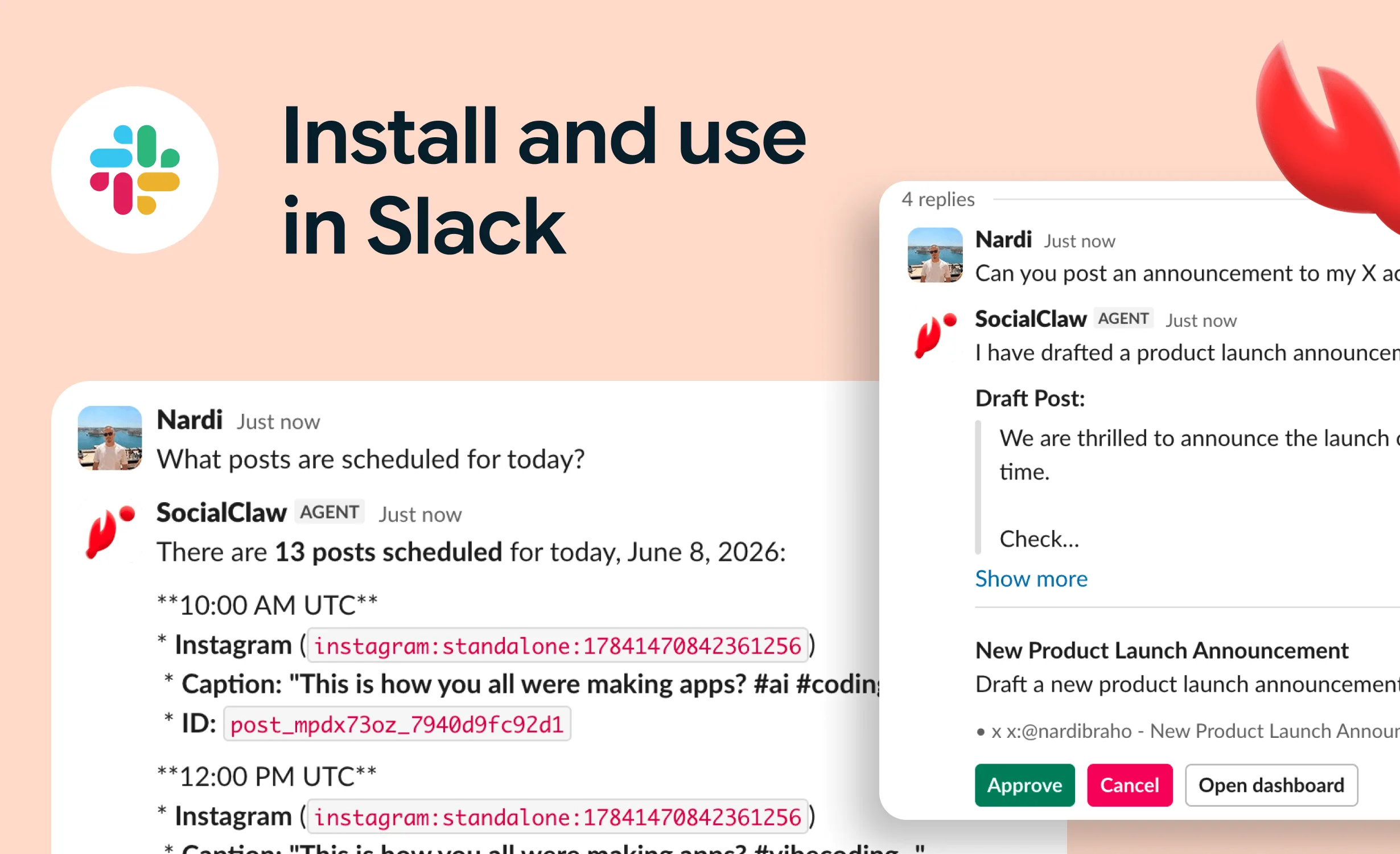
Yes. SocialClaw is built for exactly this: an agent runs socialclaw validate to check a post against provider rules, then socialclaw apply to publish or schedule it across up to 13 platforms, with --json output so the agent can confirm delivery. The validate step lets the agent catch a bad post before it goes live.
Is it safe to let an AI agent run these tools unattended?
For low-stakes tools, yes. For high-stakes ones, use the guardrails each provides: SocialClaw's validate-before-apply step, Supabase's database branching and read-only mode, and Stripe's sandbox and test keys. Keep an agent out of production payment keys and production data until a human has signed off.
Which CLI tool should an AI agent use to deploy?
Railway for backends, workers, and full-stack apps via railway up --ci, and Vercel for frontends and edge functions via vercel deploy --prod. Both are fully non-interactive and authenticate from an environment variable, and Vercel ships an agent plugin with deployment skills.
Do agents need a CLI, or is an API enough?
Either works, but a CLI is often the lower-friction path. A good CLI already handles auth, retries, and output formatting, so the agent runs one command and reads structured output, instead of hand-rolling HTTP requests. Many of these tools give you both a CLI and an MCP server over the same account.
Final Verdict
The command line is the interface AI agents actually use, and the best CLI tools of 2026 share a clear design language: run without a human, speak JSON, authenticate from an env var, and expose an MCP server or skill. Judge any tool an agent will touch by those four properties.
Across the full range of what agents do, ten tools stand out. SocialClaw leads for publishing because it embodies the agent-first pattern most completely, with a validate-before-apply safety step no other publishing CLI matches. Claude Code is the runtime that ties the toolkit together. GitHub CLI, Railway, Vercel, Supabase, and Stripe cover the build, ship, store, and charge loop. Remotion, Playwright, and Firecrawl handle video, the browser, and the open web.
Give an agent this toolkit and it can research a topic, write and ship the code, deploy it, verify it in a real browser, produce a launch video, and publish the announcement, checking its work at each high-stakes step. That is not a future capability. Every tool above is shipping today. If your agent's job leans toward marketing and social specifically, the best AI agent tools for social media narrows the same lens to that stack.
SocialClaw is free to try for 7 days. Give your agent the publishing half of the stack.
Start free → · CLI docs · AI agent guide
Tool facts are sourced from official repositories and documentation reviewed August 14, 2026: Claude Code, GitHub CLI, Railway, Vercel, Supabase, Stripe, Remotion, Playwright, and Firecrawl. SocialClaw facts are sourced from first-party product documentation and the shipped CLI. Last updated: August 14, 2026.