























Last reviewed: August 8, 2026 · Competitor facts sourced from official repositories and documentation reviewed August 8, 2026
If you write software for a living, the browser is the slowest part of publishing. Log in, click into a composer, re-upload the image you already have on disk, pick a date from a widget, then repeat the whole ritual for every platform. None of that is work. It is friction wrapped around work.
A social media CLI removes the friction. Searching for one usually means one of three things:
- You want to publish from a terminal instead of a dashboard.
- You want to automate publishing from cron, a Makefile, or a CI pipeline.
- You want an AI agent to run the publish step and report back what happened.
The catch is that most "best social media tool" roundups list products that have no command line client at all. Buffer, Hootsuite, Later, and Publer are browser-first schedulers. Ayrshare is API-first with SDKs but no CLI. If you want a real binary you can pipe into jq, the honest field is small.
This guide ranks the five that actually exist and are worth running, with SocialClaw taking the top spot for multi-platform, agent-driven publishing.
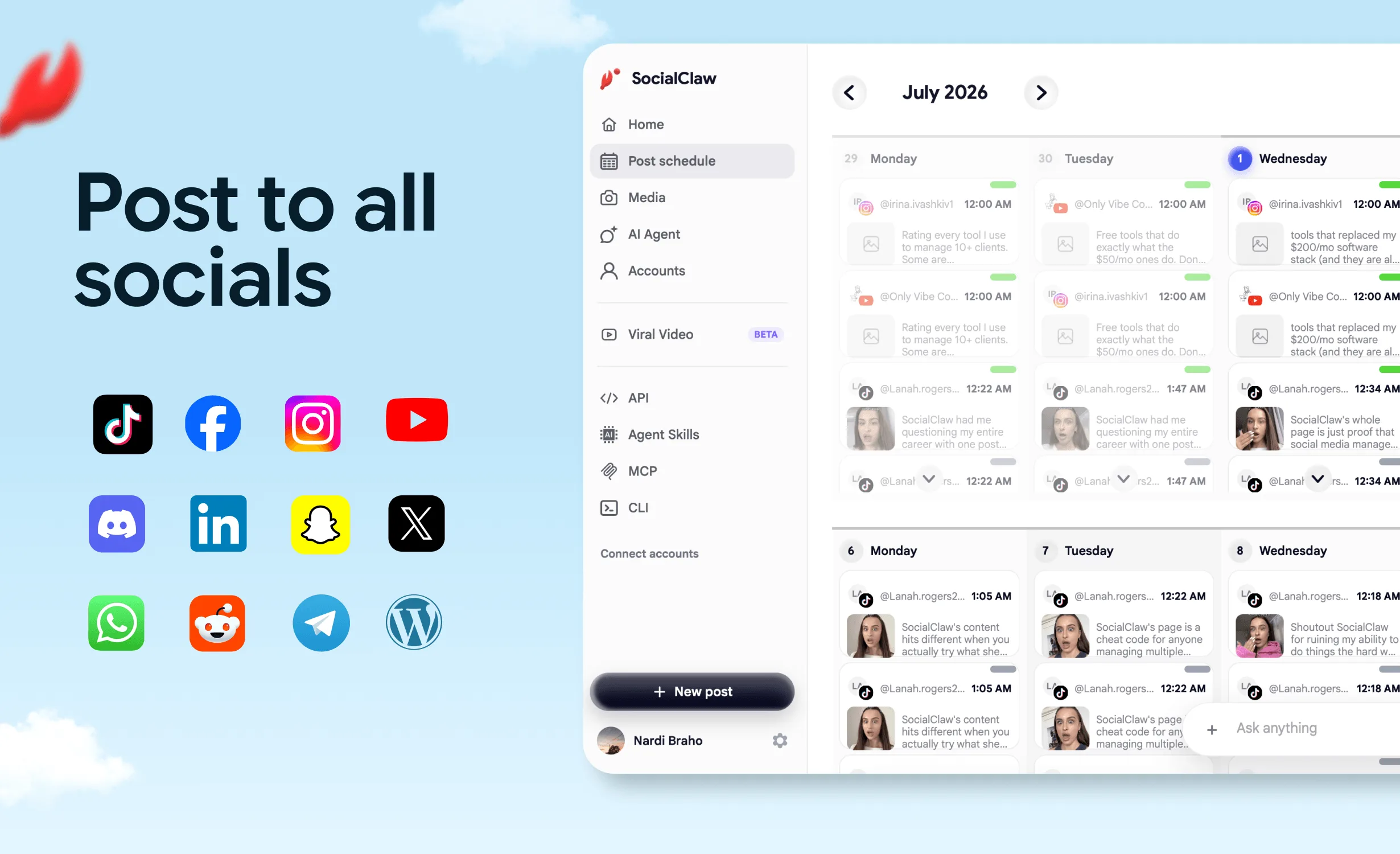
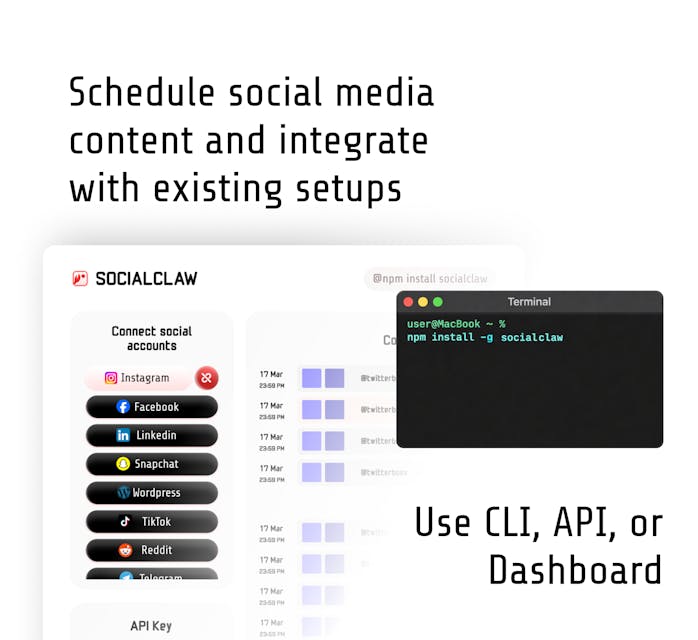
SocialClaw is an agent-first social media CLI that publishes and schedules posts to 13 platforms — X, LinkedIn, Instagram, Facebook Pages, TikTok, YouTube, Reddit, Pinterest, Discord, Telegram, and WordPress — through each platform's official API. It is a publishing tool, not a scraper or content-extraction tool: you install it with npm install -g socialclaw, authenticate with a workspace API key, and run socialclaw validate then socialclaw apply to schedule posts, with --json output on every command for scripts and AI agents.
Table of Contents
- What Counts as a Social Media CLI
- How We Ranked Them
- Quick Comparison: All 5 CLIs at a Glance
- #1 Best Overall: SocialClaw CLI
- #2 Best Open Source: Postiz CLI
- #3 Best for Mastodon: toot
- #4 Best for Bluesky: bsky-cli
- #5 Best Without API Access: social-poster
- Popular Tools With No CLI
- Feature Comparison Table
- Ratings Summary
- Full Walkthrough: Publishing From a Terminal
- Cron and CI Recipes
- FAQs
- Final Verdict
What Counts as a Social Media CLI
A social media CLI is a command you install once and then call to publish, schedule, or inspect social posts without opening a browser. That definition rules out three things people often confuse with it:
- An SDK is not a CLI. Ayrshare's Node and Python packages are libraries. You still have to write the program that calls them.
- A REST API is not a CLI. You can
curlany publishing API, but you are hand-rolling auth, retries, and output parsing every time. - A web app with keyboard shortcuts is not a CLI. Fast is not the same as scriptable.
The tools below are real executables. You install them, authenticate them, and call them from a shell, a script, a cron job, or an agent.
How We Ranked Them
Every tool in this guide was assessed against the seven properties that decide whether a CLI survives contact with a real automation pipeline.
Install and auth
How fast you get from zero to an authenticated command, and whether credentials can live in an environment variable for CI.
Platform coverage
How many networks one install can reach, and whether account types (Instagram Business vs standalone, LinkedIn profile vs page) are handled explicitly.
Scheduling
Whether you can queue a future post from the command line, or only publish immediately.
Scriptability
Whether every command emits machine-readable JSON so a script can branch on the result instead of parsing prose.
Validation before publish
Whether the tool can tell you a post will fail before it touches a live platform.
Post-publish inspection
Whether you can query what actually happened per post: delivered, failed, retried, and what the provider returned.
AI agent fit
Whether an agent runtime can drive the tool through an MCP server or skill definition, not just guess at flags.
Scores below are 1 to 10 per category. The overall figure is a weighted average that emphasizes scriptability, validation, and inspection, because those are the properties that determine whether unattended publishing is trustworthy.
Quick Comparison: All 5 CLIs at a Glance
| Tool | Best for | Networks | Scheduling | Price |
|---|---|---|---|---|
| SocialClaw | Multi-platform agents and CI | 13 | ✅ | From $15/mo |
| Postiz | Open-source breadth | 28+ | ✅ | Free self-host |
| toot | Mastodon | 1 | ❌ | Free |
| bsky-cli | Bluesky | 1 | ✅ | Free |
| social-poster | No API access | 6 | ❌ | Free |
Install commands, JSON output, validation, and MCP support are broken out in the full feature table further down.
#1 Best Overall Social Media CLI: SocialClaw
Overall Rating: 9.4 / 10
SocialClaw is a hosted publishing backend with the CLI as a first-class surface rather than an afterthought. You connect social accounts once in a workspace, mint a workspace API key, and every subsequent operation (upload, validate, schedule, publish, inspect, pull analytics) is a terminal command.
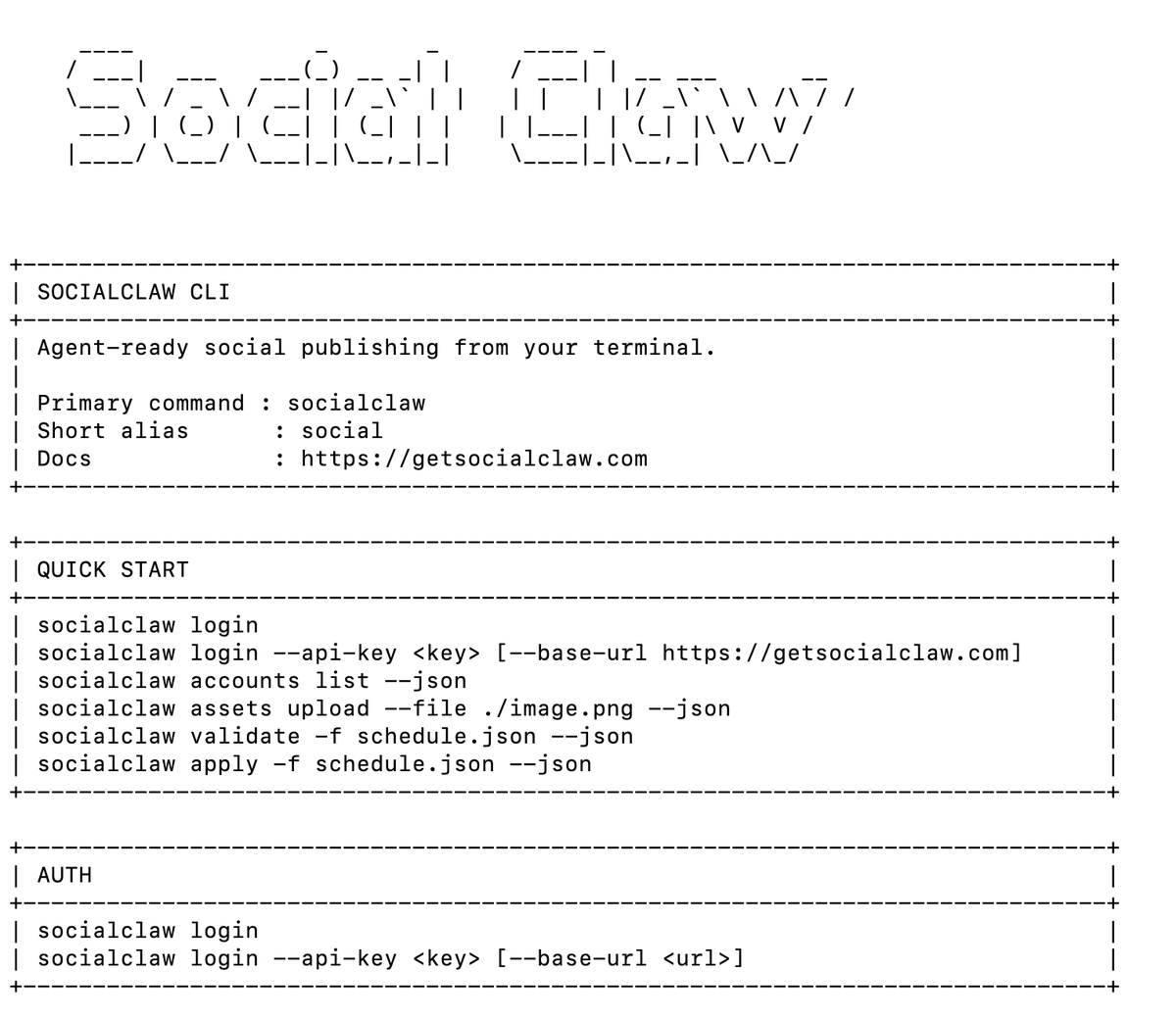
npm install -g socialclaw
socialclaw login --api-key sc_live_your_key
# Connected to SocialClaw at https://getsocialclaw.com
# Workspace: North Loop Cafe
What makes it different
The distinguishing feature is the execution model. Most publishing tools give you one verb: post. SocialClaw splits the publish path into three separate, inspectable steps:
validate checks a schedule against provider-specific rules before anything reaches a live platform. Wrong aspect ratio, missing required field, unsupported media type, bad timestamp: all caught locally.
socialclaw validate -f launch.yaml --json
# Schedule valid: 2 post(s) | mode=scheduled | model=posts_v1
apply commits the validated schedule and returns a run ID.
socialclaw apply -f launch.yaml --json
# Run run_7k2md9pz created (2 post(s), model=posts_v1)status, posts get, and posts attempts tell you exactly what happened afterward, per post, including what each provider returned.
socialclaw status --run-id run_7k2md9pz --json
# Run run_7k2md9pz | status=completed | mode=scheduled | model=posts_v1
That separation is what makes unattended publishing safe. A cron job or an agent can gate apply on a clean validate, and can answer "did it actually go out?" without a human opening a dashboard.
Platform coverage
Thirteen platforms from one install, with account types kept explicit rather than blurred: X, Facebook Pages, Instagram Business, Instagram standalone professional, LinkedIn profile, LinkedIn page, Pinterest, TikTok, Discord, Telegram, YouTube, Reddit, and WordPress.
AI agent integration
This is where SocialClaw pulls clearly ahead of every other CLI on this list. Three integration paths ship in the same npm package:
# stdio MCP server for Claude, Cursor, and other MCP clients
socialclaw mcp

# Claude Code slash command
socialclaw install --claude

# Full OpenClaw-compatible skill bundle
npx skills add ndesv21/socialclaw
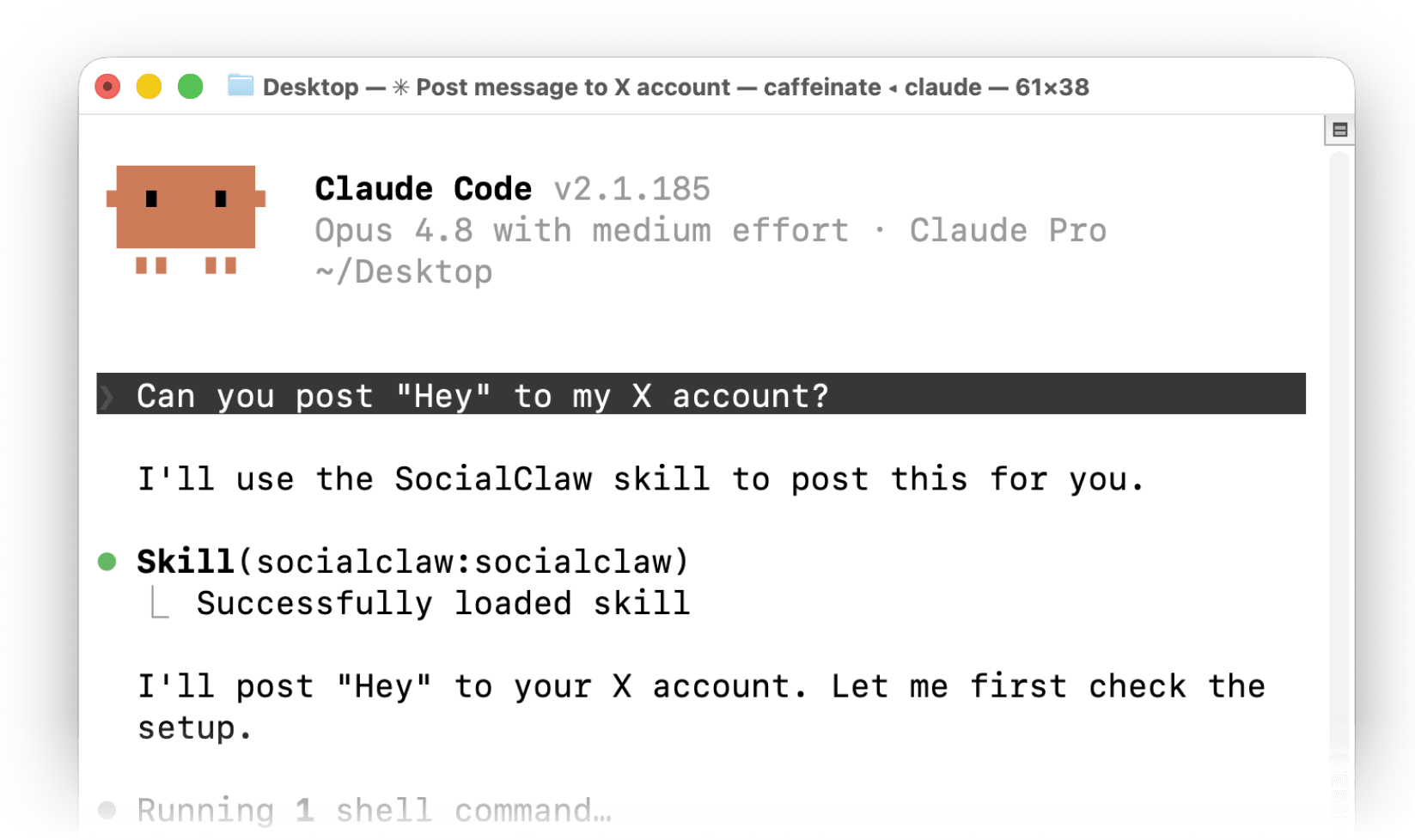
An agent driving SocialClaw is not guessing at flags. It has tool definitions, it gets JSON back from every call, and the validate step gives it a safe way to fail before publishing rather than after.
Pricing
Seven-day free trial, then four plans:
| Plan | Social Accounts | Posts / Month | Monthly | Annual (per month) |
|---|---|---|---|---|
| Starter | 3 | 200 | $15 | $10 |
| Startup | 6 | 400 | $29 | $19 |
| Plus (most popular) | 20 | 1,000 | $67 | $49 |
| Pro | 50 | 2,500 | $99 | $80 |
CLI, HTTP API, MCP server, and agent skill access are included on every plan.
Rating breakdown
| Category | Score | Notes |
|---|---|---|
| Install and Auth | 9.5 / 10 | One npm install, API key in an env var for CI |
| Platform Coverage | 9 / 10 | 13 platforms with explicit account-type handling |
| Scheduling | 10 / 10 | Per-post publish_at, timezone aware, draft runs |
| Scriptability | 9.5 / 10 | --json on every command |
| Validation Before Publish | 10 / 10 | Dedicated validate step with provider rules |
| Post-Publish Inspection | 10 / 10 | Run, post, attempt, analytics, and health queries |
| AI Agent Fit | 10 / 10 | MCP server, Claude Code skill, OpenClaw bundle |
| Overall | 9.4 / 10 |
Where it falls short: hosted only, with no self-host path. If your requirement is running the whole stack on your own infrastructure, Postiz is the better fit.
Start free, 7-day trial · CLI documentation · AI agent guide
#2 Best Open Source: Postiz CLI
Overall Rating: 8.4 / 10
Postiz ships a genuine CLI, published as postiz on npm, that wraps its public API. It is the strongest alternative on this list and the obvious pick if open source is a hard requirement.
npm install -g postiz
postiz auth:login          # OAuth2 device flow, credentials to ~/.postiz/credentials.json
# or export POSTIZ_API_KEY=...
The command surface is organized by resource and covers the operations that matter:
postiz integrations:list                 # connected accounts
postiz integrations:settings <id>        # platform requirements and limits
postiz upload ./launch.png               # media upload
postiz posts:create -c "Shipped v2" -s "2026-09-01T09:00:00Z" -i <integration-id>
postiz posts:create --json post.json     # complex multi-platform posts
postiz posts:list
postiz analytics:platform <id>
What it does well. Platform breadth is the headline: 28 or more networks from one tool, which is more than double SocialClaw's count. Every command emits structured JSON aimed at LLM and pipeline consumption, an MCP server is available, and the AGPL-3.0 license means you can self-host the whole stack and pay nothing but your own hosting bill.
Where it falls short. There is no dedicated validate step. You can fetch platform requirements with integrations:settings and check them yourself, but that is a manual pre-flight you have to implement rather than a gate the tool enforces. Post-publish inspection is thinner than SocialClaw's run, post, and attempt model. And self-hosting is only free in the licensing sense: you own the queue workers, the database, and the OAuth token refresh failures at 2am.
| Category | Score |
|---|---|
| Install and Auth | 9 / 10 |
| Platform Coverage | 10 / 10 |
| Scheduling | 8.5 / 10 |
| Scriptability | 9 / 10 |
| Validation Before Publish | 5 / 10 |
| Post-Publish Inspection | 6.5 / 10 |
| AI Agent Fit | 8.5 / 10 |
| Overall | 8.4 / 10 |
Pick Postiz when: you need maximum platform breadth, or self-hosting is non-negotiable.
#3 Best for Mastodon: toot
Overall Rating: 7.2 / 10
toot is the mature, well-loved Mastodon CLI. It has been maintained for years, it is packaged nearly everywhere, and it does exactly one thing without ceremony.
brew install toot
toot login
toot post "Shipped v2 today."
toot post "With a screenshot" --media ./shot.png --description "Release notes screenshot"
Beyond posting it handles replies, deletes, media uploads with alt text, content warnings, search by account or hashtag, follows, mutes, blocks, and switching between multiple authenticated accounts. The most recent stable release landed in April 2026, so it is actively maintained. Note that its bundled terminal UI is no longer being developed, with tooi recommended as the successor for TUI use. The CLI itself is unaffected.
Where it falls short. One network. No scheduling. No JSON-first output contract, so scripting means parsing human-readable text. None of that is a flaw, exactly. It is a tool with a clear scope that stays inside it.
| Category | Score |
|---|---|
| Install and Auth | 10 / 10 |
| Platform Coverage | 2 / 10 |
| Scheduling | 2 / 10 |
| Scriptability | 6 / 10 |
| Validation Before Publish | 3 / 10 |
| Post-Publish Inspection | 4 / 10 |
| AI Agent Fit | 4 / 10 |
| Overall | 7.2 / 10 |
Pick toot when: Mastodon is your only network, or it is the one you post to most from a terminal.
#4 Best for Bluesky: bsky-cli
Overall Rating: 7.0 / 10
bsky-cli is the most complete Bluesky command line client, and unusually for a single-network tool, it includes real scheduling.
bsky post "Shipped v2 today." -i ./shot.png
bsky create-thread "Long post /// second part /// third part"
bsky schedule post "Weekly changelog" --repeat weekly
bsky schedule list
It installs via npm, yarn, pnpm, bun, Homebrew, or a standalone binary (Node.js 22 or newer), supports multiple account profiles via --profile, and stores credentials in the OS keychain rather than a plaintext file. It also covers DMs, follows, and search.
Where it falls short. Bluesky only, and scheduling runs through a local watcher process (bsky schedule watch) rather than a hosted queue, so a scheduled post depends on your machine being awake at the right moment. That is fine on a server, less fine on a laptop.
| Category | Score |
|---|---|
| Install and Auth | 9 / 10 |
| Platform Coverage | 2 / 10 |
| Scheduling | 7 / 10 |
| Scriptability | 6.5 / 10 |
| Validation Before Publish | 3 / 10 |
| Post-Publish Inspection | 4 / 10 |
| AI Agent Fit | 4.5 / 10 |
| Overall | 7.0 / 10 |
Pick bsky-cli when: Bluesky is your primary network and you want threads and recurring posts from a shell.
#5 Best Without API Access: social-poster
Overall Rating: 5.2 / 10
social-poster takes the opposite approach to everything else on this list. Instead of calling official APIs, it drives Puppeteer browser sessions and logs in the way a person would.
sp login          # authenticate through a real browser session
sp post "Shipped v2"
sp platforms      # list available targets
sp status         # check auth state
It targets X, TikTok, Pinterest, LinkedIn, Reddit, and Facebook, though its own README marks only X, TikTok, and Pinterest as ready, with LinkedIn and Reddit still in progress. Sessions persist locally via stored cookies and local storage. It is MIT licensed.
Why it is on the list. It reaches surfaces that official APIs price out or lock down, and it needs no developer account, no app review, and no API key. For a personal account and a low posting volume, that is a real advantage.
Why it ranks last, and the honest warning. Browser automation against social platforms is fragile by construction. A markup change breaks it, and platform terms of service generally prohibit automated access outside the official API. Treat it as a personal-use tool, not something to build a product or a client workflow on. If publishing reliability matters, or anyone other than you depends on the post going out, use an API-backed tool.
| Category | Score |
|---|---|
| Install and Auth | 6 / 10 |
| Platform Coverage | 5 / 10 |
| Scheduling | 2 / 10 |
| Scriptability | 5 / 10 |
| Validation Before Publish | 2 / 10 |
| Post-Publish Inspection | 2 / 10 |
| AI Agent Fit | 4 / 10 |
| Overall | 5.2 / 10 |
Popular Tools With No CLI
If you searched for a command line client for one of these, stop looking. None of them ship one.
| Tool | CLI? | What you get instead |
|---|---|---|
| Buffer | ❌ | Browser scheduler with a limited public API |
| Hootsuite | ❌ | Enterprise dashboard, API available at cost |
| Later | ❌ | Visual content calendar, UI-first |
| Publer | ❌ | Browser scheduler with a limited API |
| Ayrshare | ❌ | REST API plus Node, Python, and Flutter SDKs, and an MCP server |
| Mixpost | ⚠️ | Self-hosted Laravel app; artisan commands run scheduling infrastructure, not composing posts |
Ayrshare is the near miss worth calling out. It is a capable unified API, and it has an MCP server for agent use, but terminal publishing means writing your own wrapper around the SDK first.
Feature Comparison Table
| Feature | SocialClaw | Postiz | toot | bsky-cli | social-poster |
|---|---|---|---|---|---|
| Install | npm | npm | brew | npm | npm |
| Auth | API key | OAuth / key | Login | Keychain | Browser |
| Networks | 13 | 28+ | 1 | 1 | 6 |
| Official APIs | ✅ | ✅ | ✅ | ✅ | ❌ |
| Schedule posts | ✅ | ✅ | ❌ | ✅ | ❌ |
| Media upload | ✅ | ✅ | ✅ | ✅ | ✅ |
--json everywhere | ✅ | ✅ | ⚠️ | ⚠️ | ⚠️ |
| Validate before publish | ✅ | ⚠️ | ❌ | ❌ | ❌ |
| Delivery inspection | ✅ | ⚠️ | ❌ | ❌ | ❌ |
| Retry failed post | ✅ | ⚠️ | ❌ | ❌ | ❌ |
| CLI analytics | ✅ | ✅ | ❌ | ❌ | ❌ |
| MCP server | ✅ | ✅ | ❌ | ❌ | ❌ |
| Agent skill bundle | ✅ | ⚠️ | ❌ | ❌ | ❌ |
| Self-host | ❌ | ✅ | ✅ | ✅ | ✅ |
| Price | From $15/mo | Free self-host | Free | Free | Free |
Legend: ✅ full support · ⚠️ partial or manual · ❌ none. Scheduling for bsky-cli runs through a local watcher; SocialClaw and Postiz schedule server-side. social-poster uses browser automation rather than official APIs.
Ratings Summary
| Tool | Install | Platforms | Scheduling | Scripting | Validate | Inspect | Agents | Overall |
|---|---|---|---|---|---|---|---|---|
| SocialClaw | 9.5 | 9 | 10 | 9.5 | 10 | 10 | 10 | 9.4 |
| Postiz | 9 | 10 | 8.5 | 9 | 5 | 6.5 | 8.5 | 8.4 |
| toot | 10 | 2 | 2 | 6 | 3 | 4 | 4 | 7.2 |
| bsky-cli | 9 | 2 | 7 | 6.5 | 3 | 4 | 4.5 | 7.0 |
| social-poster | 6 | 5 | 2 | 5 | 2 | 2 | 4 | 5.2 |
Single-network tools score well on install and poorly on coverage by design. Read the overall figure alongside the "pick this when" note in each section rather than on its own.
Full Walkthrough: Publishing From a Terminal
Here is a complete multi-platform publish, from install to delivery confirmation, using SocialClaw.
Step 1: Install and authenticate
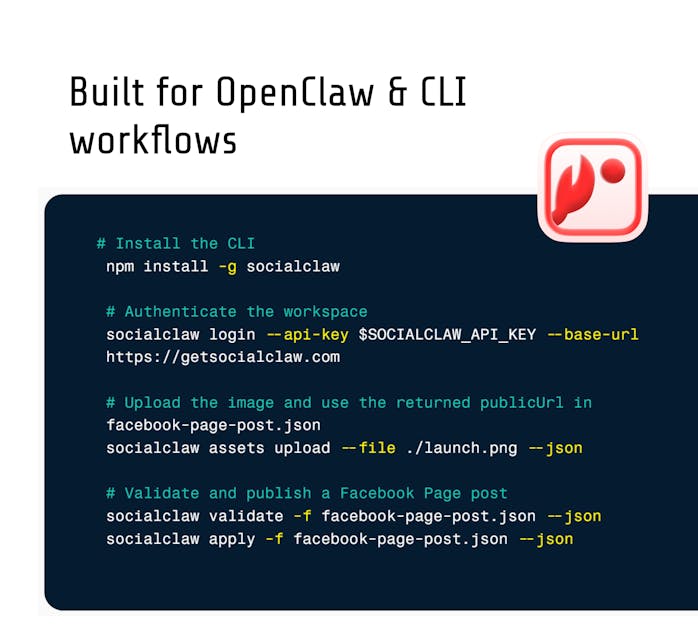
npm install -g socialclaw

# Opens the dashboard to sign in with Google and mint a workspace API key.
socialclaw login

# Authenticate the CLI with that key.
socialclaw login --api-key sc_live_your_key
# Connected to SocialClaw at https://getsocialclaw.com
# Workspace: North Loop Cafe
Step 2: Connect accounts
socialclaw accounts list --json

# OAuth browser flows for most providers.
socialclaw accounts connect --provider linkedin --open
socialclaw accounts connect --provider x --open
socialclaw accounts connect --provider tiktok --open

# Webhook and token providers need no OAuth.
socialclaw accounts connect --provider discord --webhook-url <webhook-url> --json
socialclaw accounts connect --provider telegram --bot-token <token> --chat-id @yourchannel --json

# Check what a given account actually supports before you write a schedule.
socialclaw accounts capabilities --account-id <account-id> --json
Step 3: Upload media once
socialclaw assets upload --file ./launch.mp4 --json
# Uploaded asset asset_9f2c...
# Storage: managed
# Public URL: https://getsocialclaw.com/media/asset_9f2c.../dlv_.../launch.mp4
# Use as media_link: https://getsocialclaw.com/media/asset_9f2c.../dlv_.../launch.mp4
That hosted URL is reusable across any number of posts and runs, which matters because several platforms fetch media by URL rather than accepting an upload inline.
Step 4: Write the schedule
launch.yaml:
timezone: America/New_York
posts:
  - account: meta:instagram:17841400000000000
    name: Launch reel
    description: We just shipped v2. Full changelog in bio.
    publish_at: 2026-09-01T09:00:00-04:00
    media_link: https://getsocialclaw.com/media/asset_9f2c.../dlv_.../launch.mp4
  - account: linkedin:person:123
    name: Launch announcement
    description: v2 is live. Here is what changed and why.
    publish_at: 2026-09-01T09:15:00-04:00
JSON works identically if you would rather generate the file from a script.
Step 5: Validate, then apply
socialclaw validate -f launch.yaml --json
# Schedule valid: 2 post(s) | mode=scheduled | model=posts_v1

socialclaw campaigns preview -f launch.yaml --json   # optional dry run of the full campaign

socialclaw apply -f launch.yaml --json
# Run run_7k2md9pz created (2 post(s), model=posts_v1)
Step 6: Inspect what happened
socialclaw status --run-id run_7k2md9pz --json
socialclaw posts get --post-id <post-id> --json
socialclaw posts attempts --post-id <post-id> --json   # per-attempt provider responses
socialclaw retry --post-id <post-id> --json            # requeue a failure
socialclaw analytics run --run-id run_7k2md9pz --json
socialclaw workspace health --json
This validate, apply, inspect loop is the whole argument for using a CLI built for publishing rather than a wrapper around a scheduler UI. Each step is a separate exit code your script can act on.
Cron and CI Recipes
Daily post from cron
# crontab -e
0 9 * * * SC_API_KEY=sc_live_your_key /usr/local/bin/socialclaw apply -f /srv/social/daily.yaml --json >> /var/log/social.log 2>&1
Gate the publish on a clean validate
#!/usr/bin/env bash
set -euo pipefail

socialclaw validate -f release.yaml --json > /tmp/validation.json
socialclaw apply -f release.yaml --idempotency-key "release-${GIT_SHA}" --json
set -e stops the script if validation fails, so a malformed schedule never reaches a live platform. The idempotency key means a re-run of the same pipeline will not double-post.
Announce a release from GitHub Actions
- name: Announce release
  env:
    SC_API_KEY: ${{ secrets.SOCIALCLAW_API_KEY }}
  run: |
    npm install -g socialclaw
    socialclaw validate -f .github/social/release.yaml --json
    socialclaw apply -f .github/social/release.yaml \
      --idempotency-key "${{ github.sha }}" --json
Let an AI agent drive it
socialclaw mcp # stdio MCP server for Claude, Cursor, and other MCP clientsPoint your agent runtime at that server and it gets typed tools for connecting accounts, uploading media, validating, applying, and inspecting, all against the same workspace your terminal uses.
FAQs
What is the best social media CLI in 2026?
SocialClaw is the best general purpose social media CLI in 2026. It installs from npm, authenticates with a workspace API key, publishes to 13 platforms, supports --json on every command, and exposes an explicit validate, apply, and inspect execution loop that scripts and AI agents can branch on. Postiz is the strongest open-source alternative and wins on raw platform count.
Can I schedule social media posts from the command line?
Yes. SocialClaw and Postiz both accept a future publish time from the CLI, so you can queue posts days or weeks ahead without opening a browser. With SocialClaw you write a schedule file with a publish_at timestamp per post, run socialclaw validate to check it, then socialclaw apply to commit it. bsky-cli also schedules, but through a local watcher process rather than a hosted queue.
Does Buffer or Hootsuite have a CLI?
No. Buffer, Hootsuite, Later, and Publer are browser-first schedulers with no command line client. Ayrshare has no CLI either, though it publishes SDKs for Node, Python, and Flutter plus an MCP server, so terminal use means writing your own wrapper first.
Which social media CLI works with AI agents?
SocialClaw and Postiz are both built with agent use in mind. Both emit structured JSON and ship MCP servers. SocialClaw additionally ships a Claude Code skill and an OpenClaw-compatible skill bundle, and its dedicated validate step gives an agent a way to fail safely before publishing rather than after.
Is there a free social media CLI?
Yes. toot for Mastodon and bsky-cli for Bluesky are free and open source, but each covers a single network. Postiz is AGPL-3.0 and can be self-hosted at no license cost, though you then operate the queue workers, database, and OAuth token refresh yourself. SocialClaw is hosted, with a 7-day free trial and paid plans from $15 per month.
How do I post to social media from a cron job?
Store an API key in your environment, then call the CLI from crontab. With SocialClaw the safe pattern is socialclaw validate -f schedule.yaml --json followed by socialclaw apply -f schedule.yaml --json, with set -e so a failed validation aborts before anything publishes. Add --idempotency-key if the job might run twice.
Can a CLI post to Instagram and TikTok?
Yes, through an API-backed tool. SocialClaw covers Instagram Business, Instagram standalone professional accounts, and TikTok via their official APIs, so a terminal command reaches them the same way it reaches X or LinkedIn. Media has to be uploaded first so the platform can fetch it from a hosted URL.
What is the difference between a social media CLI and a social media API?
A CLI is an executable you call from a shell. An API is an HTTP interface you write code against. The best tools give you both over the same account state, which is why SocialClaw's socialclaw apply and its POST /v1/posts/apply endpoint operate on identical schedule files. Use the CLI for scripts and cron, the API when you are embedding publishing in a product.
Final Verdict
Pick by the shape of your problem:
- You post to one network and want zero ceremony → toot (Mastodon) or bsky-cli (Bluesky). Both are free, mature, and excellent inside their scope.
- You need maximum platform breadth or must self-host → Postiz. Genuinely good CLI, genuinely open source, and you own the operational burden.
- You have no API access and post personally at low volume → social-poster, with the fragility and terms-of-service caveats taken seriously.
- You publish to several platforms from scripts, cron, CI, or an AI agent, and it needs to be reliable → SocialClaw.
The reason SocialClaw leads is not feature count. It is that publishing without a human watching requires three things most tools never expose: a way to check a post will succeed before sending it, a way to know per post what actually happened afterward, and structured output at every step so a script or an agent can act on both. validate, apply, inspect. That loop is the product, not a flag bolted onto a scheduler.
Try SocialClaw free for 7 days. No credit card required.
Start free → · CLI docs · View pricing · AI agent guide
Competitor facts in this article are sourced from official repositories and documentation reviewed August 8, 2026: gitroomhq/postiz-agent, ihabunek/toot, harveyrandall/bsky-cli, profullstack/social-poster, and ayrshare.com/integrations. SocialClaw facts are sourced from first-party product documentation and the shipped CLI. Last updated: August 8, 2026.