Every SaaS team ships features that users would love — and then announces them nowhere. The changelog gets updated because engineering owns it; the social announcement doesn't happen because it belongs to nobody. Weeks of work, zero distribution.
The gap is a translation problem. A changelog entry is written for users who already care ("Added webhook retry with exponential backoff"). A social post has to earn attention from people who don't ("Your webhooks now survive flaky endpoints — here's what that means"). Doing that translation manually for every release, across every platform's format rules, is why it doesn't happen.
It automates cleanly: changelog entry in → per-platform AI summaries → validation → scheduled posts out. Here is the pipeline, in both its GitHub Actions and interactive-agent variants, with a real before/after.
Nardi Braho - July 4, 2026
TL;DR — the pipeline
Changelog entry → AI summary per platform →
validate_schedule→apply_schedule→run_status.
- Fully automatic variant: GitHub Actions on release, via the
socialclawCLI.
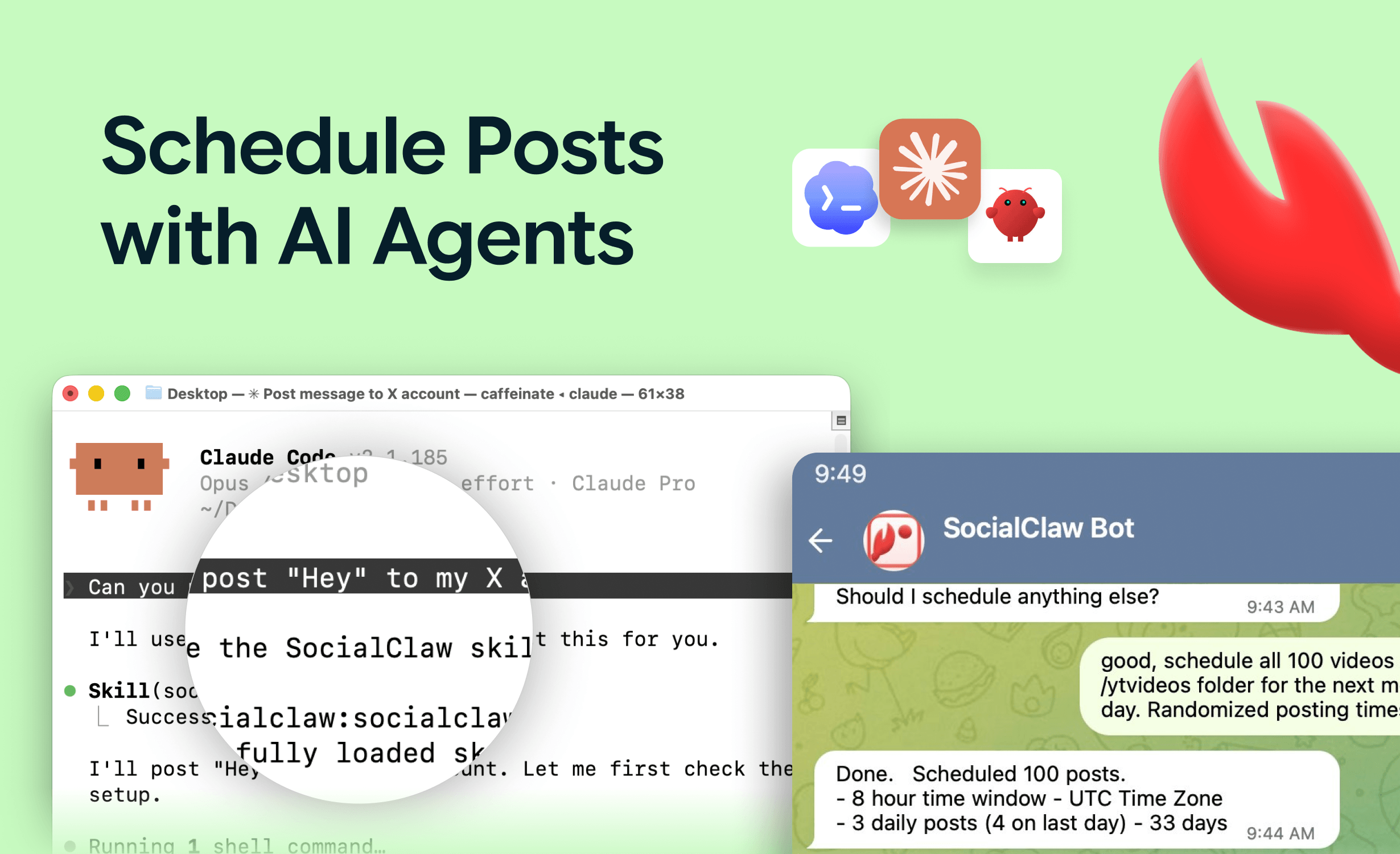
- Interactive variant: Claude Code + the SocialClaw MCP server, human approves the batch.
- One changelog entry becomes different posts per platform — never the same text everywhere.
Why can't you just cross-post the changelog entry?
Because the same text is wrong everywhere at once. Each platform has a different audience, format ceiling, and tone:
| Platform | What the changelog entry becomes | Constraint to respect |
|---|---|---|
| X | One benefit-first post, casual, optional screenshot | Tight length; benefit in line one |
| Short narrative: problem → what shipped → who it helps | Professional tone; 120–200 words works | |
| Discord / Telegram | Fuller release notes for your community, with detail | Your audience already cares; detail welcome |
| Only if genuinely notable, framed for the subreddit's rules | Self-promo rules; a human should approve | |
| WordPress (blog) | Long-form release notes with screenshots | The canonical page the other posts link to |
That per-platform translation is the step AI does well — and the reason a naive "post changelog to all channels" webhook produces content everyone scrolls past.
What does a real before/after look like?
Changelog entry (input):
v2.4.0 — Added CSV export to the analytics dashboard. Exports respect active filters and date ranges. Max 50k rows per export.
X post (output):
You can now export your analytics to CSV — filters and date ranges included, up to 50k rows.
>
No more screenshotting dashboards into board decks. It's live for everyone today.
LinkedIn post (output):
Every month, someone on a data team asks us the same thing: "This dashboard is great, but my CFO wants a spreadsheet."
>
Fair. As of today, analytics exports to CSV — and the export respects whatever filters and date range you have active, so what you see is exactly what you get. Up to 50k rows per export.
>
Small feature, big quality-of-life win for everyone who reports upward. It's live now for all plans.
Same fact, two different jobs. The X post optimizes for a scroll; the LinkedIn post tells the miniature story. Multiply this by every platform and every release, and you see both why humans skip it and why an agent shouldn't.
How do you build the fully automatic variant?
Trigger on release, summarize with an AI call, publish through a validated pipeline. The skeleton, using GitHub Actions and the socialclaw CLI (npm package socialclaw):
on:
  release:
    types: [published]

jobs:
  announce:
    runs-on: ubuntu-latest
    steps:
      - uses: actions/checkout@v4
      - run: npm install -g socialclaw
      - name: Summarize changelog per platform
        run: |
          # Call your AI of choice with the release notes and a per-platform
          # prompt; write the result as a SocialClaw schedule payload.
          node scripts/changelog-to-schedule.mjs \
            --notes "${{ github.event.release.body }}" \
            --out schedule.json
      - name: Validate, then apply
        env:
          SOCIALCLAW_API_KEY: ${{ secrets.SOCIALCLAW_API_KEY }}
        run: |
          socialclaw login --api-key "$SOCIALCLAW_API_KEY"
          socialclaw validate -f schedule.json --json
          socialclaw apply -f schedule.json --json
Three details carry the reliability:
- The key lives in repo secrets, never in the workflow file or a prompt.
validateruns beforeapply— a malformed payload fails the workflow run instead of publishing something broken. Validation catches the platform quirks you'd otherwise learn publicly: Instagram requires media, TikTok photo posts reject PNG (SocialClaw auto-converts via?format=jpeg).- Check delivery after. Platform "accepted" is not published — inspect run state (
socialclaw status --run-id ...) or alert on failures. The full CI recipe, including drafting the summary inside the workflow, is in post your changelog to social media from GitHub Actions.
How does the agent variant work?
The interactive variant trades full automation for editorial control — right for teams that want a human eye on public posts. Add the SocialClaw MCP server to Claude Code once:
claude mcp add --transport http socialclaw https://getsocialclaw.com/mcp \
  --header "Authorization: Bearer sc_live_your_key"
Then each release is one conversation: paste the changelog entry (or let the agent read CHANGELOG.md from the repo), ask for per-platform drafts, edit, and approve. The agent uses upload_asset for screenshots, validate_schedule, apply_schedule, and reports run_status back. You review content; the machine handles formats, scheduling, and delivery verification.
A good middle path: auto-publish to owned channels (Discord, Telegram, your WordPress blog) straight from CI, and route public-feed posts (X, LinkedIn, Reddit) through the agent conversation for approval. Both variants share the same workspace and connected accounts, so nothing is configured twice.
What makes changelog-to-social pipelines fail?
- Announcing everything. "Fixed typo in settings" is not a social post. Gate the pipeline: only
feat:releases, or only entries tagged#announce, become posts. Give the AI permission to say "too thin to post." - Same text everywhere. If your X and LinkedIn posts are identical, you've built a crossposter, not a pipeline. Per-platform prompts are the whole point.
- No link target. Posts should link somewhere useful — the changelog page or blog post — so interested readers can go deeper.
- Fire-and-forget publishing. Without delivery verification, your launch announcement can silently fail on one platform and nobody notices until a customer asks. Inspect post state; retry failures.
- Dumping releases at random times. Schedule announcements into sane slots rather than the moment CI finishes at 2am — the apply step takes scheduled times, so use them.
This pipeline is one half of a developer-founder's distribution system; the other half — turning the week's commits, metrics, and lessons into a narrative cadence — is covered in how to automate build-in-public posting.
FAQs
How do I automatically post my changelog to social media?
Trigger on release (GitHub Actions or similar), have an AI turn the entry into per-platform drafts, then publish through a validated pipeline: validate before apply, inspect run state after. With the socialclaw CLI or MCP server, the publishing half is a few lines; the summary prompt is where you invest.
Should every changelog entry become a social post?
No. Announce features users can feel; batch small fixes into a weekly or monthly "what shipped" roundup; let pure maintenance stay in the changelog. A pipeline that posts everything trains followers to ignore you.
Can the same pipeline post different content per platform?
Yes — that's the design. One changelog entry fans out to a tight X post, a narrative LinkedIn post, and fuller Discord/Telegram notes, all in one validated schedule across SocialClaw's 11 supported platforms.
What if the AI-generated announcement is wrong or off-tone?
Use the agent variant with approval for public channels: the AI drafts, a human approves, the pipeline publishes. Keeping full automation for owned community channels and human review for X/LinkedIn is the most common production setup.
Do I need a separate tool for scheduling vs generating?
Generation and publishing are cleanly separable: any LLM can write the summaries, and a publishing layer with validation and delivery state handles the rest. The MCP route gives an agent both halves as tools — see best social media MCP servers for the options.