























Last reviewed: November 3, 2026 · App facts sourced from each app's ChatGPT plugin listing and the vendor's official pricing and help pages, reviewed November 3, 2026
Searching for the best ChatGPT apps for marketing usually means one of three things:
- You want ChatGPT to work inside your marketing tools, not write copy you then carry into six other tabs.
- You opened the Plugins directory, found hundreds of listings, and want to know which ones actually come from the vendors they name.
- You want to know which apps can ship something (a post, an email, an ad change) and which only read your data.
Most roundups answer none of those. They rank a keyword tool against a video generator and never say which apps can change anything outside the chat.
A marketing team does three things all week: it makes assets, it measures what worked, and it ships. ChatGPT now has a credible app for each step. Here is how the best ones rank, by job and by step.
Table of Contents
- What Counts as a ChatGPT App in 2026
- Make, Measure, Ship: How We Ranked
- Quick Comparison
- #1 SocialClaw: Shipping Social Posts
- #2 Canva: On-Brand Design
- #3 HubSpot: CRM-Backed Campaigns
- #4 Semrush: SEO and Traffic Data
- #5 Klaviyo: Ecommerce Email and SMS
- #6 Supermetrics: Paid Ads Across Platforms
- #7 Ahrefs: SEO and AI Search Visibility
- #8 Webflow: Websites and Landing Pages
- #9 Adobe: Photo and Video Edits
- #10 HeyGen: Video Without a Camera
- #11 Similarweb: Competitive Intelligence
- #12 Gamma: Decks and Briefs
- #13 Constant Contact: Small-Business Email
- Also in the Directory
- Build Your Marketing Stack in ChatGPT
- What Each App Can Change
- Pricing Comparison
- Ratings Summary
- SocialClaw Workflow in 60 Seconds
- FAQs
- Final Verdict
What Counts as a ChatGPT App in 2026
ChatGPT's apps now live in one Plugins directory in the sidebar. OpenAI's help center puts it this way (reviewed November 3, 2026): "An app connects ChatGPT to a service, such as Slack. A plugin brings apps and skills together for a task." From where you sit, the two words mean the same thing: you install a listing, connect your account, and call it with an @ mention. The history of how 2023 plugins became today's directory is in our guide to ChatGPT apps for social media.
For marketers, the more useful question is who built the listing. The directory mixes official apps with third-party tools that wrap a vendor's API. Search for Klaviyo and you get Klaviyo's own app next to "Adzviser Klaviyo". Search for Google Ads or Meta Ads and every result is a third-party tool; none came from Google or Meta.
Third-party tools can be perfectly good. They do put a second company between you and your customer data. This guide ranks only listings where the developer named on the listing is the vendor itself, and links every one so you can check.
Make, Measure, Ship: How We Ranked
Every marketing app in ChatGPT does one of three jobs.
Make apps produce an asset: a carousel, a retouched product shot, an avatar video, a pitch deck. The output lands in the chat or in the vendor's editor.
Measure apps read data: keyword volumes, competitor traffic, ad spend, pipeline by lead source. They make ChatGPT's advice better. Most of them change nothing.
Ship apps put something live: a scheduled post, a sent email, a paused ad campaign, an edited web page. They are the rarest kind in the directory, and the ones that need the most care, because a mistake reaches customers.
ChatGPT already writes well on its own, so each app is judged on what it adds. The ranking uses five criteria:
Ships from the chat
Can ChatGPT publish, send or launch something through this app, or does the work stop at a draft, a file or a report?
Guardrails
Does the app check the work, or ask you, before it changes anything customers will see?
Depth in its job
How good is the app at its own job, whether that is design, SEO, email, ads or the website?
Reach beyond ChatGPT
Can the same account be driven from Claude, an API or a CLI when the workflow grows?
Value
What the cheapest plan that includes the ChatGPT connection costs.
Depth carries the most weight, then shipping.

Quick Comparison
| App | Marketing job | Step | Ships from ChatGPT | Cheapest way in |
|---|---|---|---|---|
| SocialClaw | Social publishing | Ship | ✅ Schedules and publishes to 12 networks | 7-day trial, then $15/mo |
| Canva | Design | Make | ❌ Opens in Canva's editor | ✅ Free plan |
| HubSpot | CRM and campaigns | Measure + make | ⚠️ Creates emails, pages and posts; publishing not confirmed | Connector on all HubSpot tiers |
| Semrush | SEO and traffic data | Measure | ❌ Read-only data | Starter $199/mo |
| Klaviyo | Email and SMS | Measure + ship | ✅ Sends after you confirm | ✅ Free plan |
| Supermetrics | Paid ads | Measure + ship | ✅ Launches, pauses and rebudgets campaigns | Starter from €39/mo, billed yearly |
| Ahrefs | SEO and AI search | Measure | ❌ Read-only data | Lite $129/mo |
| Webflow | Websites and landing pages | Ship | ⚠️ Builds and manages sites and CMS | ✅ Free Starter plan |
| Adobe | Photo and video edits | Make | ❌ | ✅ Guest access |
| HeyGen | Video | Make | ❌ | ✅ Free plan (watermarked) |
| Similarweb | Competitive intelligence | Measure | ❌ Read-only data | API-only, Business or Enterprise plan |
| Gamma | Decks and briefs | Make | ❌ | ✅ Free plan |
| Constant Contact | Small-business email | Make | ⚠️ Hands off to Constant Contact to send | Lite from $10.20/mo, billed yearly |
#1 SocialClaw: Best ChatGPT App for Shipping Social Posts

Overall Rating: 9.4 / 10
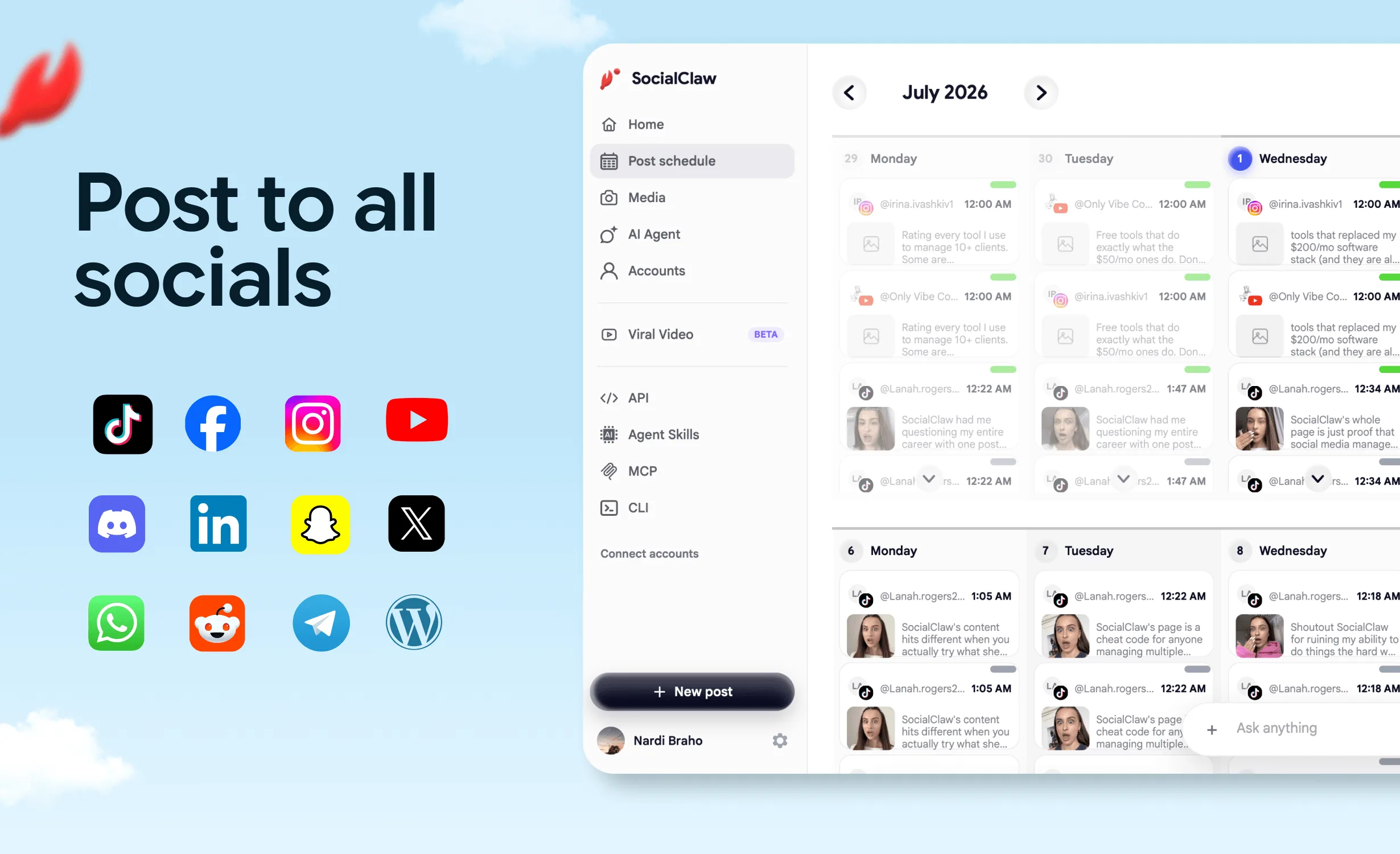
Almost every other app on this list hands the last mile back to you. Canva gives you a design link, HeyGen a video file, Semrush a keyword list. SocialClaw is the ship step. Install it from its official ChatGPT listing, connect your accounts once, and ChatGPT can schedule or publish to 12 networks: X, LinkedIn (profiles and company pages), Instagram, Threads, Facebook Pages, TikTok, YouTube, Reddit, Pinterest, WordPress, Discord and Telegram.
It was built for AI agents first, so it does not let ChatGPT post on a hunch. Every post runs through one loop: write → validate → confirm → publish. ChatGPT writes the post, SocialClaw checks it against the target platform's rules, ChatGPT shows you what will go out and asks you to confirm, and only then is anything scheduled or published.
That loop is what you are installing. The rest of your stack makes and measures; SocialClaw is how the work reaches the feed.
What the ship step fixes
Problem 1: The last mile is manual. ChatGPT drafts a LinkedIn post, an X thread and an Instagram caption for the launch. Then someone opens three apps, pastes three times, attaches the image three times and picks a time three times.
SocialClaw fix: One prompt. ChatGPT sends each version to the account it belongs to, at the time you named. Attach the image or video in the chat and SocialClaw uploads it once for every network.
Problem 2: Platform rules surface at upload time. A caption runs past X's character limit, or an Instagram post arrives without media. With copy-paste you find out at upload. With a blind integration you find out from a failed post the next morning.
SocialClaw fix: Validate before apply. Each post is checked against the platform's rules before anything is queued, so ChatGPT fixes the problem while you are still in the conversation.
Problem 3: An assistant that acts on a guess. "Post the announcement tomorrow" could mean four accounts, two time zones and one client account that should never see it.
SocialClaw fix: A confirm step. ChatGPT shows you what is about to go out and asks first. The final say stays with you.
Problem 4: The campaign outgrows one chat window. Launch week starts in ChatGPT. The weekly cadence ends up in Claude, a nightly script or a coding agent.
SocialClaw fix: One workspace, every surface. The same connected accounts work from Claude through the hosted MCP server, from the CLI and from the REST API.
After posts go live, the same app lets ChatGPT list what is scheduled, retry or cancel posts, read post analytics, and reply to Instagram comments and messages (per its ChatGPT listing).
Built for agents, not only for ChatGPT
SocialClaw was one of the first social media schedulers to ship a CLI, and it treats ChatGPT as one surface among several. It is also listed in Anthropic's Claude plugin directory, and our Claude connectors guide ranks it against the other options there. The other ways in:
# Claude and other MCP clients: hosted MCP server with OAuth
# https://getsocialclaw.com/mcp

# Local MCP server
npx -y socialclaw mcp

# CLI for scripts, cron jobs and coding agents
npm i -g socialclaw

# Claude Code skill
npx skills add ndesv21/socialclaw
The API, CLI, MCP server and agent access come with every plan, while several apps in this guide hold MCP or API access back for a higher tier.
SocialClaw pricing
Every plan starts with a 7-day free trial.
| Plan | Social Accounts | Posts / Month | Monthly Price | Annual Price |
|---|---|---|---|---|
| Starter | 3 | 200 | $15 / mo | $10 / mo |
| Startup | 6 | 400 | $29 / mo | $19 / mo |
| Plus | 20 | 1,000 | $67 / mo | $49 / mo |
| Pro | 50 | 2,500 | $99 / mo | $80 / mo |
SocialClaw rating breakdown
| Category | Score | Notes |
|---|---|---|
| Ships from the chat | 10 / 10 | Schedules and publishes to 12 networks, Threads included |
| Guardrails | 10 / 10 | Validates against platform rules, then asks you to confirm |
| Depth in its job | 9 / 10 | Media upload, scheduling, retries, cancellations, analytics, Instagram replies |
| Reach beyond ChatGPT | 10 / 10 | Claude (hosted MCP), CLI, REST API, Claude Code skill |
| Value | 9.5 / 10 | $15/mo Starter ($10/mo annual), 7-day free trial |
| Overall | 9.4 / 10 |
Add SocialClaw to ChatGPT · Start your 7-day trial · View pricing
#2 Canva: Best for On-Brand Marketing Design
Overall Rating: 8.8 / 10
Canva's app is the most complete make app in the directory. Per its listing, it turns a brief, outline or draft copy into a presentation, doc, poster, flyer or social post. It generates images, removes backgrounds, resizes a design for Facebook, Instagram and LinkedIn in one step, bulk-creates designs from spreadsheet data with a brand template, and gives structured feedback on hierarchy, readability and accessibility.
The feature that matters most to a marketing team is the brand check. Canva can check a design's colors, fonts, logo usage and copy against your Brand Kit, a job a brand manager otherwise does by eye. One brief can become the deck, the poster and the social set, all held to the same rules.
Where Canva falls short is shipping. The app's listed capabilities end at the design and a link to open it in Canva's editor. Canva Pro (US$120/year) includes social content scheduling inside Canva itself, but posting from the chat is not on the app's list. Design and image generation draw on Canva AI credits, and Bulk Create needs an eligible Enterprise plan.
When Canva makes sense: Visual output is your bottleneck and it has to be on-brand every time.
When Canva falls short: You expected the design to go live from the same chat. Pair it with a ship app such as SocialClaw.
| Category | Score |
|---|---|
| Ships from the chat | 2 / 10 |
| Guardrails | 8.5 / 10 |
| Depth in its job | 10 / 10 |
| Reach beyond ChatGPT | 7 / 10 |
| Value | 9 / 10 |
| Overall | 8.8 / 10 |
#3 HubSpot: Best for CRM-Backed Campaigns
Overall Rating: 8.6 / 10
HubSpot's app reads and writes your CRM: contacts, companies, deals, tickets and engagements. For marketers, the more interesting part sits in HubSpot's knowledge base (updated October 19, 2026). The connector can read, create and update campaigns, landing pages, website pages, blog posts, marketing emails and segments. It can also read campaign attribution data and analyze campaign performance across blog posts, landing pages and website pages.
That makes HubSpot the app that connects content to revenue. One of the listing's own prompts is "Which lead sources brought in the most contacts this quarter?" Ask that before planning next month's content, and ChatGPT writes about what produces pipeline.
The limits are documented, which is to HubSpot's credit. A Super Admin may need to approve the connector first, bulk changes run 10 records at a time, and custom validation rules are not applied to records the connector creates or updates. The object table grants create and update rights on marketing emails and pages but does not say whether ChatGPT can publish or send them, and social posts are not on it.
When HubSpot makes sense: Your pipeline already lives in HubSpot and marketing has to answer for it.
When HubSpot falls short: You are not a HubSpot customer, or you need the content published to social networks.
| Category | Score |
|---|---|
| Ships from the chat | 6 / 10 |
| Guardrails | 7 / 10 |
| Depth in its job | 9 / 10 |
| Reach beyond ChatGPT | 7.5 / 10 |
| Value | 8 / 10 |
| Overall | 8.6 / 10 |
#4 Semrush: Best for SEO and Traffic Data
Overall Rating: 8.5 / 10
Semrush's app brings structured SEO and traffic data into the chat: domain analytics, keyword metrics, backlink profiles, traffic by period and channel, geographic and demographic breakdowns, and competitive or industry-level indicators. Its listing tells ChatGPT to call it whenever a question needs "authoritative data rather than inference". That is the right instinct. ChatGPT's own guesses at search volume are the weakest part of its marketing advice.
For a content team, that turns ChatGPT from an idea generator into a planner: keyword gaps, then the brief, then the outline, all from one dataset.
Where Semrush falls short is price and scope. Semrush's knowledge base lists MCP access on the Semrush One Starter and Pro+ plans and on SEO Classic Pro and Guru. On today's pricing page, Starter is $199/mo ($165.17/mo billed annually). Every query consumes API units, and traffic and market data need a separate Trends API plan. It is also read-only: it informs the plan and changes nothing.
When Semrush makes sense: Search is a core channel and you want keyword and competitor data behind every brief.
When Semrush falls short: You are an early-stage team that cannot justify a $199/mo SEO tool yet.
| Category | Score |
|---|---|
| Ships from the chat | 1 / 10 |
| Guardrails | Not applicable |
| Depth in its job | 9.5 / 10 |
| Reach beyond ChatGPT | 8.5 / 10 |
| Value | 6.5 / 10 |
| Overall | 8.5 / 10 |
#5 Klaviyo: Best for Ecommerce Email and SMS
Overall Rating: 8.4 / 10
Klaviyo's app starts as a reporting tool. Ask how last week's campaigns did and it returns sends, deliveries, open and click rates, attributed revenue and status in a table, with an Analyze button for explanations and next steps. Its listing prompts are what an ecommerce marketer actually asks: analyze the replenishment flow, dig into winback, report on every campaign from last week.
Then it ships. Per Klaviyo's help article (updated February 5, 2026), the app can create email and SMS campaigns as drafts, create flows and change their status, create and update lists and segments, and send email and SMS campaigns after you confirm the send. Creating a campaign never sends it by itself. Campaigns with A/B tests still have to be scheduled and sent from Klaviyo.
Reporting plus a confirmed send is rare in the directory. Klaviyo's free plan covers up to 250 active profiles and 500 email sends a month, and the help article names no plan requirement for the app, only an Owner, Admin or Manager role.
When Klaviyo makes sense: You run an online store and email and SMS drive a real share of revenue.
When Klaviyo falls short: You sell B2B, or your list lives in another email platform.
| Category | Score |
|---|---|
| Ships from the chat | 8.5 / 10 |
| Guardrails | 8.5 / 10 |
| Depth in its job | 8.5 / 10 |
| Reach beyond ChatGPT | 7 / 10 |
| Value | 9 / 10 |
| Overall | 8.4 / 10 |
#6 Supermetrics Marketing Agent: Best for Paid Ads Across Platforms
Overall Rating: 8.3 / 10
Paid media is the most crowded corner of the directory, and Supermetrics Marketing Agent is the established marketing-data vendor in it. It connects ChatGPT to Google Ads, Meta Ads, TikTok Ads, LinkedIn Ads, Microsoft Advertising, GA4 and, per the listing, 200+ marketing sources, including Shopify, Klaviyo, HubSpot and Salesforce.
It also acts. Per the listing, ChatGPT can adjust budgets and bids, pause or launch campaigns, update targeting and manage creatives on those five ad platforms, following your team's approval settings. One example prompt: "Pause every campaign with a cost per conversion above €50." It also builds live dashboards in Supermetrics Studio and runs wasted-spend audits.
Where Supermetrics falls short is the entry tier. Starter is from €39/mo billed yearly, with 2 data sources and 1 user. Growth, with 7 data sources, is from €159/mo billed yearly. And an app that can cut budgets by prompt needs its approval settings configured before anyone types one.
When Supermetrics makes sense: You run paid campaigns on two or more ad platforms and want one place to read and change them.
When Supermetrics falls short: You run one platform at small spend, where that platform's own tools are enough.
#7 Ahrefs: Best for SEO and AI Search Visibility
Overall Rating: 8.2 / 10
Ahrefs' app covers the same ground as Semrush (keywords, rankings, traffic, backlinks, competitors) and leans further into a question every marketer now asks: how often does an AI assistant mention us? Its listing includes brand visibility in AI search and LLM mentions, with example prompts like "Analyze Mailchimp's share of voice in ChatGPT."
Ahrefs lists API and MCP access on Lite ($129/mo), Standard ($249/mo) and Advanced ($449/mo); the $29 Starter plan is not among the plans its MCP page names. Like Semrush, it is read-only.
When Ahrefs makes sense: You want SEO data and AI search visibility in one app, at a lower entry price than Semrush.
When Ahrefs falls short: You need traffic and market data across a whole industry. Similarweb goes wider there.
#8 Webflow: Best for Websites and Landing Pages
Overall Rating: 8.0 / 10
Webflow's app is a ship app for the web. Per its listing, ChatGPT can design, build and manage sites, and author, edit and localize CMS content. Built-in skills ship custom code integrations, deploy web apps on Webflow Cloud, and analyze site activity, performance and AEO (answer engine optimization).
The campaign landing page can be drafted in the same conversation as the ads and the posts. Webflow's pricing page lists the MCP server on its site plans, including the free Starter plan; Basic is $15/mo and Premium, which adds the CMS, is $25/mo, both billed yearly.
When Webflow makes sense: Your site already runs on Webflow and marketing owns the pages.
When Webflow falls short: Your site runs on something else. Framer and Wix have their own listings, covered below.
#9 Adobe: Best for Photo Edits and Video Reformatting
Overall Rating: 7.9 / 10
Adobe's app brings Creative Cloud and Acrobat capabilities into one listing. For marketing, the useful skills are batch photo edits, mockups, "Create social variations", Adobe Express templates, and reformatting a horizontal clip for YouTube Shorts or Instagram Reels. It can also search your Creative Cloud library by subject, style or mood.
You can start as a guest and sign in with an Adobe account for saved work. Adobe beats Canva on photo work and video reformatting; Canva wins on templates and brand checks.
When Adobe makes sense: Product photos need cleanup at volume, or one horizontal video needs to become several vertical cuts.
When Adobe falls short: You need the result posted or sent. The app stops at the export.
#10 HeyGen: Best for Video Without a Camera
Overall Rating: 7.7 / 10
HeyGen's app turns a prompt into a finished video. Its listing covers avatar presenters, a digital twin of you, voice cloning, product demos, UGC-style ads (reviews, unboxings, try-ons), narrated videos made from blog posts, and personalized videos in bulk. One listing prompt asks for "a 15s hands-only ugc video for my product".
That makes it the video engine for paid social and for repurposing written content. The free plan gives 3 watermarked videos a month, up to 1 minute each; Creator is $29/mo and Pro is $49/mo.
When HeyGen makes sense: You need short-form video every week and nobody on the team wants to be on camera.
When HeyGen falls short: You expected the video to land on TikTok by itself. It downloads; posting is a separate step.
#11 Similarweb: Best for Competitive Intelligence
Overall Rating: 7.5 / 10
Similarweb's app answers questions about other people's websites: traffic trends against competitors, acquisition channels and referring sites, audience demographics, and the keywords a rival ranks for. Semrush and Ahrefs see the market through search. Similarweb sees it through traffic across channels and apps.
The catch is access. Similarweb's MCP documentation requires an API-only, Business or Enterprise plan, and MCP calls consume data credits like API calls. We found no published price for those plans.
When Similarweb makes sense: You plan positioning, budgets or market entry around what competitors' traffic really looks like.
When Similarweb falls short: You are a small team without an enterprise data budget.
#12 Gamma: Best for Decks, Briefs and One-Pagers
Overall Rating: 7.3 / 10
Gamma's app turns a prompt or a document into a presentation, doc, social post or webpage, with themes controlling the look. Its listing includes building a marketing brief for a non-technical audience and turning a technical report into an executive summary.
Most marketing work ends in a deck at some point: the campaign plan, the quarterly review, the sales one-pager. Gamma's free plan includes 400 credits at signup; Plus is $9 and Pro $18 per seat per month, billed annually.
When Gamma makes sense: You present plans and results to people who will not read a doc.
When Gamma falls short: Every asset must pass a Brand Kit check. Canva does that; Gamma's listing does not mention one.
#13 Constant Contact: Best for Small-Business Email from a Prompt
Overall Rating: 7.1 / 10
Constant Contact's app launched in June 2026 with a three-part pitch on its listing: "Chat. Preview. Send." Describe the email, and ChatGPT generates the HTML and a live preview you refine in the chat. Per its knowledge base (updated August 13, 2026), it can also preview social posts, use assets from your Constant Contact library, and tune subject lines and preheaders. You can build without an account.
The send happens elsewhere. When the email is ready, ChatGPT checks for missing details and gives you a send or schedule link that opens Constant Contact, where you finish and launch. Social posts follow the same handoff. Lite starts at $10.20/mo billed annually, priced by contacts and sends.
When Constant Contact makes sense: You run a small business, want a polished email fast, and like a human final step in a familiar tool.
When Constant Contact falls short: You want ChatGPT itself to send. Klaviyo does that after a confirm step.
Also in the Directory
These have live listings from their own vendors but did not make the ranking:
- Framer builds and publishes sites, and can turn notes into a CMS blog post scheduled to publish. A strong ship app if your site runs on Framer.
- Wix generates a business site, connects a domain and publishes it from the chat.
- Brevo analyzes campaigns and saves email and SMS drafts. Its listing says ChatGPT "will never send or schedule email campaigns".
- ActiveCampaign reports on campaigns, cleans up tags and segments, and enrolls contacts in automations.
- Figma creates designs, diagrams and decks, but it is built for product design more than campaign assets.
- Synthesia turns a brief or deck into an on-brand video. It needs a paid Synthesia account and is in beta.
- SE Ranking offers SEO data, rank tracking and AI search visibility.
- LinkedIn Ads is LinkedIn's own app, currently a read-only beta for ad set performance.
- ChatGPT Ads Manager is OpenAI's app for ads that run inside ChatGPT. Per OpenAI's help center, it shows copy, image, budget and targeting for your approval before creating anything.
- Social schedulers (Publer, Metricool, Postiz, Blotato, Planable) and video tools such as Descript and vidIQ are ranked in our ChatGPT apps for social media guide.
Two names you might expect are missing. A search of the directory on November 3, 2026 returned no listing for Zapier or for Mailchimp.
Build Your Marketing Stack in ChatGPT
You do not need thirteen apps. You need one per step for each channel you run. Start from the row closest to your team:
| Team | Make | Measure | Ship |
|---|---|---|---|
| Solo founder or small business | Canva | Ahrefs Lite, once search matters | SocialClaw for social, Constant Contact for email |
| Ecommerce brand | Canva, HeyGen | Klaviyo, Supermetrics | Klaviyo for email and SMS, Supermetrics for ads, SocialClaw for social |
| B2B SaaS team | Gamma, Canva | HubSpot, Ahrefs | Webflow for pages, SocialClaw for LinkedIn, X and Reddit |
| Content and SEO team | Adobe, Canva | Semrush, Similarweb | Webflow CMS for the site, SocialClaw for WordPress and social |
Then run the steps in one conversation, calling each app with an @ mention. A launch week for a B2B feature might look like this:
- Measure. "@Ahrefs, find three keywords for our new feature where competitors rank and we do not."
- Make the assets. "@Canva, turn this brief into a LinkedIn carousel and an Instagram post, then check both against our Brand Kit."
- Make the page. "@Webflow, add a landing page for the feature using our existing styles."
- Ship. "@SocialClaw, schedule the carousel on LinkedIn for Tuesday at 9am and the X thread for Wednesday at 10am," with the exported images attached. SocialClaw validates both posts, ChatGPT shows you what will go out, and nothing is scheduled until you confirm.
- Check. "@SocialClaw, how did last week's posts perform?"
Each step runs inside its own app's permissions. The ship step deserves the strictest one, because it is the only step your customers see.
What Each App Can Change
Reading data is low risk. Changing things is where the apps differ most. Here is what each listing and official help page says the app can do from ChatGPT (reviewed November 3, 2026).
| App | Reads your data | Creates drafts or assets | Ships live from ChatGPT | Asks before acting |
|---|---|---|---|---|
| SocialClaw | ✅ Accounts, posts, analytics | ✅ Posts, uploaded media | ✅ Schedules and publishes to 12 networks | ✅ Validates, then asks you to confirm |
| Canva | ✅ Designs, Brand Kit | ✅ Designs, images | ❌ | Not applicable |
| HubSpot | ✅ CRM, campaigns, attribution | ✅ Emails, pages, blog posts, campaigns | Not confirmed in official materials | ⚠️ Admin-approved permissions |
| Semrush | ✅ SEO and traffic data | ❌ | ❌ | Not applicable |
| Klaviyo | ✅ Campaigns, flows, revenue | ✅ Email and SMS drafts, flows, segments | ✅ Sends email and SMS | ✅ Confirm before send |
| Supermetrics | ✅ 200+ marketing sources | ✅ Campaigns, dashboards | ✅ Launches, pauses, changes budgets | ⚠️ Follows your team's approval settings |
| Ahrefs | ✅ SEO and AI search data | ❌ | ❌ | Not applicable |
| Webflow | ✅ Site activity, performance | ✅ Pages, CMS content | ⚠️ Builds and manages sites, deploys apps on Webflow Cloud | Not stated in listing |
| Adobe | ✅ Creative Cloud library | ✅ Photos, videos, PDFs | ❌ | Not applicable |
| HeyGen | ✅ Videos, avatars, voices | ✅ Videos | ❌ | Not applicable |
| Similarweb | ✅ Market and competitor data | ❌ | ❌ | Not applicable |
| Gamma | ✅ Existing Gamma decks | ✅ Decks, docs, social posts, webpages | Not stated in listing | Not applicable |
| Constant Contact | ✅ Library assets | ✅ Emails, social post previews | ❌ Sends from Constant Contact | ✅ Checks for missing details first |
Four apps on this list can change something your customers see: SocialClaw for social, Klaviyo for email and SMS, Supermetrics for ads, and Webflow for the site. Each covers a different channel. That is why the stack works best with one ship app per channel.
Pricing Comparison
| App | Free option | Cheapest plan with the ChatGPT connection | Notes |
|---|---|---|---|
| SocialClaw | 7-day trial | $15/mo ($10/mo annual), 3 accounts, 200 posts | API, CLI, MCP and ChatGPT app on every plan |
| Canva | Free plan | Pro US$120/year | AI features use Canva AI credits; Bulk Create needs Enterprise |
| HubSpot | Connector on all HubSpot tiers | Depends on your HubSpot plan | Super Admin approval may be required |
| Semrush | Free plan (10 reports per day) | Semrush One Starter $199/mo ($165.17/mo annual) | Every query uses API units; traffic data needs Trends API |
| Klaviyo | Free plan (250 active profiles, 500 emails/mo) | No plan requirement stated | Owner, Admin or Manager role required |
| Supermetrics | Free trial offered | Starter from €39/mo, billed yearly | 2 data sources, 1 user; Growth from €159/mo |
| Ahrefs | Ahrefs Free (no MCP listed) | Lite $129/mo | Standard $249/mo, Advanced $449/mo; not on Starter ($29/mo) |
| Webflow | Starter plan, MCP server listed | Basic $15/mo, billed yearly | CMS on Premium, $25/mo billed yearly |
| Adobe | Guest access in ChatGPT | Not confirmed in official materials | Sign in for saved work and more tools |
| HeyGen | Free (3 watermarked videos/mo) | Creator $29/mo | Pro $49/mo |
| Similarweb | Not confirmed in official materials | API-only, Business or Enterprise plan; price not published | MCP calls use data credits |
| Gamma | Free (400 credits at signup) | Plus $9/seat/mo, billed annually | Pro $18/seat/mo, billed annually |
| Constant Contact | Build and preview without an account | Lite from $10.20/mo, billed annually | Price scales with contacts and sends |
Ratings Summary
| App | Step | Ships | Guardrails | Depth | Reach | Value | Overall |
|---|---|---|---|---|---|---|---|
| SocialClaw | Ship | 10 | 10 | 9 | 10 | 9.5 | 9.4 |
| Canva | Make | 2 | 8.5 | 10 | 7 | 9 | 8.8 |
| HubSpot | Measure + make | 6 | 7 | 9 | 7.5 | 8 | 8.6 |
| Semrush | Measure | 1 | n/a | 9.5 | 8.5 | 6.5 | 8.5 |
| Klaviyo | Measure + ship | 8.5 | 8.5 | 8.5 | 7 | 9 | 8.4 |
| Supermetrics | Measure + ship | 8.5 | 7 | 8.5 | 8 | 7 | 8.3 |
| Ahrefs | Measure | 1 | n/a | 9 | 8.5 | 7 | 8.2 |
| Webflow | Ship | 7 | 6 | 8 | 7.5 | 9 | 8.0 |
| Adobe | Make | 1 | n/a | 9 | 6 | 9 | 7.9 |
| HeyGen | Make | 1 | n/a | 9 | 7 | 7.5 | 7.7 |
| Similarweb | Measure | 1 | n/a | 9 | 7.5 | 5 | 7.5 |
| Gamma | Make | 1 | n/a | 8 | 6 | 9 | 7.3 |
| Constant Contact | Make | 4 | 8 | 7 | 5 | 8 | 7.1 |
Scores are 1 to 10 per category. Overall is a weighted judgment that counts depth in the app's own job most, then shipping. Apps that never change anything outside the chat are not scored on Guardrails.
SocialClaw Workflow in 60 Seconds

Adding SocialClaw to ChatGPT takes four steps and no API key:
- Install. Open the SocialClaw listing and select Install plugin.
- Sign in. Use your SocialClaw account, or start the 7-day trial with a Google sign-in.
- Connect your networks. In the SocialClaw dashboard, connect the accounts ChatGPT should post to.
- Ship something. Ask: "Use SocialClaw to schedule a LinkedIn post for tomorrow at 9am announcing our new feature." Review, then confirm.
In a company workspace, an admin may need to allow the plugin first.
The accounts you connect for ChatGPT are the same accounts the CLI and API see, so a script or coding agent can run the identical validate → apply → inspect loop:
# Authenticate with your workspace API key
socialclaw login --api-key <workspace-key>

# Connect another network and confirm what is connected
socialclaw accounts connect --provider linkedin --open
socialclaw accounts list --json

# Upload media once and reuse the hosted URL
socialclaw assets upload --file ./launch.png --json

# Check every post against platform rules, then schedule
socialclaw validate -f schedule.json --json
socialclaw apply -f schedule.json --json

# Inspect delivery
socialclaw status --run-id <run-id> --json
socialclaw posts get --post-id <post-id> --json
For the full command reference, see the SocialClaw CLI and the scheduling API.
FAQs
What are the best ChatGPT apps for marketing?
SocialClaw, Canva, HubSpot, Semrush and Klaviyo lead the list, each for a different job. SocialClaw ships social posts to 12 networks, Canva makes on-brand assets, HubSpot ties campaigns to your CRM, Semrush supplies SEO data, and Klaviyo reports on and sends ecommerce email and SMS.
Are there still ChatGPT plugins for marketing in 2026?
Yes. ChatGPT's Plugins directory holds official apps from vendors such as Canva, HubSpot, Semrush and Klaviyo, plus many third-party tools. They replaced the 2023 plugins beta, which OpenAI retired in 2024. Check the developer name on a listing to see who built it.
Which ChatGPT marketing apps can actually publish or send?
Only a few. SocialClaw schedules and publishes social posts, Klaviyo sends email and SMS after you confirm, Supermetrics can launch, pause and rebudget ad campaigns, and Webflow builds and manages sites. Constant Contact hands you a link to send from Constant Contact.
Is there a Mailchimp or Zapier app in ChatGPT?
Not that we could find. A directory search on November 3, 2026 returned no Mailchimp or Zapier listing. For email, Klaviyo, Brevo, ActiveCampaign and Constant Contact all have official apps.
Do ChatGPT marketing apps cost extra?
Usually, yes. The directory is free to browse, but each app follows its vendor's pricing. Semrush lists MCP access from $199/mo and Ahrefs from $129/mo, while SocialClaw starts with a 7-day trial and then $15/mo.
Can ChatGPT post to social media for my business?
Yes, with a publishing app installed. With SocialClaw connected, you ask something like "schedule this for LinkedIn and X tomorrow at 9am", SocialClaw validates each post against the platform's rules, and ChatGPT schedules it after you confirm.
Do these marketing apps also work in Claude?
Many do, because most listings are built on MCP servers. Semrush says its MCP is an official app in ChatGPT, Claude and Perplexity, and Ahrefs, Supermetrics and Similarweb list Claude support. SocialClaw works in Claude through its hosted MCP server; see the best Claude connectors for social media.
Which app should a small marketing team install first?
Canva and SocialClaw. Canva covers most of the make step, and SocialClaw covers the ship step for social from $15/mo. Add Ahrefs or Semrush once search becomes a real channel.
Final Verdict
The best ChatGPT app for marketing depends on which step your team is stuck on:
- You need on-brand assets fast → Canva, with Adobe for photo cleanup and video reformatting
- You need video without a camera → HeyGen
- You present plans and results → Gamma
- Your marketing answers to a CRM → HubSpot
- Search is a core channel → Semrush, or Ahrefs for AI search visibility at a lower entry price
- You benchmark against competitors' traffic → Similarweb
- Email and SMS drive ecommerce revenue → Klaviyo
- You run ads on several platforms → Supermetrics Marketing Agent
- Marketing owns the website → Webflow
- You want a quick small-business email with a familiar final step → Constant Contact
- You want ChatGPT to actually publish to 12 social networks, safely, and reuse the same accounts from Claude, a CLI or an agent → SocialClaw
Most marketing apps in ChatGPT make or measure, and on most channels the ship step is still left to you. SocialClaw closes it for social: write → validate → confirm → publish, from $15/mo. Make with the best tool for each asset, measure with the data you trust, and ship with SocialClaw.
Try SocialClaw in ChatGPT, free for 7 days.
Add SocialClaw to ChatGPT → · Start free · View pricing · Use it from the CLI · Hosted MCP server
App capabilities in this article are sourced from each app's listing in the ChatGPT plugin directory and from vendor help pages (HubSpot, Klaviyo, Constant Contact, Semrush, Ahrefs, Similarweb, OpenAI), and prices from each vendor's official pricing page, all reviewed November 3, 2026. Directory searches were run logged out on the same date. SocialClaw facts are sourced from first-party product documentation. Last updated: November 3, 2026.