























Last reviewed: November 3, 2026 · Connector and plugin facts sourced from Claude's marketplace listings, Anthropic's documentation and each vendor's official materials, reviewed November 3, 2026
Searching for a Claude social media connector usually means one of three things:
- You want Claude to actually post, so the conversation ends with a scheduled post instead of text you paste into another tab.
- You want design and video help inside Claude, so the visual gets made in the same chat as the caption.
- You live in Claude Code and want a plugin that schedules from the terminal, or from an agent that runs without you.
Claude's marketplace now lists more than a thousand connectors, and more than twenty of them touch social media. Most roundups put them in one list, as if a design tool and a scheduler did the same job. They do not. Some connectors help Claude make the post. Far fewer can put it on a network.
That difference is the whole guide. Here is how the options actually rank, by what they do once you connect them.
Table of Contents
- How Connectors and Plugins Work
- The Publish Line
- Quick Comparison
- #1 SocialClaw
- #2 Metricool
- #3 Typefully
- #4 Planoly
- #5 Canva
- #6 Postiz
- #7 Taplio
- #8 OpusClip
- #9 Adobe for Creativity
- #10 Anthropic's Marketing Plugin
- #11 Zapier
- Honorable Mentions
- How to Add SocialClaw to Claude
- A Claude Social Stack That Works
- Pricing and Ratings
- FAQs
- Final Verdict
How Claude Connectors and Plugins Work
A connector is an MCP server that gives Claude tools for an outside service. Anthropic's Connectors Directory is one catalog for claude.ai, the desktop app, mobile, Claude Code and Cowork. Listings are labeled Verified or Community, and Anthropic's docs note that verification is not a security audit.
You add a listed connector from Customize > Connectors and sign in. You can also add any remote MCP server that is not listed: click Add custom connector, paste its URL, and complete the sign-in. Per the custom connector docs, the Free plan allows one custom connector, and on Team and Enterprise an Owner adds it before members connect their own accounts.
A plugin is a bundle of skills, commands, agents and connectors, installed as one unit from Customize > Plugins (plugin docs). In Claude Code you run /plugin, and Anthropic's official marketplace, claude-plugins-official, is available without setup (Claude Code docs).
Two details matter here. Connectors you add on claude.ai are automatically available in Claude Code when you sign in with the same account. And the service behind a connector may need its own account or plan. The connector is the cable. The tool on the other end is what you are really choosing.
The Publish Line: Why Most Social Connectors Stop Short
Every social connector sits on one side of a line. On one side, it helps Claude create: a design, a clip, a caption, a plan. On the other, it can publish: put a post on a live network at a set time. Call it the publish line.
Most "social media" connectors in Claude's marketplace stop short of it. Canva exports a design. Adobe resizes an asset. Anthropic's Marketing plugin drafts a calendar. All useful, and all of them leave you copying the result into a scheduler.
Crossing the line is only half the job. A connector that publishes still has to answer what a person would ask before and after hitting send. These are the ranking criteria:
Crosses the publish line
Tools that publish or schedule on a real network, not only create a draft or export a file.
Network coverage
How many networks one connection reaches, including the ones you actually use.
Checks before publish
Whether Claude can check a post against each network's rules, or a person can approve it, before it goes live.
Proof after publish
Whether Claude can see what each network did with the post: published, failed, retried, and why.
Claude fit
Directory listing, custom connector, Claude Code plugin or skill, and whether the same account works from other agents.
Quick Comparison
| Tool | In Claude as | Publishes | Networks | Checks / proof | Best for |
|---|---|---|---|---|---|
| SocialClaw | Directory connector, Claude Code skill, CLI, API (+ ChatGPT app) | ✅ | 12, incl. Threads, TikTok, YouTube | ✅ / ✅ | Publishing and scheduling |
| Metricool | Verified connector | ✅ | 11, incl. Bluesky, Threads | ⚠️ / ⚠️ | Analytics-led teams |
| Typefully | Verified connector | ✅ | X, LinkedIn, Threads, Bluesky, Mastodon, Substack | ✅ / ⚠️ | Writers and threads |
| Planoly | Official MCP server | ✅ (X as reminders) | 7, Instagram-first | ⚠️ / ⚠️ | Instagram planning |
| Canva | Verified connector + Claude Code plugin | ❌ | None | ✅ / ❌ | Designing visuals |
| Postiz | Claude Code plugin | ✅ | 28+ per its listing | ⚠️ / ⚠️ | Open source teams |
| Taplio | Verified connector | ✅ | ✅ / ⚠️ | LinkedIn creators | |
| OpusClip | Verified connector | ✅ Clips only | Not stated in listing | ⚠️ / ⚠️ | Long video into clips |
| Adobe | Verified connector + Cowork plugin | ❌ | None | ⚠️ / ❌ | Resizing assets |
| Marketing plugin | Cowork plugin (Anthropic) | ❌ | None | ✅ / ❌ | Campaign planning |
| Zapier | Verified connector + plugin | ⚠️ Per app action | Depends on apps | ❌ / ❌ | Apps with no connector |
#1 SocialClaw: Best for Publishing and Scheduling from Claude

Overall Rating: 9.4 / 10
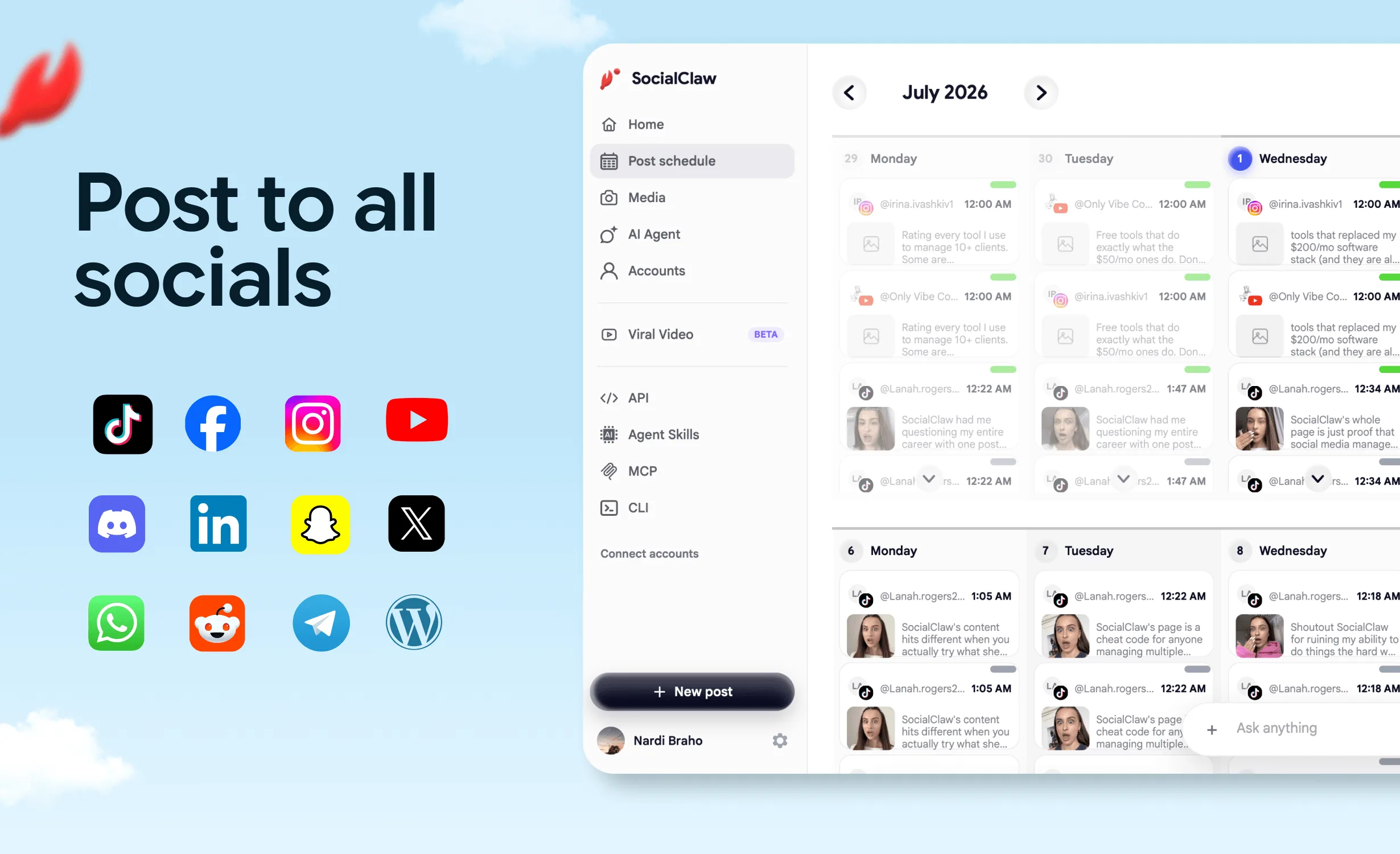
SocialClaw is the connector on this list built for one job: getting a post out of a Claude conversation and onto a live network, on time, with proof that it landed. Think of it as a publishing control plane inside Claude. Claude writes the post. SocialClaw holds the connected accounts, hosts the media, checks the post against each network's rules, publishes or schedules it, and reports what each network did with it.
It was built for AI agents from the first version, and it was one of the first social media schedulers to ship a CLI. The same workspace answers to a hosted MCP connector, a Claude Code skill, a REST API and an official ChatGPT app, so it works natively in Claude and ChatGPT alike.
One connection reaches 12 networks: X, LinkedIn (profiles and company pages), Instagram (Business and standalone professional), Threads, Facebook Pages, TikTok, YouTube, Reddit, Pinterest, WordPress, Discord and Telegram.
What crossing the publish line looks like
Problem 1: Claude says "posted" and nothing went out. Several networks accept a post and process it later. A fire-and-forget connector reports success at hand-off, and you learn days later that the network rejected it.
SocialClaw fix: Every run, post and attempt is inspectable. Claude calls run_status and post_attempts and tells you, per network, whether the post published, failed or was retried, with the network's own response. A failure is one retry_post call away.
Problem 2: The post breaks a rule you did not know about. A caption runs past a limit, a post that needs media has none, an account type rejects the format. These surface at publish time, after the slot is gone.
SocialClaw fix: validate_schedule runs before apply_schedule. Claude checks the schedule against each network's rules, fixes what fails, and only then queues it.
Problem 3: The image lives in the chat, not on the internet. Claude or Canva produces an asset, and the network needs a public URL it can fetch.
SocialClaw fix: Hosted media upload. upload_asset returns a stable public URL that works for every network in the campaign.
That is the validate → apply → inspect loop. No other connector on this list documents all three steps as tools Claude can call.
Every way to reach SocialClaw from Claude
- Claude directory: SocialClaw in Claude's plugin directory, or add
https://getsocialclaw.com/mcpas a custom connector. Both sign in with OAuth. - Claude Code: the skill (
npx skills add ndesv21/socialclaw) or the MCP server (claude mcp add --transport http socialclaw https://getsocialclaw.com/mcp). - CLI and API: the social media CLI (
npm i -g socialclaw) and the scheduling API for scripts and your own agents. - ChatGPT: the official SocialClaw app, on the same workspace and accounts.
SocialClaw pricing
7-day free trial, then four plans. API, CLI, MCP and agent access on every plan.
| Plan | Accounts | Posts / month | Monthly | Annual (per month) |
|---|---|---|---|---|
| Starter | 3 | 200 | $15 | $10 |
| Startup | 6 | 400 | $29 | $19 |
| Plus | 20 | 1,000 | $67 | $49 |
| Pro | 50 | 2,500 | $99 | $80 |
SocialClaw rating breakdown
| Category | Score | Notes |
|---|---|---|
| Content creation | 7 / 10 | Claude writes, SocialClaw hosts media; pair with Canva for design |
| Crosses the publish line | 10 / 10 | Publish now, schedule, campaigns, drafts |
| Network coverage | 9 / 10 | 12 networks incl. Threads; no Bluesky or Mastodon |
| Checks before publish | 10 / 10 | validate_schedule against each network's rules |
| Proof after publish | 10 / 10 | Per-network run, post and attempt state, plus retry |
| Claude fit | 10 / 10 | Directory, OAuth connector, Claude Code skill, CLI, API, ChatGPT |
| Overall | 9.4 / 10 |
Start free: 7-day trial · View pricing · MCP setup
#2 Metricool: Best for Analytics-Led Social Teams
Overall Rating: 8.3 / 10
Metricool is the strongest alternative here. Its verified connector (June 2026) schedules and publishes to Instagram, Facebook, X, LinkedIn, TikTok, YouTube, Pinterest, Bluesky, Threads, Twitch and Google Business Profile, and brings Metricool's analytics into the chat: best time to post from your own history, engagement reports, ads performance and competitor benchmarks. Its help center says the MCP works on every plan, Free included, with plan limits still applying. For marketers whose week starts with a report, it is honestly good at that job.
Where Metricool falls short is the step after the hand-off. Its seven tools include createScheduledPost and updateScheduledPost, but no rules check before a post is created and no attempt-level delivery tool after. Metricool's Claude guide suggests confirming through the planner link and the calendar. Fine for a person. Thin for an unattended agent.
When Metricool makes sense: You already report in Metricool, you want Bluesky or Google Business Profile, and a human reviews the planner.
When Metricool falls short: An agent publishes unsupervised and must know, per network, whether each post went live. Full breakdown in our Metricool alternatives guide.
| Category | Score |
|---|---|
| Content creation | 7.5 / 10 |
| Crosses the publish line | 9 / 10 |
| Network coverage | 9.5 / 10 |
| Checks before publish | 6.5 / 10 |
| Proof after publish | 6 / 10 |
| Claude fit | 9 / 10 |
| Overall | 8.3 / 10 |
#3 Typefully: Best for Writers on X, LinkedIn and Threads
Overall Rating: 7.9 / 10
Typefully's verified connector (September 2026) is a writing-first scheduler for X, LinkedIn, Threads, Bluesky, Mastodon and Substack. Claude turns notes or a transcript into posts and threads, cross-posts them, schedules at your best times or publishes right away, and teams comment on drafts from the chat. The listing says nothing goes live immediately unless you confirm it, which is the right default for founders and creators who think in threads.
When Typefully makes sense: Your social presence is text: threads on X, posts on LinkedIn and Threads.
When Typefully falls short: There is no Instagram, TikTok, YouTube, Pinterest or Facebook, and the listing does not describe per-post delivery checks after publishing. Full breakdown in our Typefully alternatives guide.
| Category | Score |
|---|---|
| Content creation | 8.5 / 10 |
| Crosses the publish line | 8.5 / 10 |
| Network coverage | 6 / 10 |
| Checks before publish | 8 / 10 |
| Proof after publish | 5.5 / 10 |
| Claude fit | 8 / 10 |
| Overall | 7.9 / 10 |
#4 Planoly: Best for Instagram-First Planning
Overall Rating: 7.7 / 10
Planoly runs an official MCP server at https://mcp.planoly.com/mcp, and its setup guide (updated October 30, 2026) links a Planoly listing in Claude's directory. Claude can auto-publish to Instagram, Facebook, TikTok, YouTube, Pinterest, LinkedIn and Threads, schedule into Instagram best-time slots, manage the media library, triage the inbox and read analytics. The same server works in ChatGPT, Claude Code and Gemini CLI.
When Planoly makes sense: You plan an Instagram grid in Planoly already and want Claude to fill and adjust it.
When Planoly falls short: X posts are reminders only, so Claude cannot auto-publish there, and the guide describes no validation step or per-post delivery checks.
| Category | Score |
|---|---|
| Content creation | 7 / 10 |
| Crosses the publish line | 8 / 10 |
| Network coverage | 7.5 / 10 |
| Checks before publish | 7 / 10 |
| Proof after publish | 5 / 10 |
| Claude fit | 8.5 / 10 |
| Overall | 7.7 / 10 |
#5 Canva: Best for Designing Post Visuals
Overall Rating: 7.5 / 10
Canva is the best creation connector on this list and one of the most used in Claude's directory. The verified connector searches your designs, generates new ones, autofills templates and exports the result. The Claude Code plugin (claude plugin install canva@claude-plugins-official) adds skills to resize a design for Facebook, Instagram and LinkedIn in one step, check it against your brand kit, and apply edits through a preview-and-approve flow.
Where Canva falls short is the last step. Neither the connector nor the plugin lists a publishing or scheduling tool. The design ends as an export, and someone still has to post it.
When Canva makes sense: Every workflow that needs a visual. Use it next to a publishing connector, not instead of one.
When Canva falls short: Anyone expecting "make it and post it" from one connector.
| Category | Score |
|---|---|
| Content creation | 10 / 10 |
| Crosses the publish line | 1 / 10 |
| Network coverage | 6 / 10 |
| Checks before publish | 8 / 10 |
| Proof after publish | 1 / 10 |
| Claude fit | 10 / 10 |
| Overall | 7.5 / 10 |
#6 Postiz: Best Claude Code Plugin for Open Source Teams
Overall Rating: 7.3 / 10
Postiz has a Claude Code plugin in Anthropic's official marketplace (claude plugin install postiz@claude-plugins-official) that schedules posts, uploads media and tracks analytics across 28+ platforms using a POSTIZ_API_KEY. Its pricing page says every hosted plan includes a hosted MCP server, CLI and API, and the code is open source.
When Postiz makes sense: You work in Claude Code, want the widest network list, and value self-hosting.
When Postiz falls short: The plugin listing carries no Anthropic verified label and describes no validate step or per-attempt checks, and self-hosting means maintaining your own developer apps with each network. See SocialClaw vs Postiz. Full breakdown in our Postiz alternatives guide.
#7 Taplio: Best for LinkedIn-Only Creators
Overall Rating: 7.1 / 10
Taplio's verified connector (September 2026) drafts LinkedIn posts in your voice, attaches media, schedules, publishes, and pulls inspiration from a database of 5M+ viral posts. The listing says nothing reaches LinkedIn until you give Claude permission, and you need a Taplio plan with API access.
When Taplio makes sense: LinkedIn is your only channel.
When Taplio falls short: The moment you add a second network.
#8 OpusClip: Best for Turning Long Video into Clips
Overall Rating: 7.0 / 10
OpusClip's verified connector (August 2026) turns a long video or YouTube URL into captioned, reframed short clips, writes social copy, and schedules or publishes the clips to your connected social accounts.
When OpusClip makes sense: You record podcasts, webinars or streams and want clips out the door from one chat.
When OpusClip falls short: It publishes the clips it makes, nothing else, and the listing does not name the supported networks.
#9 Adobe for Creativity: Best for Adapting Assets per Platform
Overall Rating: 6.8 / 10
Adobe's verified connector brings Photoshop, Lightroom, Firefly, Premiere, Adobe Express and more into Claude through 109 tools. Its Cowork plugin suggests prompts like creating variations of one post for Instagram, LinkedIn and TikTok, or resizing a video for YouTube Shorts.
When Adobe makes sense: You pay for Creative Cloud and produce many sizes of the same asset every week.
When Adobe falls short: It ends at download and share. No publishing.
#10 Anthropic's Marketing Plugin: Best Free Planning Layer
Overall Rating: 6.4 / 10
Anthropic's Marketing plugin for Cowork (source) adds /draft-content, /campaign-plan for channel strategy and content calendars, /brand-review and /performance-report, and is designed to work with connectors like Canva, HubSpot and Ahrefs.
When it makes sense: You want a structured planning and drafting routine at no extra cost.
When it falls short: It plans and drafts. It cannot publish.
#11 Zapier: Best for Apps Without a Connector
Overall Rating: 6.2 / 10
Zapier's verified connector and Claude Code plugin let Claude run actions across thousands of apps. If a tool has no Claude connector, a Zapier action is often the shortest bridge.
When Zapier makes sense: You need one action in an app nothing else here reaches.
When Zapier falls short: Each network is a separate action, with no shared validation and no delivery inspection. See MCP vs API vs Zapier.
Honorable Mentions
- Hootsuite: official MCP servers you add as custom connectors (Hootsuite MCP); Perch drafts and schedules. No listing in Claude's marketplace as of November 3, 2026.
- Agorapulse: an MCP connector whose help center says it creates drafts and does not publish or schedule.
- Socialinsider, Meltwater, Brand24: analytics and listening (Socialinsider, Meltwater, Brand24).
- TikTok for Business, Adspirer Social Ads: paid campaigns, not organic posts (TikTok, Adspirer).
For MCP servers outside Claude's directory, see the best social media MCP servers. For analytics, SEO and CRM connectors, see the best Claude MCP servers for marketing.
How to Add SocialClaw to Claude
Most of the setup is connecting your social accounts once in the SocialClaw dashboard.
On claude.ai (web and desktop)
- Start a SocialClaw trial and connect your social accounts.
- In Claude, open Customize > Plugins and install SocialClaw from Claude's plugin directory. Or open Customize > Connectors, click Add custom connector and paste
https://getsocialclaw.com/mcp. - Sign in to SocialClaw on the OAuth page, choose the workspace Claude may act on, and approve.
- In a new chat, ask "List my connected social accounts." If the list comes back, you are done.
On Team and Enterprise, an Owner adds the connector first, then each member connects their own account.
In Claude Code
If you signed in with the same claude.ai account, the connector is already there. Otherwise:
# Hosted MCP server, then run /mcp in Claude Code to sign in
claude mcp add --transport http socialclaw https://getsocialclaw.com/mcp

# Or install the SocialClaw skill
npx skills add ndesv21/socialclaw
Prompts that work on day one
- "Draft a launch post for LinkedIn and X from these notes, validate both, and show me before scheduling."
- "Upload this image and schedule it to Instagram and Threads for Tuesday at 9am."
- "Did yesterday's posts go out? Show me any that failed and why."
The longer walkthrough is how to post to social media with Claude.
A Claude Social Stack That Works
The best setup is one tool per side of the publish line.
| Step | Connector | What Claude does |
|---|---|---|
| Plan | Marketing plugin | Builds the week's calendar and drafts |
| Design | Canva or Adobe | Creates and resizes visuals, exports them |
| Publish | SocialClaw | Uploads media, validates, schedules to every network |
| Verify | SocialClaw | Checks each post's delivery, retries failures |
| Measure | Metricool or Socialinsider | Reads performance into the next plan |
Publish and verify are where most stacks break. Here they are from the SocialClaw CLI, the same calls Claude makes through the connector:
socialclaw login --api-key <key>
socialclaw assets upload --file ./launch-visual.png --json
socialclaw validate -f schedule.json --json
socialclaw apply -f schedule.json --json
socialclaw status --run-id <id> --json
Pricing and Ratings
Entry prices from official pricing pages, reviewed November 3, 2026. Adding a connector is free; you pay for the service behind it.
| Tool | Entry price | Claude integration |
|---|---|---|
| SocialClaw | $15/mo ($10/mo annual) after a 7-day trial | MCP, CLI, API and skill on every plan |
| Metricool | Free plan; Starter $25/mo ($20/mo annual) | MCP on every plan, Free included |
| Planoly | Starter $14/mo | Plan mapping for MCP not stated |
| Postiz | $29/mo ($23/mo annual), 7-day trial | Hosted MCP, CLI and API on every plan |
| Taplio | Starter listed at $39/mo | Needs a plan with API access |
| Marketing plugin | Free | Runs in Cowork |
Typefully, Canva, OpusClip, Adobe and Zapier prices: not confirmed in official materials we could load on the review date.
| Tool | Create | Publish | Coverage | Checks | Proof | Claude fit | Overall |
|---|---|---|---|---|---|---|---|
| SocialClaw | 7 | 10 | 9 | 10 | 10 | 10 | 9.4 |
| Metricool | 7.5 | 9 | 9.5 | 6.5 | 6 | 9 | 8.3 |
| Typefully | 8.5 | 8.5 | 6 | 8 | 5.5 | 8 | 7.9 |
| Planoly | 7 | 8 | 7.5 | 7 | 5 | 8.5 | 7.7 |
| Canva | 10 | 1 | 6 | 8 | 1 | 10 | 7.5 |
| Postiz | 5 | 8.5 | 9.5 | 5 | 6 | 7 | 7.3 |
| Taplio | 8 | 8 | 3 | 7 | 6 | 8.5 | 7.1 |
| OpusClip | 9 | 7 | 5 | 5 | 5 | 8.5 | 7.0 |
| Adobe | 9.5 | 1 | 6 | 6 | 1 | 9 | 6.8 |
| Marketing plugin | 8 | 1 | 5 | 7 | 1 | 8 | 6.4 |
| Zapier | 2 | 6 | 7 | 3 | 4 | 9 | 6.2 |
Overall is an editorial weighting of how much of a real social workflow each tool covers from inside Claude, weighted toward publishing, checks and proof.
FAQs
Can Claude post to social media?
Yes, with a publishing connector. Claude has no social accounts of its own, so on its own it only drafts. Add a connector that crosses the publish line, such as SocialClaw, and Claude can publish and schedule to your accounts, validate posts first and confirm delivery after.
What is the best Claude connector for social media?
SocialClaw. It publishes and schedules to 12 networks including Threads, TikTok and YouTube, validates every post first, and reports per-post delivery. Metricool is the pick if analytics matter more than delivery checks, and Canva is the best creation connector.
What is the difference between a Claude connector and a plugin?
A connector is one MCP server that gives Claude tools for one service. A plugin bundles skills, commands, agents and connectors into one install. Canva ships both: a connector for claude.ai and a plugin with extra skills for Claude Code.
Is there a Claude Code plugin for social media?
Yes. SocialClaw installs into Claude Code as a skill (npx skills add ndesv21/socialclaw) or as an MCP server, and Anthropic's official marketplace lists plugins from Postiz and Canva. Connectors added on claude.ai also appear in Claude Code when you sign in with the same account.
Can the Canva connector publish to Instagram?
No. Canva's connector and plugin create, resize, brand-check and export designs, and neither lists a publishing tool. Export the design, then publish it through a connector like SocialClaw.
Are Claude connectors free?
Adding one is free; the service behind it usually is not. Claude's Free plan allows one custom connector. SocialClaw starts at $15/mo after a 7-day trial, with the connector, CLI and API included.
Does SocialClaw work with ChatGPT too?
Yes. SocialClaw's official ChatGPT app uses the same workspace and accounts as the Claude connector. See how to connect ChatGPT to your social media accounts.
Final Verdict
Pick by the side of the publish line you need help with:
- Visuals for every post → Canva, with Adobe for heavy resizing
- Long video into shorts → OpusClip
- Free planning routine → Anthropic's Marketing plugin
- Reporting first, publishing second → Metricool
- Threads on X, LinkedIn and Threads → Typefully
- An Instagram grid → Planoly
- LinkedIn only → Taplio
- Publish and schedule across every network, checked first and proven after → SocialClaw
Creation connectors make Claude a better designer and planner. They stop at the export. SocialClaw is built for the other side: a publishing control plane that Claude, Claude Code, ChatGPT or your own agent runs through the same validate → apply → inspect loop. For $15 a month, it is the step that turns a good draft into a live post.
Try SocialClaw free for 7 days and add it to Claude in a few minutes.
Start free → · SocialClaw in Claude's plugin directory · MCP setup · View pricing
Connector and plugin facts come from Claude's marketplace listings, Anthropic's connector, plugin and Claude Code documentation, and each vendor's official pages, all reviewed November 3, 2026. Planoly's Claude directory listing is as described in Planoly's help center. SocialClaw facts come from first-party product documentation. Last updated: November 3, 2026.