























Last reviewed: November 3, 2026 · App facts sourced from each app's ChatGPT plugin listing and official pricing page, reviewed November 3, 2026
Searching for the best ChatGPT plugins for social media usually means one of three things:
- You want ChatGPT to post for you, not hand you text to paste into five other apps.
- You want graphics, video or research for your feeds without leaving the chat.
- You heard plugins were dead, then spotted a Plugins tab in ChatGPT, and want to know what is real in 2026.
Most roundups miss the point in one of two ways. Some still list 2023 plugins that stopped working in 2024. The rest rank a design app and a scheduler side by side as if they did the same job. They do not.
ChatGPT already writes a good post. The real question for every app below is what it adds on top: a better asset, better data, or the ability to put the post on a network. Here is how the apps actually rank, and which side of the publish line each one sits on.
Table of Contents
- What Changed: Plugins, Apps, and Plugins Again
- The Publish Line: Create Apps vs Publish Apps
- Quick Comparison
- #1 SocialClaw: Publishing and Scheduling
- #2 Publer: Widest Network List
- #3 Canva: Social Graphics
- #4 Metricool: Analytics with Scheduling
- #5 Postiz: Open-Source Scheduling
- #6 Adobe: Photo Edits and Video Reformatting
- #7 HeyGen: Avatar and UGC Video
- #8 Blotato: Scheduling Plus DM Automation
- #9 vidIQ: Video Research
- #10 HubSpot: CRM-Backed Campaigns
- #11 Descript: Talking-Head Video Editing
- #12 Planable: Agency Approvals
- Also in the Directory
- Publish-Side Feature Comparison
- Pricing Comparison
- Ratings Summary
- How to Add SocialClaw to ChatGPT
- SocialClaw Workflow in 60 Seconds
- FAQs
- Final Verdict
What Changed: Plugins, Apps, and Plugins Again
The word "plugin" has meant three different things inside ChatGPT. That is why so much advice about it is out of date.
2023 to 2024: the original plugins beta. ChatGPT's first plugins lived in a beta store. OpenAI closed new plugin chats on March 19, 2024, ended existing ones on April 9, and pointed people to custom GPTs. Any guide that tells you to "enable the Canva plugin" from a plugin store is describing that retired system.
October 2025: apps in ChatGPT. OpenAI introduced apps inside ChatGPT together with the Apps SDK, which is built on the Model Context Protocol (MCP). Canva and Figma were among the launch partners. In December 2025 OpenAI opened app submissions to developers, launched an app directory, and renamed "connectors" to "apps".
July 2026: one plugin directory. OpenAI folded the app directory into a single plugin directory shared by ChatGPT and Codex. In its help center's words (reviewed November 3, 2026), "An app connects ChatGPT to a service" and "A plugin brings apps and skills together for a task." The directory is available across ChatGPT plans, while each plugin's availability depends on your plan, workspace, role and region.
So in late 2026, a ChatGPT plugin and a ChatGPT app are the same thing from where you sit: something you install from the Plugins tab that lets ChatGPT act inside another service. Under the hood, most are an MCP server with optional skills and an optional interface. Every app ranked below has a live listing in that directory, linked in its section.
The Publish Line: Create Apps vs Publish Apps
Every social media app in ChatGPT sits on one side of a line.
Create apps make something: a carousel in Canva, a retouched product shot in Adobe, an avatar video in HeyGen, a keyword brief in vidIQ. When they finish, the output sits in the chat or in the vendor's editor. Getting it onto Instagram is still your job.
Publish apps hold your connected social accounts and can schedule or post to them. ChatGPT drafts; the app delivers.
Most ChatGPT apps for social media stop at the publish line. That is fine, as long as you know it before you build a workflow around one. Even some scheduler apps stop short: CoSchedule's listing calls its app read-only, and Loomly's only creates drafts.
The ranking uses five criteria:
Publishing from the chat
Can ChatGPT schedule or publish to a real network through this app, or does the output stop at a draft or a file?
Safety before posting
Does the app check posts against platform rules and ask you before anything goes live?
Depth in its lane
How good is the app at its own job, whether that is design, video, research or scheduling?
Reach beyond ChatGPT
Can the same account be driven from Claude, a CLI or an API when your workflow outgrows one chat window?
Value
What it costs to use the app from ChatGPT, including which plan includes the ChatGPT connection.
Publishing carries the most weight in the overall score, because writing is the one part of the job ChatGPT already does well on its own.

Quick Comparison
| App | Side of the line | Best for | Posts to social from ChatGPT | Free way to start |
|---|---|---|---|---|
| SocialClaw | Publish | Validated publishing to 12 networks | ✅ Schedule and publish | ✅ 7-day trial |
| Publer | Publish | Widest network list | ✅ Drafts by default, schedules on request | ⚠️ Free plan; MCP on Business |
| Canva | Create | Social graphics and resizing | ❌ | ✅ Free plan |
| Metricool | Publish | Analytics with scheduling | ✅ Create or update posts | ✅ Free plan includes MCP |
| Postiz | Publish | Open-source scheduling | ✅ Draft, schedule or post now | ✅ 7-day trial |
| Adobe | Create | Photo edits, video reformatting | ❌ | ✅ Guest access |
| HeyGen | Create | Avatar and UGC-style video | ❌ | ✅ Free plan (watermarked) |
| Blotato | Publish | Scheduling plus DM automation | ✅ | ⚠️ Trial excludes MCP |
| vidIQ | Create (research) | YouTube, Reels and TikTok research | ❌ | ✅ Free plan includes MCP |
| HubSpot | Create (CRM) | Campaigns tied to CRM data | ❌ | ✅ All HubSpot tiers |
| Descript | Create | Editing talking-head video | ❌ Shareable link only | ✅ Free plan |
| Planable | Publish (drafts) | Agency approvals | ⚠️ Drafts into client workspaces | ✅ First 50 posts free |
#1 SocialClaw: Best ChatGPT App for Publishing and Scheduling

Overall Rating: 9.4 / 10
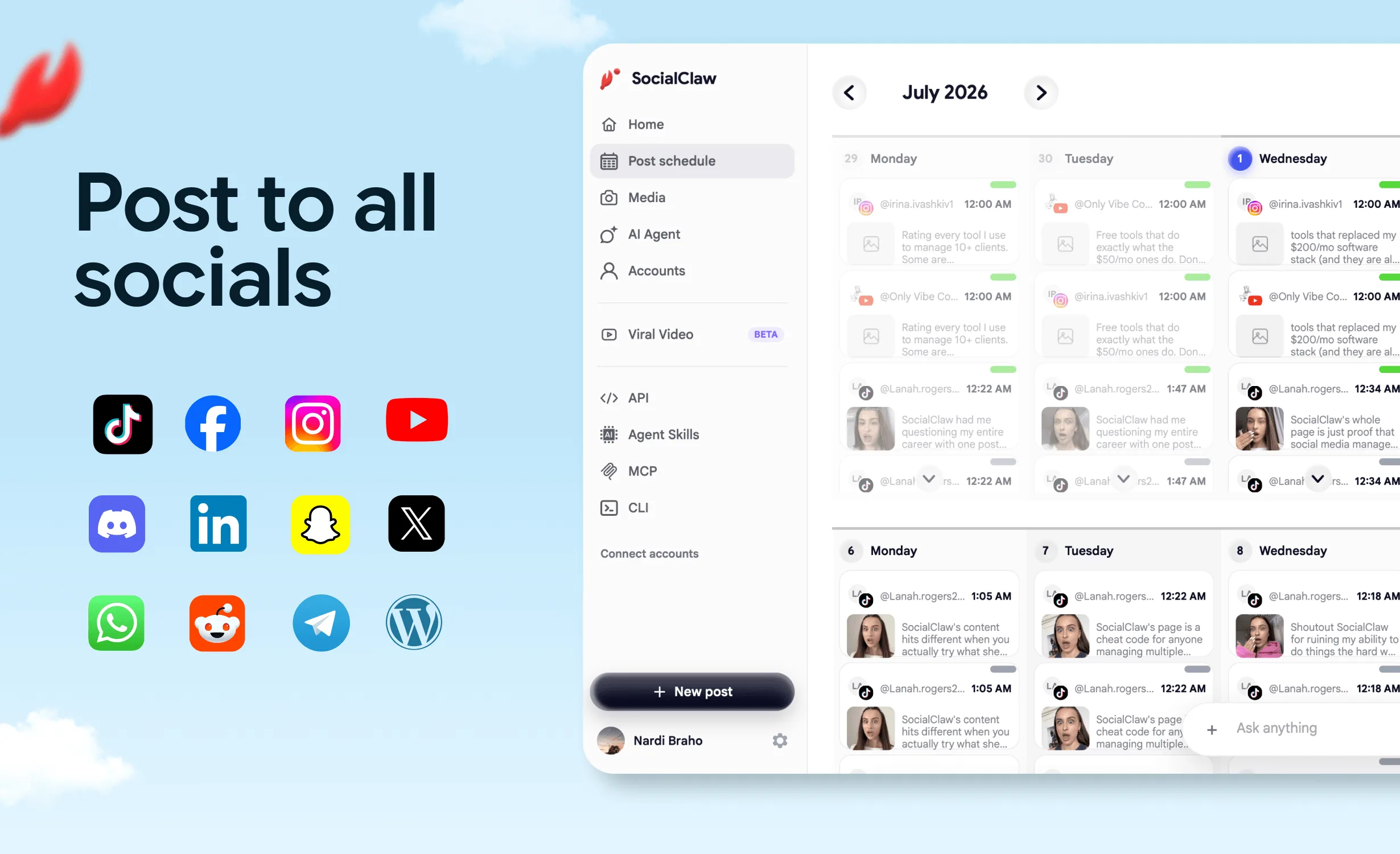
SocialClaw is the ChatGPT app that crosses the publish line cleanly. Install it from its official ChatGPT listing, connect your accounts once, and ChatGPT can schedule or publish to 12 networks: X, LinkedIn (profiles and company pages), Instagram, Threads, Facebook Pages, TikTok, YouTube, Reddit, Pinterest, WordPress, Discord and Telegram.
It was built for AI agents first, and that shows in how it behaves inside ChatGPT. Every post runs through the same loop: write → validate → confirm → publish. ChatGPT writes the post, SocialClaw checks it against the target platform's rules, ChatGPT shows you what will go out and asks you to confirm, and only then does it schedule or publish.
That loop is what you are installing.
What the loop fixes
Problem 1: The copy-paste tax. ChatGPT writes an X version, a LinkedIn version and an Instagram caption. Then you open three apps, paste three times, attach the image three times and pick a time three times.
SocialClaw fix: One prompt. ChatGPT sends each version to the account it belongs to, at the time you named, from the same conversation.
Problem 2: Platform rules surface after the fact. A post runs past a character limit, an Instagram post arrives without media, or a video comes in a shape the platform rejects. With copy-paste you find out at upload time. With a blind integration you find out from a failed post.
SocialClaw fix: Validate before apply. Each post is checked against the platform's rules before anything is queued, so ChatGPT fixes the problem while you are still in the chat.
Problem 3: An assistant that acts on a guess. "Post this tomorrow" could mean four accounts and two time zones.
SocialClaw fix: A confirm step. ChatGPT asks you to confirm before anything goes out, so the final say stays with you.
Problem 4: The workflow outgrows one chat window. Posting that starts in ChatGPT often ends up in Claude, a nightly script or a coding agent.
SocialClaw fix: One workspace, every surface. The same connected accounts work from Claude through the hosted MCP server, from the CLI and from the REST API.
After publishing, the same app lets ChatGPT show what is scheduled, retry or cancel posts, upload images and videos, read post analytics, and reply to Instagram comments and messages (per its ChatGPT listing).
Built for agents, not only for ChatGPT
SocialClaw was one of the first social media schedulers to ship a CLI, and it treats ChatGPT as one surface among several. It is also listed in Anthropic's Claude plugin directory. The other ways in:
# Claude and other MCP clients: hosted MCP server with OAuth
# https://getsocialclaw.com/mcp

# Local MCP server
npx -y socialclaw mcp

# CLI for scripts, cron jobs and coding agents
npm i -g socialclaw

# Claude Code skill
npx skills add ndesv21/socialclaw
That matters more than it sounds. Several apps in this guide hold their MCP or API access back for a higher plan, and only Postiz also documents a CLI. SocialClaw puts the API, CLI, MCP server and agent access on every plan.
SocialClaw pricing
Every plan starts with a 7-day free trial.
| Plan | Social Accounts | Posts / Month | Monthly Price | Annual Price |
|---|---|---|---|---|
| Starter | 3 | 200 | $15 / mo | $10 / mo |
| Startup | 6 | 400 | $29 / mo | $19 / mo |
| Plus | 20 | 1,000 | $67 / mo | $49 / mo |
| Pro | 50 | 2,500 | $99 / mo | $80 / mo |
SocialClaw rating breakdown
| Category | Score | Notes |
|---|---|---|
| Publishing from the chat | 10 / 10 | Schedules and publishes to 12 networks, Threads included |
| Safety before posting | 10 / 10 | Validates against platform rules, then asks you to confirm |
| Depth in its lane | 9 / 10 | Media upload, scheduling, retries, cancellations, analytics, Instagram replies |
| Reach beyond ChatGPT | 10 / 10 | Claude (hosted MCP), CLI, REST API, Claude Code skill |
| Value | 9.5 / 10 | $15/mo Starter ($10/mo annual), 7-day free trial |
| Overall | 9.4 / 10 |
Add SocialClaw to ChatGPT · Start your 7-day trial · View pricing
#2 Publer: Best for the Widest Network List
Overall Rating: 8.5 / 10
Publer's ChatGPT app is a full scheduler in the chat. Its listing covers creating and scheduling posts, browsing the calendar, analyzing performance, researching competitors and exporting reports across 13 networks: Instagram, Facebook, LinkedIn, TikTok, X, Threads, Pinterest, YouTube, Google Business, Bluesky, Mastodon, Telegram and WordPress. Bluesky, Mastodon and Google Business are three networks SocialClaw does not cover.
It also ships a sensible default: posts are saved as drafts unless you ask ChatGPT to schedule or publish them, and nothing is deleted until you confirm. The catch is the plan. Publer's pricing page lists API and MCP access on the Business plan (from $10/mo, priced by number of social accounts), and its free plan cannot connect X.
When Publer makes sense: You post to Bluesky, Mastodon or Google Business alongside the usual networks and want a familiar visual calendar behind the chat.
When Publer falls short: Reddit and Discord are not on its listed networks, its listing does not describe a platform-rules check before posting, and its official materials show no CLI. More detail in our Publer alternatives guide. Full breakdown in our Publer alternatives guide.
| Category | Score |
|---|---|
| Publishing from the chat | 9 / 10 |
| Safety before posting | 7.5 / 10 |
| Depth in its lane | 8.5 / 10 |
| Reach beyond ChatGPT | 7 / 10 |
| Value | 8.5 / 10 |
| Overall | 8.5 / 10 |
#3 Canva: Best for Social Graphics
Overall Rating: 8.4 / 10
Canva was a launch partner when apps arrived in ChatGPT, and its app is the most polished create-side tool in the directory. Per the listing, it turns a brief into a social post, deck or poster, generates images, removes backgrounds, resizes a design for Facebook, Instagram and LinkedIn in one step, bulk-creates from a spreadsheet (Enterprise plans only), and checks a design against your Brand Kit. One of the listing's own example prompts: "Create some social media posts based on our October campaign brief."
For a small team whose bottleneck is visuals, that is genuinely excellent. Where Canva falls short is the publish line. The app's listed capabilities end at the design and a link to open it in Canva's editor. Canva Pro (US$120/year) includes social scheduling inside Canva itself, but posting from the chat is not on the app's list, and design and image generation draw on Canva AI credits.
When Canva makes sense: You need on-brand graphics fast and already have a way to post them.
When Canva falls short: You want the graphic to go live from the same conversation. Pair it with a publish app.
| Category | Score |
|---|---|
| Publishing from the chat | 2 / 10 |
| Safety before posting | Not applicable |
| Depth in its lane | 10 / 10 |
| Reach beyond ChatGPT | 7 / 10 |
| Value | 9 / 10 |
| Overall | 8.4 / 10 |
#4 Metricool: Best for Analytics with Scheduling
Overall Rating: 8.2 / 10
Metricool started as an analytics tool, and its ChatGPT app reflects that. The listing: inspect connected brands, pull social analytics, review scheduled content, find recommended posting times, and create or update posts from ChatGPT. For marketers whose day starts with reports, it is honestly good at that job.
It also has the lowest price floor of any publish-side app here. Metricool's free plan (one brand, 20 scheduled posts per month, 30 days of analytics) includes Metricool MCP. The limits are real, though: LinkedIn and X are not on the free plan, X is a paid add-on on the paid plans, and those start at €20/month (€16/month billed annually), per its pricing page.
When Metricool makes sense: Analytics drive your decisions and you want ChatGPT to read them and schedule in the same chat.
When Metricool falls short: You need X and LinkedIn without add-ons and upgrades, or Reddit, Discord or Telegram, none of which appear on its network list. See our Metricool alternatives breakdown. Full breakdown in our Metricool alternatives guide.
| Category | Score |
|---|---|
| Publishing from the chat | 8 / 10 |
| Safety before posting | 6 / 10 |
| Depth in its lane | 8.5 / 10 |
| Reach beyond ChatGPT | 7.5 / 10 |
| Value | 9 / 10 |
| Overall | 8.2 / 10 |
#5 Postiz: Best for Open-Source Scheduling
Overall Rating: 8.0 / 10
Postiz is the closest in shape to SocialClaw. Its ChatGPT app can create draft, scheduled and immediate posts, list connected channels, check platform rules and post settings, upload or generate media, and turn YouTube videos into captioned clips. Every Postiz plan includes its MCP server, CLI and API, and there is an open-source, self-hosted path.
The difference is price and posture. Postiz starts at $29/mo for 5 channels after a 7-day free trial, against SocialClaw's $15/mo for 3 accounts. Postiz is a full scheduler UI with agent surfaces added; SocialClaw is a publishing layer built for agents from the start. The full side-by-side is in SocialClaw vs Postiz.
When Postiz makes sense: You want open source, may self-host, and like a visual calendar alongside the agent tools.
When Postiz falls short: You are a solo founder or small team watching every dollar. The entry price is nearly double. Full breakdown in our Postiz alternatives guide.
| Category | Score |
|---|---|
| Publishing from the chat | 9 / 10 |
| Safety before posting | 8.5 / 10 |
| Depth in its lane | 8 / 10 |
| Reach beyond ChatGPT | 9 / 10 |
| Value | 7 / 10 |
| Overall | 8.0 / 10 |
#6 Adobe: Best for Photo Edits and Video Reformatting
Overall Rating: 7.9 / 10
Adobe launched Photoshop, Adobe Express and Acrobat in ChatGPT on December 10, 2025. Today they ship as one Adobe app, and its listing reads like a social team's wish list: retouch or batch-edit photos, start from an Express template and animate it for social, reformat a horizontal clip for YouTube Shorts or Instagram Reels, stitch clips together, and a skill named "Create social variations". You can start as a guest and sign in with an Adobe account for saved work and more tools.
Adobe beats Canva on photo work and video reformatting. Canva is the easier pick for templates and brand kits on most small teams. Neither crosses the publish line from ChatGPT.
When Adobe makes sense: Product photos need cleanup, or one horizontal video needs to become a Reel and a Short.
When Adobe falls short: You need the result posted. The app stops at the export.
#7 HeyGen: Best for Avatar and UGC-Style Video
Overall Rating: 7.7 / 10
HeyGen's app turns a prompt into a finished video: talking-avatar presenters, a digital twin of you, cloned voices, UGC-style product ads, faceless explainers and animated captions, made for YouTube Shorts, TikTok, Reels and LinkedIn. One listing prompt asks for "a 15s hands-only ugc video for my product" with a hook in the first second.
The output is a video you watch and download in the chat. Posting it is a separate step. HeyGen's free plan gives 3 watermarked videos a month, up to 1 minute each; Creator is $29/mo.
When HeyGen makes sense: You need short-form video every week and nobody on the team wants to be on camera.
When HeyGen falls short: You expected the video to land on TikTok by itself.
#8 Blotato: Best for Scheduling Plus DM Automation
Overall Rating: 7.4 / 10
Blotato's app schedules and coordinates posts across connected accounts and reviews publishing status. It also adds something rare in the directory: engagement. From ChatGPT you can review engagement analytics, reply to comments and DMs, and set up DM automations such as "When someone comments GUIDE on any of my Instagram posts, DM them".
The price floor is $29/mo (Starter, 20 social accounts). Per Blotato's pricing page, the 7-day trial includes every feature except the API and MCP server, so the ChatGPT connection is a paid-plan feature.
When Blotato makes sense: Comment-to-DM lead capture is central to how you sell.
When Blotato falls short: You want to try publishing from ChatGPT before paying. Compare the field in our Blotato alternatives guide. Full breakdown in our Blotato alternatives guide.
#9 vidIQ: Best for YouTube, Reels and TikTok Research
Overall Rating: 7.3 / 10
vidIQ's app is research. It finds videos outperforming their creators' usual results on YouTube, Instagram and TikTok, checks keyword demand, reviews your channel's retention and traffic sources, breaks down hooks from transcripts, and scores titles and thumbnails. It can also write scripts and cut long videos into vertical clips.
vidIQ MCP is available on every plan including Free (150 AI credits a month). Boost is $19/month or $199/year. It never posts anything, which is the right call for a research tool.
When vidIQ makes sense: You plan video before you film it and want the data in the same chat as the script.
When vidIQ falls short: Text-first networks like LinkedIn and X are your main channels.
#10 HubSpot: Best for Campaigns Tied to CRM Data
Overall Rating: 7.1 / 10
HubSpot's app reads and writes CRM records (contacts, deals, companies, tickets), logs calls and emails, and per HubSpot's knowledge base (updated October 19, 2026) analyzes campaign performance across blog posts, landing pages and website pages. It is available to HubSpot customers on all tiers, though a Super Admin may need to approve the connector first.
For social, its value is context: which campaigns and lead sources actually produce pipeline, so ChatGPT writes about what sells. Social posts are not among the objects HubSpot documents for the connector, so publishing happens elsewhere.
When HubSpot makes sense: Your social plan answers to a sales pipeline that already lives in HubSpot.
When HubSpot falls short: You are not a HubSpot customer, or you expected it to post.
#11 Descript: Best for Editing Talking-Head Video
Overall Rating: 7.0 / 10
Descript's app lets you edit video by chatting: build a project from clips, remove filler words, apply Studio Sound, add captions and B-roll, pull highlight clips and translate. Its "publish" skill publishes the project as a shareable video link, which is useful for review but is not a post on a social network. There is a free plan; Hobbyist is $24/month ($16/month billed annually).
When Descript makes sense: Podcasts, webinars and founder videos are your raw material for clips.
When Descript falls short: The last step is a network upload, which still happens outside the app.
#12 Planable: Best for Agency Approval Workflows
Overall Rating: 6.8 / 10
Planable's app is built for agencies: draft posts into client workspaces, pull pending approvals across clients, audit what is scheduled this week, and generate client-ready reports. Everything stays in Planable, which is the point when a client must sign off before anything ships. Its MCP connector is on every plan; Basic is $39 per workspace per month ($33 billed yearly), and the first 50 posts are free.
When Planable makes sense: Client approval is a hard requirement and ChatGPT is a drafting assistant, not a publisher.
When Planable falls short: You want ChatGPT to publish. The listing describes drafting, approvals and audits, with publishing handled through Planable's own flow. Full breakdown in our Planable alternatives guide.
Also in the Directory
These have live listings but did not make the ranking for social publishing:
- Loomly reviews calendars and creates draft posts and post ideas. Drafts only.
- CoSchedule answers questions about your calendar and results. Its listing says it is read-only and "can't create, change or delete anything in CoSchedule."
- Semrush brings SEO and traffic data into the chat. Useful for topics, not for posting.
- Figma was a launch partner, but it is built for product design rather than social content.
Publish-Side Feature Comparison
Five apps in this guide can post from ChatGPT. Here is how they compare, using each app's ChatGPT listing and official pricing page (reviewed November 3, 2026).
| Feature | SocialClaw | Publer | Metricool | Postiz | Blotato |
|---|---|---|---|---|---|
| Schedules or publishes from ChatGPT | ✅ | ✅ | ✅ | ✅ | ✅ |
| Threads | ✅ | ✅ | ✅ | ✅ | Not confirmed in official materials |
| ✅ | ❌ Not listed | ❌ Not listed | ✅ | Not confirmed in official materials | |
| Discord and Telegram | ✅ Both | ⚠️ Telegram only | ❌ Not listed | Not confirmed in official materials | Not confirmed in official materials |
| Bluesky | ❌ | ✅ | ✅ | Not confirmed in official materials | Not confirmed in official materials |
| Platform-rules check before posting | ✅ | Not stated in listing | Not stated in listing | ✅ | Not stated in listing |
| Asks before anything goes out | ✅ Confirm step | ✅ Drafts by default | Not stated in listing | Not stated in listing | Not stated in listing |
| MCP server usable outside ChatGPT | ✅ Every plan | ⚠️ Business plan | ✅ Free plan included | ✅ Every plan | ⚠️ Paid plans, not trial |
| CLI | ✅ | Not confirmed in official materials | Not confirmed in official materials | ✅ | Not confirmed in official materials |
| DM and comment replies | Not stated in listing | Not stated in listing | Not stated in listing | ✅ Plus DM automations | |
| Cheapest plan with ChatGPT access | $15/mo | $10/mo (Business) | Free | $29/mo | $29/mo |
Publer covers more networks. Metricool is cheaper to start. Blotato goes deeper on DMs. SocialClaw is the one that pairs a platform-rules check and a confirm step with Reddit, Discord and Telegram at a $15 entry price.
Pricing Comparison
| App | Free option | Entry paid plan | Notes |
|---|---|---|---|
| SocialClaw | 7-day trial | $15/mo ($10/mo annual), 3 accounts, 200 posts | API, CLI, MCP and ChatGPT app on every plan |
| Publer | Free plan (3 accounts, no X) | Professional $5/mo; Business $10/mo | API and MCP on Business; priced by social accounts |
| Canva | Free plan | Pro US$120/year | AI features use Canva AI credits |
| Metricool | Free plan (1 brand, 20 posts/mo, MCP) | Starter from €20/mo (€16/mo annual) | X is an add-on; no LinkedIn or X on Free |
| Postiz | 7-day trial | $29/mo, 5 channels | MCP, CLI and API on every plan; self-host option |
| Adobe | Guest access in ChatGPT | Not confirmed in official materials | Sign in with Adobe for saved work |
| HeyGen | Free (3 watermarked videos/mo) | Creator $29/mo | Pro $49/mo |
| Blotato | 7-day trial (card required) | Starter $29/mo, 20 accounts | Trial excludes API and MCP |
| vidIQ | Free plan (MCP included) | Boost $19/mo or $199/yr | Tool calls use AI credits |
| HubSpot | Connector on all HubSpot tiers | Depends on your HubSpot plan | Super Admin approval may be required |
| Descript | Free plan | Hobbyist $24/mo ($16/mo annual) | Publishes to a shareable video link |
| Planable | First 50 posts free | Basic $39/workspace/mo ($33 yearly) | MCP connector on every plan |
Ratings Summary
| App | Side | Publishing | Safety | Depth | Reach | Value | Overall |
|---|---|---|---|---|---|---|---|
| SocialClaw | Publish | 10 | 10 | 9 | 10 | 9.5 | 9.4 |
| Publer | Publish | 9 | 7.5 | 8.5 | 7 | 8.5 | 8.5 |
| Canva | Create | 2 | n/a | 10 | 7 | 9 | 8.4 |
| Metricool | Publish | 8 | 6 | 8.5 | 7.5 | 9 | 8.2 |
| Postiz | Publish | 9 | 8.5 | 8 | 9 | 7 | 8.0 |
| Adobe | Create | 1 | n/a | 9 | 6 | 9 | 7.9 |
| HeyGen | Create | 1 | n/a | 9 | 7 | 7.5 | 7.7 |
| Blotato | Publish | 8 | 5 | 8 | 7 | 6.5 | 7.4 |
| vidIQ | Create | 1 | n/a | 8.5 | 7.5 | 8.5 | 7.3 |
| HubSpot | Create | 1 | n/a | 8 | 7 | 7 | 7.1 |
| Descript | Create | 1 | n/a | 8.5 | 6 | 7.5 | 7.0 |
| Planable | Publish (drafts) | 4 | 9 | 7.5 | 6.5 | 6 | 6.8 |
Scores are 1 to 10 per category. Overall is a weighted judgment that counts publishing most, then depth in the app's own lane. Create apps are not scored on Safety, since they never post.
How to Add SocialClaw to ChatGPT

The whole setup takes a few minutes. You do not need developer mode or an API key.
- Open the listing. Go to the SocialClaw listing in ChatGPT, or open Plugins in the ChatGPT sidebar and search for SocialClaw.
- Install and connect. Select Install plugin, then Connect when ChatGPT prompts you.
- Sign in with SocialClaw. Use your SocialClaw account. New here? Start the 7-day trial first; it takes a Google sign-in.
- Connect your social accounts. In the SocialClaw dashboard, connect the networks you want ChatGPT to post to. Most use the platform's own sign-in.
- Test with a read-only prompt. Start a new chat and ask: "Use SocialClaw to show which social accounts I have connected."
- Schedule your first post. Try: "Use SocialClaw to schedule a LinkedIn post for tomorrow at 9am announcing our new feature." Review what ChatGPT shows you, then confirm.
You can call it directly at any time by typing @ and picking SocialClaw. In Business, Enterprise and Edu workspaces, admins control which plugins members can use, so yours may need to allow it first.
Earlier this year the only route was a custom connector in developer mode, covered in how to connect ChatGPT to your social media accounts. The listed app replaces that workaround.
What you ask in ChatGPT maps directly onto the SocialClaw loop:
| You ask ChatGPT | SocialClaw does | CLI equivalent |
|---|---|---|
| "Show my connected accounts" | Lists the accounts in your workspace | socialclaw accounts list --json |
| "Use this image in the post" | Uploads it and returns a stable hosted URL | socialclaw assets upload --file <path> --json |
| "Schedule this for LinkedIn at 9am" | Validates against platform rules, then schedules after you confirm | socialclaw validate then socialclaw apply |
| "Did it go out?" | Reports the run and per-post delivery state | socialclaw status --run-id <id> --json |
SocialClaw Workflow in 60 Seconds
The accounts you connect for ChatGPT are the same accounts the CLI and API see. A script, a cron job or a coding agent can run the identical validate → apply → inspect loop:
# Authenticate with your workspace API key
socialclaw login --api-key <workspace-key>

# Connect another network and confirm what is connected
socialclaw accounts connect --provider linkedin --open
socialclaw accounts list --json

# Upload media once and reuse the hosted URL
socialclaw assets upload --file ./launch.png --json

# Check every post against platform rules, then schedule
socialclaw validate -f schedule.json --json
socialclaw apply -f schedule.json --json

# Inspect delivery
socialclaw status --run-id <run-id> --json
socialclaw posts get --post-id <post-id> --json
For Claude, the same workspace connects through the hosted MCP server; the setup is in how to post to social media with Claude. For the full command reference, see the SocialClaw CLI and scheduling API.
FAQs
What is the best ChatGPT plugin for social media?
SocialClaw, if you want ChatGPT to actually post. It schedules and publishes to 12 networks from the chat, checks every post against the platform's rules, and asks you to confirm before anything goes out. For making visuals, Canva is the strongest create-side app; most people end up using one of each.
Can ChatGPT schedule social media posts?
Yes, with a publish-side app installed. On its own, ChatGPT can only write the post. Install an app such as SocialClaw from the Plugins directory, connect your accounts, and ask something like "schedule this for LinkedIn tomorrow at 9am." ChatGPT shows you the post and schedules it after you confirm.
Are ChatGPT plugins still a thing in 2026?
Yes, but not the 2023 kind. The original plugins beta ended in April 2024. Since July 2026, ChatGPT's Plugins directory holds what OpenAI earlier called apps: packages that connect ChatGPT to a service through MCP, sometimes with skills and an interface attached.
Is there a ChatGPT plugin to post on Instagram, LinkedIn or TikTok?
Yes. SocialClaw posts to Instagram, LinkedIn (profiles and company pages) and TikTok, plus X, Threads, Facebook Pages, YouTube, Reddit, Pinterest, WordPress, Discord and Telegram. Publer, Metricool, Postiz and Blotato also schedule from ChatGPT, each with its own network list and plan requirements.
Can Canva's ChatGPT app post to Instagram?
No. Canva's ChatGPT listing covers creating, editing, resizing and brand-checking designs, then opening them in Canva's editor. To post the design, hand it to a publish app such as SocialClaw in the same conversation.
Will ChatGPT post to my accounts without asking?
Not with SocialClaw. ChatGPT validates each post and asks you to confirm before it schedules or publishes. Publer takes a similar approach by saving drafts unless you explicitly ask it to schedule or publish.
Are ChatGPT apps for social media free?
Only some of them. The directory is free to browse on every ChatGPT plan, but each app follows its vendor's pricing. Metricool and vidIQ include their MCP connection on free plans, SocialClaw starts with a 7-day trial and then $15/mo, and Blotato and Publer reserve MCP access for paid tiers.
Can I use SocialClaw outside ChatGPT?
Yes. The same workspace and connected accounts work in Claude (through the hosted MCP server at https://getsocialclaw.com/mcp or its Claude plugin directory listing), from the CLI (npm i -g socialclaw), and through the REST API. All of that is included on every plan.
Final Verdict
The best ChatGPT app for social media depends on which side of the publish line your bottleneck is on:
- You need on-brand graphics fast → Canva, with Adobe for photo cleanup and video reformatting
- You need short-form video without a camera → HeyGen, with Descript for editing recorded footage
- You plan video from data → vidIQ
- Your campaigns answer to a CRM → HubSpot
- You post to Bluesky, Mastodon or Google Business → Publer
- Analytics run your week → Metricool
- You want open source and may self-host → Postiz
- Instagram DM automation is the business → Blotato
- You want ChatGPT to actually publish, safely, to 12 networks, and use the same accounts from Claude, a CLI or an agent → SocialClaw
Most ChatGPT apps for social media stop at the publish line. They make the asset, and you still do the posting. SocialClaw is the one built to cross it: write → validate → confirm → publish, from the chat, at $15/mo with Threads included. Use a create app for the asset and SocialClaw to get it live.
Try SocialClaw in ChatGPT, free for 7 days.
Add SocialClaw to ChatGPT → · Start free · View pricing · Use it from the CLI · Hosted MCP server
App capabilities in this article are sourced from each app's listing in the ChatGPT plugin directory, and prices from each vendor's official pricing page, all reviewed November 3, 2026. OpenAI platform history is sourced from OpenAI's help center and developer documentation. SocialClaw facts are sourced from first-party product documentation. Last updated: November 3, 2026.