LinkedIn is the platform where an AI agent can save you the most time per post - and the one where a bad post costs you the most. A weird tweet disappears in an hour. A hallucinated claim published under your real name, in front of your colleagues, clients, and next employer, does not.
It is also the platform with the most consequential targeting decision: your personal profile and your company page are different publishing surfaces with different API permissions, different admin requirements, and different audiences. Agents that do not distinguish them post the right content to the wrong place.
This guide covers the profile-versus-page split, what post shapes an agent can publish (text, image, multi-image), the workflow that keeps a human where a human belongs, and prompts that produce LinkedIn posts you would actually sign.
Nardi Braho - July 4, 2026
TL;DR - LinkedIn agent posting
>
- Profile and page are separate targets -
linkedin:member:...vslinkedin:page:...in SocialClaw. Decide per post, explicitly.
- Text, single-image, and multi-image posts all work agent-side; multi-image takes per-image alt text.
- Keep a human review step. LinkedIn is a professional surface under your real name - draft with the agent, approve as yourself.
- Connect via OAuth once; the agent gets tools, never credentials.
What's the difference between posting to a profile and a company page?
Everything, at the API level.
LinkedIn's API treats members and organizations as separate principals. Posting as yourself requires member-level authorization (the w_member_social scope in LinkedIn's OAuth model); posting as a company requires organization-level authorization (w_organization_social) — and the person who authorizes it must be a super admin or content admin of that page. Mixing these up is the classic LinkedIn integration bug: a 403 that no retry will ever fix. LinkedIn tokens also expire on their own schedule (roughly every 60 days), so connections need occasional reauthorization - a publishing layer that flags real reconnect needs beats finding out mid-campaign.
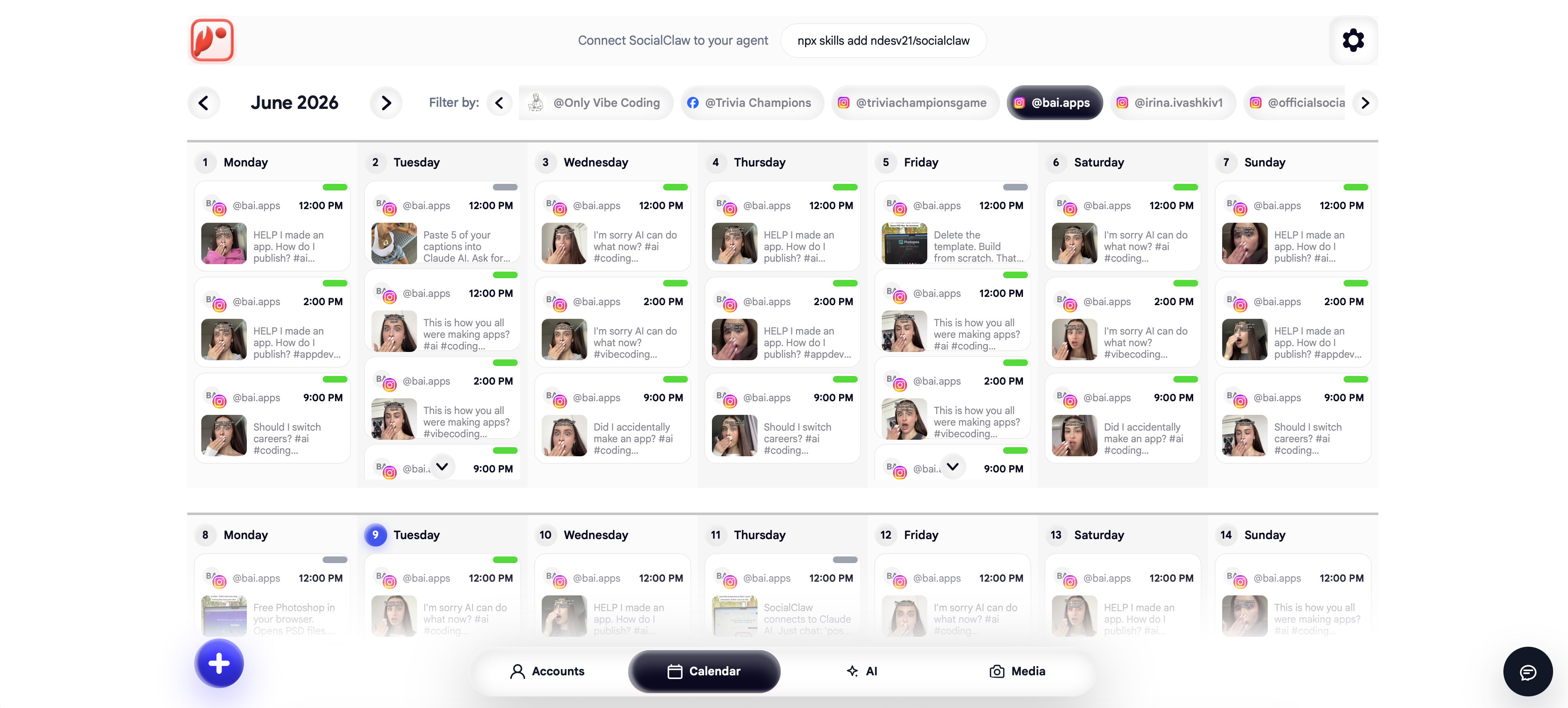
If you connect through SocialClaw, that scope plumbing is handled in the OAuth flow - both surfaces are supported and show up as separate connected accounts:
{
  "timezone": "UTC",
  "posts": [
    {
      "account": "linkedin:member:abc123",
      "name": "Founder post",
      "description": "I shipped something this week that I have wanted for a year...",
      "publish_at": "2026-07-08T13:00:00Z"
    },
    {
      "account": "linkedin:page:987654",
      "name": "Company announcement",
      "description": "v2 is live. Here is what changed for every workspace.",
      "publish_at": "2026-07-08T15:00:00Z"
    }
  ]
}
The strategic split matters as much as the technical one:
| Personal profile | Company page | |
|---|---|---|
| Account ID shape | linkedin:member:... | linkedin:page:... |
| Voice | First person, opinions, stories | Announcements, product, hiring |
| Organic reach | Substantially higher | Lower; feeds ads and social proof |
| Authorization | The member themselves | A page super/content admin |
| Risk of agent mistakes | High - it is your name | Moderate - brand voice, but reviewable |
| Human review | Strongly recommended, every post | Recommended, at least for claims |
The pattern that works for most companies: agent-drafted, human-approved founder posts on the profile (where the reach is), and a more automated cadence of release notes and announcements on the page.
What post shapes can an agent publish on LinkedIn?
The shapes that matter for agents, all supported through the connected account:
- Text posts - the native LinkedIn format; line breaks do heavy lifting, links are fine but LinkedIn's algorithm favors posts that keep readers on-platform.
- Single image - text plus one image via a hosted
media_link. - Multi-image posts - several images with one narrative caption, each with its own alt text. In a schedule that is an
assetsarray:
{
  "account": "linkedin:member:abc123",
  "name": "Spring release",
  "description": "SocialClaw now supports LinkedIn member publishing with native multi-image upload.",
  "publish_at": "2026-07-20T14:00:00Z",
  "assets": [
    { "url": "https://getsocialclaw.com/media/asset_a/dlv_a/launch-cover.png",
      "altText": "Launch cover with product branding" },
    { "url": "https://getsocialclaw.com/media/asset_b/dlv_b/workflow-detail.png",
      "altText": "Workflow detail showing connected account and campaign controls" }
  ]
}
Make the agent write the alt text too - it is an accessibility win and it forces the agent to articulate what each image actually shows, which catches wrong-image mistakes at review time.
Video uploads to LinkedIn work as well, though for most agent workflows the text and image shapes carry the cadence. Check account_capabilities for what your specific connection supports rather than assuming - profile and page connections can differ.
What does a safe LinkedIn agent workflow look like?
The standard SocialClaw loop - list_accounts → account_capabilities → upload_asset → validate_schedule → apply_schedule → run_status - with one addition that matters more here than anywhere: a human between draft and apply.
Concretely, with the MCP server in Claude Code or Claude Desktop:
- The agent drafts the post (or the week's posts) and shows you the exact text and images.
- You edit the two sentences that do not sound like you. This step is where the value is.
- The agent runs
validate_schedule, thenapply_scheduleonly after your explicit approval. run_statusconfirms delivery.
This is human-in-the-loop as a workflow feature, not a limitation - the full pattern (and where to relax it on lower-stakes platforms like Discord or Telegram) is covered in how to build a human-in-the-loop AI social media workflow. The broader question of what can go wrong and which guardrails matter is its own article: is it safe to let an AI agent run your social media?
Example prompts that produce postable drafts
The difference between generic LinkedIn slop and a post you would sign is the input material. Give the agent facts, not vibes:
"Here is this week's changelog and the support ticket that motivated the main fix. Draft a LinkedIn post for my profile: first person, no hashtag pile, no 'thrilled to announce', one concrete detail per paragraph, under 150 words. Show me the draft - do not schedule anything yet."
"Draft a company page post announcing the v2 launch with the two screenshots I uploaded as a multi-image post. Write alt text for each. Validate it targeting linkedin:page:987654 and show me the validation result before applying."
"Take my last five profile posts as tone reference. Draft three post options about the migration war story I pasted below. I will pick one."
The anti-pattern is "write me a LinkedIn post about AI" - no agent can save that brief.
Where do LinkedIn agent workflows go wrong?
- Posting to the page when the founder post was meant for the profile (or vice versa). Make the target explicit in every prompt; the account IDs make it unambiguous.
- Publishing without review on a professional surface. Full autonomy is for platform experiments, not the feed your clients read.
- Uniform cross-posting. The same text blasted to X and LinkedIn reads wrong on both. Have the agent write per-platform variants - it is one sentence in the prompt.
- Expired connections discovered mid-campaign. LinkedIn tokens expire; check
workspace_healthor the dashboard before a scheduled burst, not after. - AI-obvious voice. Em-dash cadence, "delve", triple hashtags. Tone references from your real posts fix most of it; your edit pass fixes the rest.
The same capabilities-first discipline applies across platforms - Instagram has its own account-type rules, and the social media MCP server roundup covers the full setup this workflow runs on.
FAQs
Can an AI agent post to my personal LinkedIn profile?
Yes - LinkedIn supports member-level posting through its official API. Connect your profile via OAuth once (in the SocialClaw dashboard) and the agent targets it as linkedin:member:.... The agent gets publishing tools scoped to your workspace; it never holds your LinkedIn credentials.
Can the same agent post to both my profile and my company page?
Yes, as two separate connected accounts in one workspace - even in one schedule. Page publishing requires that a super admin or content admin of the page authorized the connection; profile publishing just requires you.
Is AI-generated posting allowed on LinkedIn?
Posting through the official API with an account you authorized is exactly what scheduling tools have always done - allowed. What LinkedIn prohibits is scraping and browser automation. Separately from the rules: undisclosed low-effort AI content underperforms on LinkedIn, so keep a human editing pass.
Should LinkedIn posts publish automatically or with approval?
With approval, in almost all cases. LinkedIn is a real-name professional surface where one hallucinated claim has a career-length half-life. Draft-and-approve costs you thirty seconds per post and removes the worst failure mode entirely.
Can an agent post images or documents to LinkedIn?
Single-image and multi-image posts work agent-side today - upload media as hosted assets, reference them with per-image alt text. Run account_capabilities on your specific connection to see the full supported set before assuming a shape works.
Why did my LinkedIn connection stop working after a few weeks?
LinkedIn access tokens expire on a rolling basis (roughly 60 days), independent of anything you did. Reauthorize the connection from the dashboard - and prefer a setup that flags real reconnect needs so a scheduled campaign never runs into a dead token silently.